AI Automation Examples That Work in Everyday Work
Real AI automation examples across support, marketing, operations, and coding, with tactics, trade-offs, and steps you can apply to your own team.
Many teams have heard that AI can automate work. Fewer can point to a queue, an inbox, or a form and say exactly what should run without a person. The usual pitch skips that step and jumps to a full agent. That is the gap. Adoption is already wide, and the useful work is still narrow.
Stanford University's 2025 AI Index reported that 78% of surveyed organizations used AI in at least one business function in 2024, compared with 55% in 2023. The share using generative AI in at least one function rose from 33% to 71%. A lot of that use is text, documents, and code suggestions, not a closed loop that files the work.
These AI automation examples stay at that task level. They cover support, marketing, operations, and everyday desk work. Each one says why the task fits, where it fails, and one setup you can copy. If your handoff notes are vague, the automation will be vague too. Short, concrete paragraphs help. This paragraph writing advice for content creators is a practical warm-up for those operating notes.
Table of Contents
- 1. Support Ticket Triage and Routing
- 2. Customer Support Chatbot With Human Handoff
- 3. Lead Capture and CRM Enrichment
- 4. Email Sorting and Reply Drafting
- 5. Meeting Notes and Action Item Extraction
- 6. Invoice and Document Data Extraction
- 7. Content Repurposing and Social Scheduling
- 8. SEO Content Briefs and Site Audits
- 9. Code Review and Test Generation
- 10. No-Code App Integration Workflows
- AI automation examples at a glance
- How to Pick Your First Automation and Make It Stick
1. Support Ticket Triage and Routing
Say a support inbox gets the same five problems all day. Password resets, shipping, billing disputes, and two product bugs. A person still reads every subject line before anyone owns the ticket. That sort is the job to automate, not the refund decision.
AI reads the incoming ticket, tags the topic, sets priority, and drops it in the right queue. Help desk platforms such as Zendesk and Freshdesk offer tagging and routing in the product. Many teams turn those features on in settings, or connect them through the vendor's API, and pull account details so the agent starts with context.
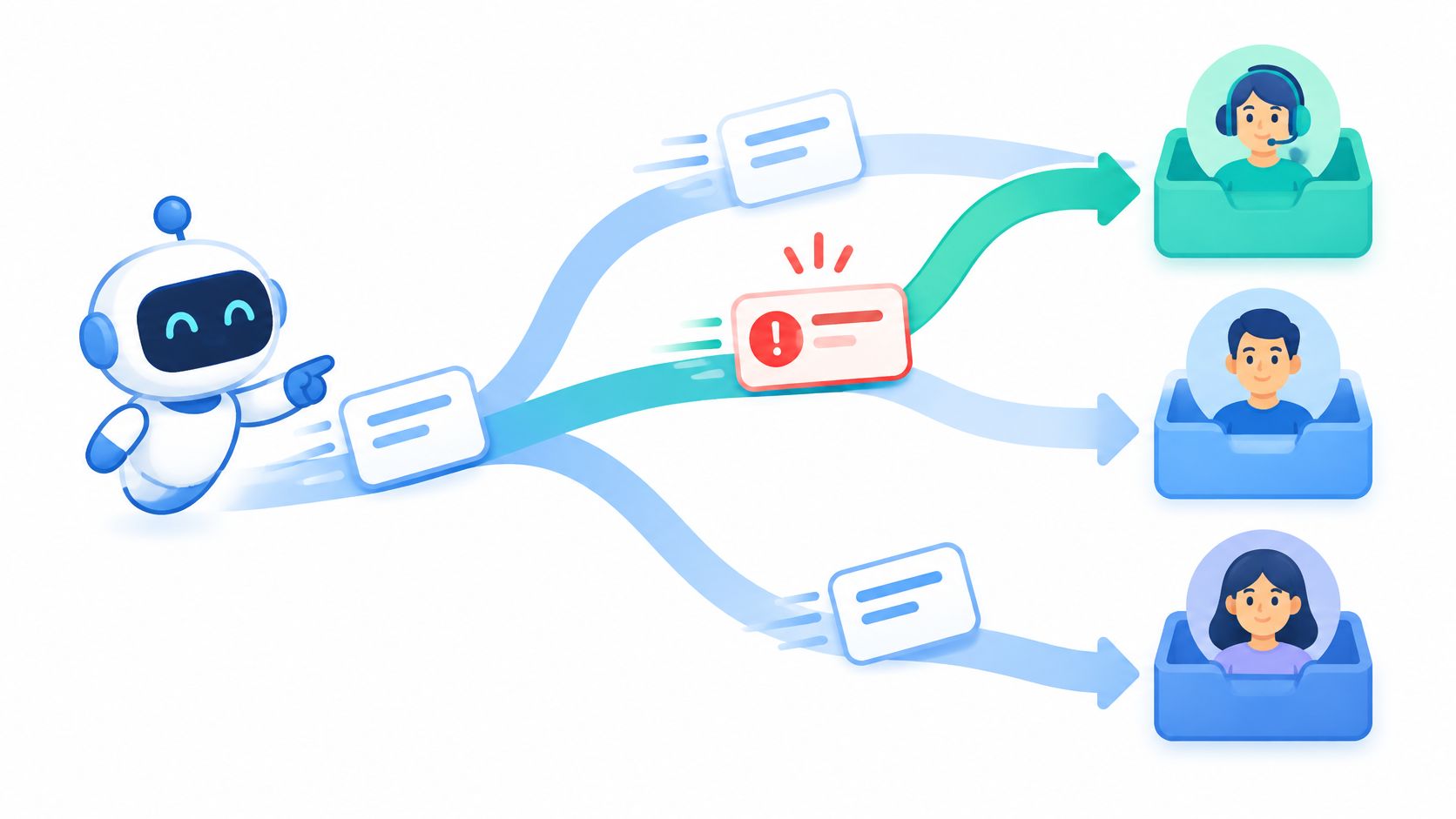
It fits because the pattern repeats and past tickets already show the labels. It fails when categories overlap, when customers pack three issues into one message, or when a billing complaint gets treated like a how-to.
NIST's description of human-AI operating models is a clean split. A system may decide on its own, defer to a person, or only add an opinion. Routing can be autonomous. Money movement and legal claims should defer.
Practical rule: Start with two or three categories. Review misroutes each week, then add labels. Check current features and plan limits on each vendor's site.
2. Customer Support Chatbot With Human Handoff
A chatbot that only links to a help center is a search box with extra steps. The useful version answers from approved articles, order data, and policy, then passes the thread to a person with a short summary when the question gets hard or the customer asks.
Intercom offers its Fin AI agent for support conversations with handoff to human agents. Salesforce offers Agentforce for service teams that want agents tied to customer records. What each product does day to day is on the vendor's site. Treat any trial as a trial, and confirm limits there before you connect live orders.

Hands-off chat breaks trust fast. Capgemini's 2025 research on generative AI in organizations found that 71% of organizations cannot fully trust autonomous AI agents for enterprise use, and only 46% have governance policies. A bot that invents a refund is worse than a slow queue.
Give the customer a path to a person at every step. Limit answers to approved sources. Read transcripts weekly for wrong or fuzzy replies. For a wider set of agent patterns, see these AI agent examples and match the handoff to the risk, not to the demo.
3. Lead Capture and CRM Enrichment
A form submit that sits in a spreadsheet until Friday is already a cold lead. The automation worth building writes the record into the CRM the moment the form lands, fills company fields you already trust, and suggests a next step. Scoring can wait until the fields are clean.
HubSpot includes lead scoring and workflow automation in its CRM. Zapier and Make are common bridges from forms into Salesforce or HubSpot. AI can summarize a company site or draft a first note. It should not invent revenue, headcount, or buying intent you cannot trace.
What works is a boring map. One form field, one CRM field, one owner for duplicates. What breaks is enrichment that overwrites a rep's notes, or a score that treats every newsletter signup like a sales-ready account.
Before you go live, run sample records that you know are duplicates. Confirm data sources and privacy terms with your legal team. If you need a starting rule set, set lead qualification rules before you let a model rank anyone. Review pricing and field limits on each vendor's website.
4. Email Sorting and Reply Drafting
Shared inboxes fail in a quiet way. Sales mail, invoices, and newsletters land in one pile, and the person who "owns" the inbox is in meetings. Sorting is a good automation. Sending is not, until a person has read the draft.
Microsoft Outlook and Gmail include AI features for summaries and drafting in current versions. Shared inbox tools such as Front use rules and AI to route messages to teammates. Use labels first. Add draft replies only for messages you already answer the same way, such as "we received your invoice" or "here is the scheduling link."
Leaders often miss how much of this already happens off to the side. McKinsey's workplace research found that 4% of surveyed C-suite leaders estimated employees use generative AI for at least 30% of daily work, while 13% of employees reported that level themselves. Untracked inbox tools are part of that gap.
- Keep a person before send: No message leaves without a human click.
- Start with one label: Expand only after a week of clean sorts.
- Read the data policy: Know what the vendor stores before you connect a work inbox.
5. Meeting Notes and Action Item Extraction
The meeting ends, and the only record is a half-finished doc no one opens. Transcription plus a summary fixes the blank page. It does not fix a vague discussion. If nobody named an owner, the model will guess one.
Otter.ai offers transcription and summaries. Fireflies.ai and Fathom provide notes that connect to common work tools. A solid flow sends decisions and action items, with owners and dates, into a project tool or a team channel. People still edit the list before it becomes assigned work.
Tell every participant when a meeting is recorded. Use one summary template so "decision," "owner," and "date" show up in the same place. Check each vendor's recording and storage terms before you turn it on for customer calls.
If the action item has no name and no date, it is still a wish. Don't push it to the tracker.
For a closer look at note tools and how teams wire them in, read this guide to auto notes AI.

6. Invoice and Document Data Extraction
Invoices already arrive as data; the job is forcing that data into fields. A model reads the PDF, pulls vendor, invoice number, dates, and totals, then a check against the purchase order decides whether the record can move.
Why it fits: the fields are stable and the rules are boring. Match totals, compare dates, route anything over the approval limit. Where it fails: creased scans, new vendor layouts, handwritten notes, or a missing PO number. One public-sector document automation case from Alice Labs reported a sharp drop in processing time once intake, extraction, validation, and posting ran as one pipeline.
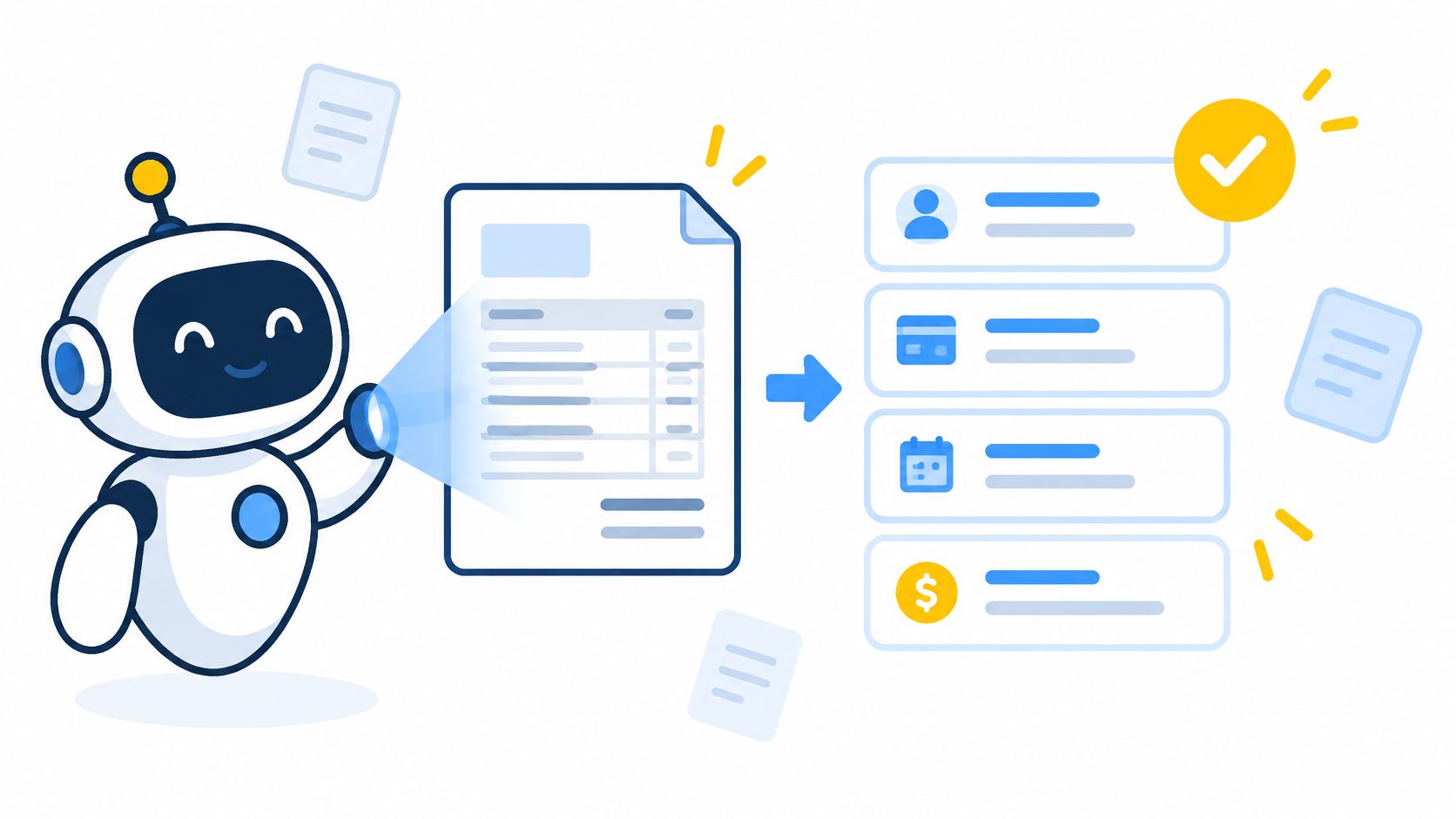
Copy the pattern, not the screenshot: start with the document type you see most, keep an audit log of every extracted value, and hold low-confidence or conflicting fields for a person. Microsoft Power Automate and UiPath include document processing for finance-style flows. QuickBooks and Xero offer receipt and invoice capture. Confirm file types and pricing on each vendor's site before you connect the feed.
7. Content Repurposing and Social Scheduling
One webinar can feed a newsletter, three social posts, and a set of captions. Rewriting that by hand is why the posts never ship. The automation should turn one approved source into drafts, then wait. A scheduler such as Buffer or Hootsuite can queue them. Descript and Opus Clip can cut short clips and captions from longer video.
What works is a short brand voice note in the prompt, plus a human pass on facts and links. What fails is posting the model's first draft, or clipping a quote that the speaker later corrected. Track which format gets replies before you add more channels.
SleekPost's guide to managing social content is a useful check on the editorial side, the part a model will not own. Compare writing, video, and scheduling tools by reading each vendor's current feature list. Don't treat a trial as a permanent free plan.
8. SEO Content Briefs and Site Audits
An SEO brief that only restates the top ten pages will sound like those pages. Use the model to gather the outline, the questions, and the obvious on-page gaps. A person still picks the angle and checks the audit before anyone edits a live URL.
Semrush and Ahrefs include AI features for keyword research and site audits. Surfer offers content editor guidance based on top-ranking pages. Treat the brief as a start, then add reporting, examples, or product detail those pages don't have. A crawler flag is a hypothesis until someone opens the page.
Judge changes over several weeks, not the afternoon you publish. Technical findings and content findings should not share one ticket, or the writer will "fix" a redirect by rewriting a paragraph. Review each tool's pricing and data limits on the vendor's website before you export a whole site.
9. Code Review and Test Generation
A pull request with no tests is a bet. An assistant inside the editor can suggest a fix, sketch a unit test, and comment on style before review. GitHub Copilot offers code suggestions and pull request review features. Cursor and Codeium offer assistants in the editor. The developer still runs the tests and reads the diff.
Generated tests often assert what the code already does, including the bug. Run them. If they pass while the behavior is wrong, throw them out. Keep human review on auth, payments, and anything that touches customer data. Set a team rule for which repositories may be sent to an external model.
Generated tests that only mirror the current function are not coverage. They are a photocopy.
Compare assistants by what they review, inline edits or pull request comments, and confirm plan details on each vendor's site. Security-sensitive code stays with a person even when the suggestion looks tidy.
10. No-Code App Integration Workflows
Some tools will never share data on their own. A no-code flow is the glue. A form submission can land in a sheet, get classified, and post a short note in chat. Zapier connects large catalogs of apps with triggers and actions. Make and n8n offer visual builders when the branch logic gets thicker. An AI step belongs where you must read messy text. Stable fields should stay rules.
Scaling agents is mostly plumbing. In Anthropic's State of AI Agents report, 46% of organizations cite integration with existing systems as a primary barrier, 42% cite data access or data quality, and 43% cite implementation cost. The same research notes a median cost reduction of about 50% for rules-based automation, versus roughly 20% for hybrid and RPA approaches. Agent-first builds can do more, and they vary more.
Document the owner and the purpose. Test with fake records. Alert on failed runs. For a plain walkthrough of this pattern, see low-code and no-code automation. Check task limits on each vendor's website.
AI automation examples at a glance
| Team | Main task automated | Key benefit | Main risk to manage |
|---|---|---|---|
| Support | Classify and route support tickets | Reduces manual sorting and speeds urgent responses | Misrouted tickets can delay important issues |
| Customer support | Answer routine questions and hand off complex cases | Provides quick answers around the clock | Incorrect answers can damage customer trust |
| Sales | Capture leads, enrich CRM records, and score prospects | Keeps records complete and speeds lead follow-up | Enrichment errors, biased scores, and privacy limits |
| Email operations | Sort incoming email and draft replies | Saves time and reduces missed follow-ups | Sorting mistakes or generic replies may miss context |
| Teams | Transcribe meetings and extract decisions and action items | Improves follow-up and creates searchable meeting records | Transcription errors and recording consent requirements |
| Finance and operations | Extract invoice and document data | Reduces manual entry and speeds approvals | Extraction errors and exposure of financial data |
| Marketing | Repurpose content and schedule social posts | Saves rewriting time and supports consistent publishing | Generic drafts, factual errors, or outdated platform rules |
| SEO and content | Draft content briefs and identify site issues | Speeds research and makes audits more regular | Incomplete data or unreviewed changes can harm content or pages |
| Engineering | Review code and generate tests | Catches common bugs earlier and improves test coverage | Flawed suggestions, security gaps, or code privacy concerns |
| Business operations | Connect apps with automated workflows | Lets non-developers link tools without custom code | Complex flows, rising usage costs, or cascading errors |
| Business teams | Build no-code app integration workflows | Connects tools and adapts easily as needs change | Complex flows can be hard to maintain and errors can spread |
How to Pick Your First Automation and Make It Stick
Occupation headlines overstate the hit. An OECD review of the evidence summarizes Frey and Osborne's estimate that 47% of total U.S. employment sat in occupations that were potentially automatable over one or two decades. Task-based work from Arntz, Gregory, and Zierahn put the figure near 9% of jobs across 21 OECD countries, because people in the same job don't do the same tasks. Later summaries put occupations at the highest automation risk at about 28% of jobs across OECD countries. Exposure is not a layoff notice. It is a map of tasks you can redesign.
NIST's AI Risk Management Framework says organizations should define, assess, and document human oversight. Write who reviews the output, when it escalates, what evidence they see, and how the decision is stored. A workflow without that page is a demo.
Pick a task that repeats, has visible rules, and can survive a human check. Map inputs and outputs on one page. Run it on a small slice of real work, and count completed cases, not vibes. Many teams feel time savings and never tie them to cost per case.
Across these AI automation examples, the first week should answer three questions. Did the right work move? Did a person catch the bad cases? Can you turn it off? If you can't name the owner of a failure, you are not ready to add volume.
When you choose tools, the AI Tool Seekers directory lists 751 hand-verified AI tools with Editor's Scores, category pages, and free utilities such as an AI tool finder and a cost calculator. Browsing is free, and listings reflect human review rather than paid placement. That is a filter, not a substitute for your own trial on one workflow.
AI Tool Seekers is a hand-verified directory for comparing AI software, including automation, support, writing, and coding tools, with Editor's Scores and plain notes on what each tool does. Use it to narrow the stack behind these workflows before you connect a live inbox or CRM. Visit AI Tool Seekers and start with the task you already repeat every day.