AI Writing Tools for Students: Which Ones Help
Compare the best AI writing tools for students, with honest pros, cons, limits, and clear guidance on using them responsibly in academic work.
Which part of an assignment slows you down: coming up with the idea, finding sources that hold up, or fixing the prose once the argument exists? Most students give a different answer each week, and that answer should decide which tool they open.
This list groups ten tools by the stage of student work they fit. Each entry describes what the tool does according to its own website, notes where free access stops and paid plans begin, and flags the course rules that matter before anything gets pasted into a text box. No tool here was tested for this article, no vendor paid for a mention, and nothing is ranked by hype.
The volume behind that demand is real. In a 2025 Higher Education Policy Institute survey of 1,041 full-time undergraduates in the United Kingdom, 92% reported using some form of AI, up from 66% in 2024, and 18% said they had inserted AI-generated text directly into submitted work (HEPI and Kortext student survey).
That last figure is why this list spends as much space on disclosure as on features. A tool that saves an hour on a draft can cost a student an academic misconduct case if the course forbids it or expects a declaration. Students who want extra practice tightening their own drafts can start with AI Powered Revision before opening anything else.
Table of Contents
- 1. ChatGPT
- 2. Grammarly
- 3. QuillBot
- 4. Scribbr
- 5. Paperpal
- 6. Jenni AI
- 7. AITurnitin Review and Verdict
- 8. Wordtune
- 9. Hemingway Editor
- 10. DeepL Write
- AI writing tools for students at a glance
- Match the Tool to the Assignment, Then Check the Rules
1. ChatGPT
ChatGPT can help at several stages of an assignment, but it works best as a thinking aid rather than a source of submission-ready text. Its common uses include brainstorming, outlining, summarizing, and rewriting. For students, the most useful prompts tend to focus on one specific task:
- Brainstorming: Ask for several angles on a topic, then choose one to investigate and develop.
- Organizing notes: Provide lecture notes and ask for recurring themes, not a finished argument.
- Reviewing a draft: Ask where the reasoning is unclear or jumps between points, then revise the draft yourself.
The main trade-off is accuracy. ChatGPT can produce confident claims alongside citations that do not exist, and its general-purpose prose may need substantial editing to fit academic writing. Check factual claims against original sources, and follow your course's rules before using it on assessed work. If you are comparing no-cost options, browse this guide to free AI tools for students. Check ChatGPT's plan details for current free-plan limits.
2. Grammarly
Grammar checkers get dismissed as a spellcheck upgrade, and that undersells what Grammarly's student page describes. It works inside Word and Google Docs, so feedback arrives where the draft already lives, covering grammar, spelling, clarity, and structure alongside AI help for brainstorming, research, outlining, and rewriting. Citation support for APA, MLA, and Chicago sits in the same product.
The convenience is the point. A student doesn't have to move a document into another app to get a clarity pass, and the same session can jump from proofreading to outlining. The trade-offs are real too. Some features need a paid plan, rewriting suggestions can shift a draft's meaning or voice, and any authorship or AI-detection feature is not proof of how text was written.
Read the assignment policy before the first edit. The University of Hong Kong Faculty of Arts guidance treats undisclosed use of generative AI to generate text, ideas, structure, translations, or code as plagiarism, and its declaration format can ask for the tool and version, interaction dates, exact prompts, what was kept or edited, and a reflection on the student's own contribution.
Brainstorming and editing count as use under policies like that one. Plans and limits change, so confirm details on Grammarly for students before relying on a feature.
3. QuillBot
QuillBot is a bundle rather than a single tool: a paraphraser with several modes, a grammar checker, a summarizer, a citation generator, translation, browser extensions, and a Word add-in. That spread suits the revision stage, when sentences already exist and need to come out cleaner, shorter, or easier to follow.
Usage data backs the pattern. In a University of Tartu survey published in the Journal of Academic Writing, the share of students using AI for summaries and overviews rose from 6% to 15% in a year, while overall use while writing went from 44% in 2023 to 52% in 2024 (Tartu student writing survey).
What it does well, and where it stops:
- Paraphrasing modes: useful for testing a second phrasing of your own sentence.
- Summarizer and grammar checker: quick passes on reading notes and rough drafts.
- Citation generator: a starting point that still needs checking against the style guide.
- Free access: enough for occasional short edits, with usage limits that arrive fast on long documents.
Paraphrasing never replaces citing the original source, and that's the trap. Reworded text still belongs to whoever wrote it. Student pricing may be available with verification, and the monthly plan costs more than the annual plan's monthly equivalent, so compare on QuillBot's site rather than an old review.
4. Scribbr
Several of Scribbr's browser tools run free without an account: grammar checking, paraphrasing, summarizing, and citation help for APA, MLA, Chicago, and Harvard. That makes it the cheapest stop for the citation stage of an assignment, before anyone starts paying for proofreading.
Where Scribbr fits in a workflow
Run the free checker on a finished draft, then read the citation guides while building the reference list. The writing-process resources explain how to frame a research question and how to paraphrase without losing meaning, which is more than a checker usually offers. AI proofreading and professional human editing are paid additions, kept separate from the free utilities.
The limits are structural. These are separate tools rather than one integrated workspace, so nothing syncs between them, and paid proofreading is a different service from the free checker. Scribbr also says plainly that AI detector results are not completely accurate or conclusive, which lines up with wider evidence: a review of 90 studies found continuing reliability and false-positive concerns and recommended human review, transparent procedures, clear policies, and accessible appeals (Springer review of AI detection). Reporting in the same body of work suggests about one quarter of students changed how they write to avoid being falsely flagged.
That's worth knowing before treating any score as a verdict. The free tools are described on Scribbr.
5. Paperpal
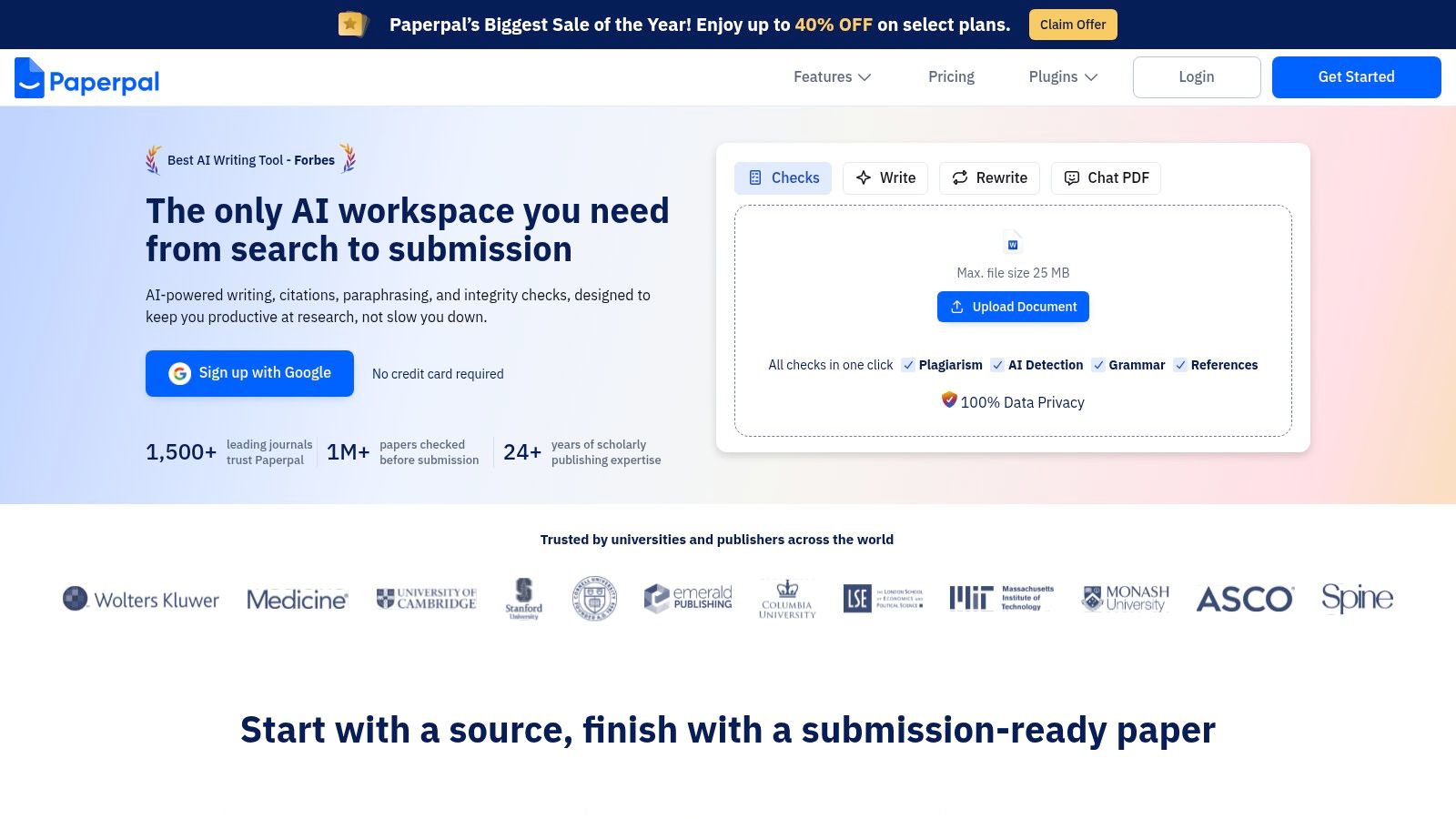
Paperpal aims at a narrower reader than a general chatbot: the student writing a research paper, a thesis chapter, or a lab report. Its site describes academic-style language suggestions, paraphrasing, language editing, research and citation features drawn from a scholarly-paper database, PDF chat for working through reference material, and access through the web, Word, Google Docs, browser tools, and Overleaf.
That mix is the difference between editing prose and editing a manuscript. Overleaf support matters to anyone writing in LaTeX, and PDF chat helps with dense sources that would otherwise be skimmed.
- Language editing: tightens academic phrasing without rebuilding the argument.
- Research and citation features: useful for finding related work, still requiring verification.
- Free access: available, with limited usage depending on the feature.
- Paid tier: some advanced checks and heavier use need it.
The caution isn't about the tool, it's about the pattern. A recent study in Educational Studies reported that AI-assisted essay writing produced weaker neural, linguistic, and behavioral outcomes than unaided or search-assisted writing, and linked frequent AI use to lower critical-thinking performance through cognitive offloading (Educational Studies study). Editing a draft that already exists is a different act from having the argument built for you. For a short routine assignment, Paperpal likely carries more features than the job needs, and Paperpal's site lists what each tier includes.
6. Jenni AI
Jenni AI is a document editor with research plumbing attached. Per its site, that means context-aware autocomplete, AI editing, chat about the open document and any uploaded PDFs, citation management with bibliography generation, review tools, and export options. Students writing longer papers get drafting help and source handling in one window instead of three.
The free plan is real but thin: some daily autocomplete, PDF uploads, and citations, with restricted AI editing, chat, and review allowances. Anyone working on a chapter-length project should compare allowances and export options before committing, and check generated citations against the actual source. Writers moving into longer projects can read this guide to AI for writing a book for the same trade-offs at a bigger scale.
Treat an unpublished draft like a password. UNESCO's guidance on generative AI in education notes that some systems raise privacy concerns because information used to train a model may not be removable later, and it calls for protecting personal data (UNESCO guidance). Private details, unpublished research, identifying information about classmates, and confidential school material don't belong in any writing service unless the school has approved it and the terms support it.
That rule covers every tool on this list. Feature details sit on Jenni AI.
7. AITurnitin Review and Verdict
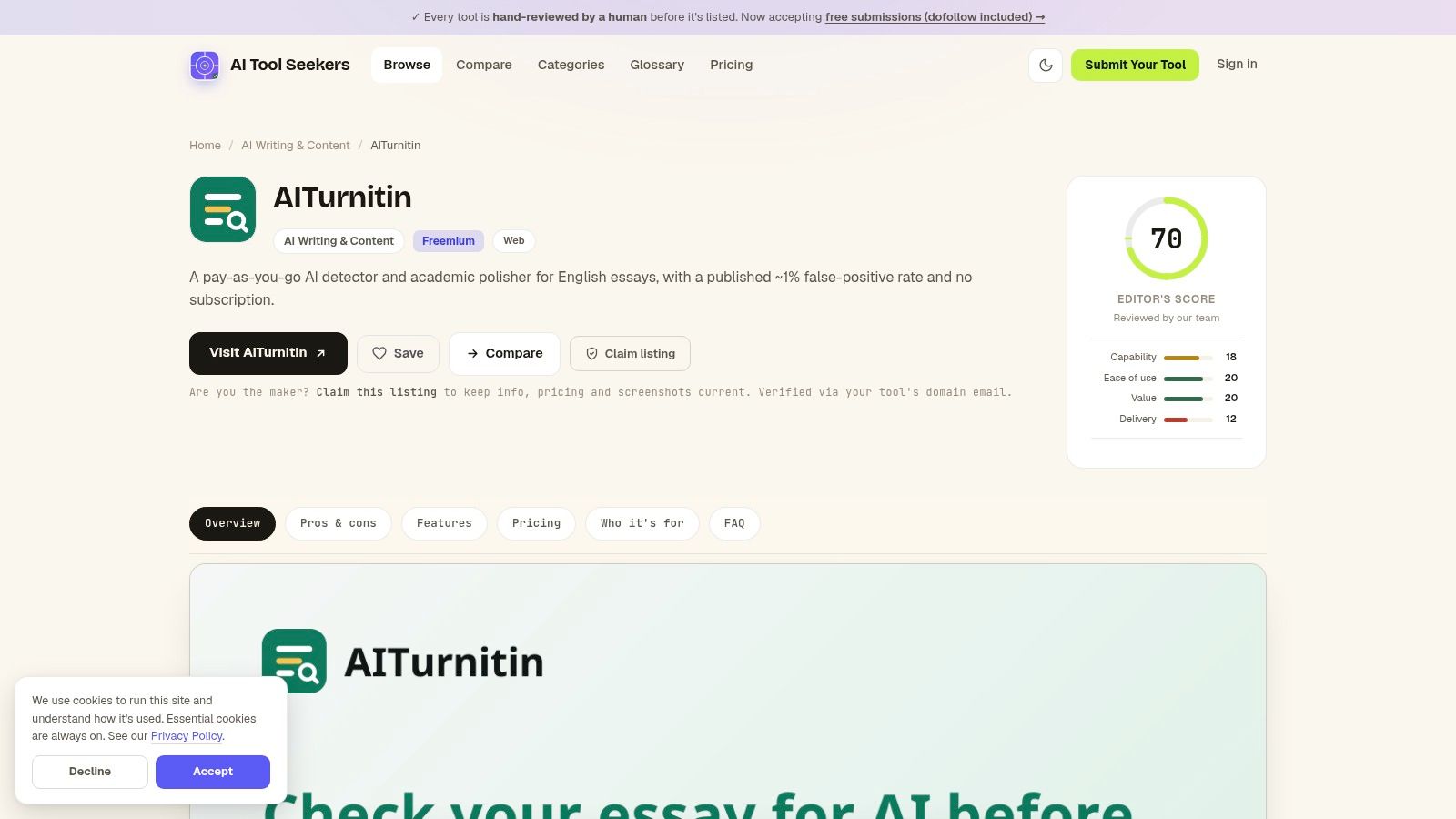
AITurnitin answers the two questions students ask most often after a draft is finished: does this read like AI wrote it, and does it read like academic English? Its site describes sentence-level AI-writing detection paired with an academic polisher, which is built to improve grammar and clarity while preserving citations, numbers, and other details that shouldn't drift. That preservation is the useful part. A rewrite that changes a date or a reference is worse than no rewrite at all.
What the detection actually reports
Detection is where students overread the output. Turnitin's own guidance explains that its AI-writing percentage covers qualifying text the system judges likely generated by a large language model or revised with an AI paraphrasing tool or word spinner, that it shows no percentage or highlights for results from 1% through 19%, and that below 20% it uses an asterisk instead (Turnitin AI writing guidance). The same guidance says the result should not be the sole basis for adverse action against a student.
Read a sentence-level flag as a prompt for a conversation, not a verdict. A human reviewer still has to apply the institution's policy and look at how the writing was produced.
- Sentence-level highlighting: narrows attention to specific lines rather than a whole-document score.
- Detection plus editing: one workspace for reviewing and polishing.
- Academic focus: grammar and clarity work aimed at scholarly writing in English.
- Citation and number preservation: lowers the risk of a rewrite altering a reference.
The limits are scope and certainty. The stated focus is academic English, so other languages and casual writing sit outside it, and no detector proves authorship. Full details are in the AITurnitin review.
8. Wordtune
Revision is where drafts improve or fall apart, and Wordtune stays in that lane. Its site describes sentence and paragraph rewriting, suggestions that expand, clarify, or conclude a point, and text summarization. There's no research or citation system to learn, which is either the appeal or the dealbreaker.
For a paragraph that won't land, the value is comparison. Wordtune shows a few ways to say the same thing, and choosing among them is a writing decision, not an outsourcing decision. Student and educator discount eligibility exists, and the free tier includes some rewrites and summaries before the cap arrives.
What it won't do:
- It won't manage sources: no citation library, no reference formatting.
- It won't verify claims: a cleaner sentence can still be wrong.
- It won't replace your judgment: every rewrite needs review for meaning and for course requirements.
Voice is the risk. A draft polished entirely by suggestion starts to sound like the tool, and instructors read a lot of student writing. Keep the sentences that sound like they came from the student and fix the ones that don't. More options in this category are listed under AI writing tools, and plan details are on Wordtune.
9. Hemingway Editor
Hemingway Editor measures readability and makes the measurement visible, which is more useful than it sounds. Paste a draft and it scores the text, then colors the trouble spots: long dense sentences, passive constructions, and wording that could be simpler. The free online editor gives a first-pass style check without an account.
Shorten the sentence, then check the idea. Readability fixes hide weak reasoning. A tangled sentence often marks an argument the writer hasn't finished, and cutting it in half won't fix that.
Editor Plus adds AI rewriting and advanced grammar fixes, with a monthly allowance of AI sentence rewrites. The free editor remains the sensible starting point for students who mainly need to see where the prose drags.
The limits are structural. Hemingway doesn't assess whether a claim is accurate or well supported, it doesn't touch citation or research, and the AI rewrites run into monthly sentence limits. It's a final-pass tool for prose that already has an argument behind it, best used after the source work is done and before the last proofread. The rewrite allowance and plan details are listed on Hemingway Editor.
10. DeepL Write
DeepL Write is a language-refinement tool rather than a writing assistant in the broad sense. Its site describes corrections and alternative wording for grammar, spelling, punctuation, and style, plus tone and style options, available on the web, in apps and browser extensions, and inside Google Docs and Word.
Multilingual students get the most from it. When the ideas are sound but the English carries the marks of another language, an alternative-wording tool shows what a more natural phrasing looks like, sentence by sentence. The free version limits text to 1,500 characters per text, enough for a paragraph, and Write Pro is the paid option.
Check the rule, then check the age limit. UNESCO's guidance recommends that schools and universities set rules for responsible use of generative AI instead of relying on blanket bans, and suggests considering age limits for independent conversations with generative AI platforms, with a related UN summary identifying 13 as a possible threshold for classroom use (UNESCO guidance on generative AI).
What it doesn't do is research or citation. It refines language that already exists, so the sources and the argument still belong to the student. Details are on DeepL Write.
AI writing tools for students at a glance
Which tool fits the stage of work you're doing? Use this table to compare each option's typical role, free access, and working environment. Free-plan limits and available features can change, so check the tool's current terms before relying on a specific feature.
| Item | Best for | Free access | Where it works |
|---|---|---|---|
| ChatGPT | Brainstorming, outlining, and summarizing across subjects | Free plan with usage limits | Web |
| Grammarly | Proofreading and clarity edits | Free access with some feature limits | Google Docs, Word, and other writing platforms |
| QuillBot | Paraphrasing, grammar checks, and summaries | Free access with usage limits | Browser extensions and Word |
| Scribbr | Academic writing and citation support | Many free browser-based tools | Browser-based tools |
| Paperpal | Academic writing and research papers | Free access with feature limits | Web, Word, Google Docs, browser tools, and Overleaf |
| Jenni AI | Drafting research papers with source materials | Limited free plan | Academic document editor |
| AITurnitin Review: Features, Pricing & Verdict | Academic editing and sentence-level AI-writing checks | Free access not established | Academic writing in English |
| Wordtune | Rewriting and refining existing drafts | Free tier with capped usage | Writing editor |
| Hemingway Editor | Improving readability and simplifying prose | Free online editor | Online editor |
| DeepL Write | Polishing grammar, wording, and style | Free version with text limits | Website, apps, browser extensions, Google Docs, and Word |
Match the Tool to the Assignment, Then Check the Rules
The stage of the work should pick the tool, not the other way around. Most assignments move through four phases, and each one rewards a different kind of help.
- Blank page: a general assistant like ChatGPT, used for angles and structure, then closed.
- Drafting and sources: an academic editor like Paperpal or Jenni AI, where citations and phrasing both matter.
- Checking the research: a source-aware tool, used to verify rather than to summarize from memory.
- Final pass: a focused editor, Hemingway for readability or DeepL Write for fluency, once the argument is settled.
What the policy expects
No tool in that sequence removes the need to read the course rule. Policies vary by institution, department, and assignment, and disclosure requirements can be detailed. A student who keeps drafts, prompt logs, and source notes can explain how a paragraph came together. A student who can't is in a much weaker position, whatever the detector says.
The level of study matters too. RAND's 2025 survey found that 54% of U.S. middle- and high-school students used AI for schoolwork to some extent, with 41% of middle-school students versus 61% of high-school students reporting use (RAND survey). A tool that suits a graduate seminar can be a poor fit for a younger student, which is why age terms and school approval belong on the checklist next to features.
Before paying for anything
Check the vendor's own page for current pricing and plan limits. Free tiers change, student discounts need verification, and a review written months ago may describe a product that no longer works that way. Then get the course rule in writing rather than from a classmate's memory.
The AI Tool Seekers directory lists tools with an Editor's Score from 0 to 100, broken into capability, ease of use, value, and delivery, and shows features, pros, cons, and pricing on each listing so two tools can be compared side by side. That's faster than reading ten vendor pages, and the scores are editorial rather than paid placements.
These tools assist student writing. They do not replace citing sources, checking facts, or following the rules of the course.
AI Tool Seekers gathers writing, research, and study tools in one hand-verified directory, with real pros, cons, pricing, and an Editor's Score on every listing. If this list has narrowed the field to two or three options, the comparison pages put their features and pricing next to each other before a decision. Visit AI Tool Seekers to browse the writing category and see how each tool scored.