
Aident Loadout
A remote MCP capability layer that connects AI coding agents to 1,000+ apps and 400+ Skills through one reusable OAuth setup.
Are you the maker? Claim this listing to keep info, pricing and screenshots current. Verified via your tool's domain email.
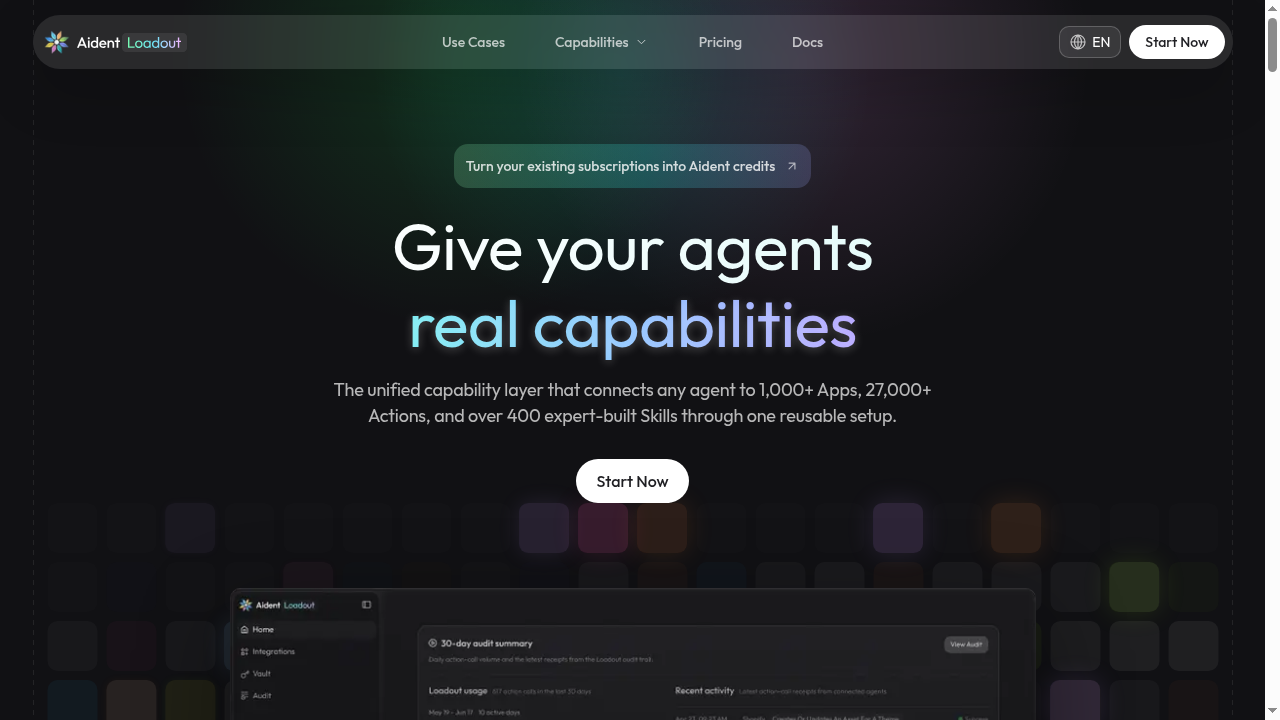
Aident Loadout is the clearest choice for developers who want a single, persistent capability layer that follows their agents across multiple MCP clients without reconfiguring credentials each time. Its Vault-plus-Audit security model is more production-ready than most MCP aggregators, but specific pricing figures are not publicly confirmed, which makes cost planning harder than it should be. Teams that need a visual, no-code workflow builder rather than an MCP endpoint should look at Cronloop instead.
What is Aident Loadout?
Aident Loadout connects Codex, Claude Code, Cursor, ChatGPT and other MCP clients to 1,000+ apps and 400+ expert-built Skills through one setup. You connect accounts once and reuse them across agents. Credentials stay in Aident Vault; every action is logged in Audit.
How we scored Aident Loadout
Capability scores well because 1,000+ apps, 27,000+ actions, 400+ Skills, Vault, cost preflight, and an open-source Skill SDK together form a genuinely deep integration layer that most MCP aggregators do not match in breadth or security design. Ease of use is limited by the absence of any visual interface: setup requires MCP client configuration and command-line familiarity, which is a real barrier for anyone outside the developer audience. Value is hard to score fairly because Pro and Team prices are not publicly visible in static content, which is itself a problem for buyers; the free pay-as-you-go entry is a genuine positive, but the opacity of paid tiers pulls this score down. Delivery is cautious: the product is demonstrably real and listed in multiple MCP registries, but it is very new, has no independent user sentiment on record, and the dynamic-only pricing page creates a trust friction that a more established tool would not have.
Pros and cons
What we liked
- One OAuth setup covers 1,000+ apps and 27,000+ actions across every supported MCP client, eliminating per-agent credential configuration.
- Aident Vault keeps raw API keys away from the model, and Audit logs every action with its cost, agent source, and success status, which is a meaningful security posture for production use.
- The open-source aident-skill repository lets developers build and contribute custom Skills, giving the catalog an extensibility path most MCP aggregators do not offer.
Where it falls short
- Pricing tier prices are not visible in static page content and require signing in or waiting for dynamic billing to load, making it impossible to budget without creating an account first.
- There is no visual workflow builder or scheduling interface; the entire product assumes comfort with MCP client configuration and command-line setup, which excludes non-developer users entirely.
- The tool is very new and community-sourced sentiment is thin, so real-world reliability, uptime track record, and support quality are unverified at this stage.
Key features
Aident Loadout pricing
Aident Loadout offers a free pay-as-you-go entry point, with Pro and Team plans available for higher limits and additional features. One-time Credit Boosts can add usage without changing your plan. Exact dollar figures for Pro and Team tiers could not be confirmed from available sources; the pricing page appears to load billing information dynamically and did not render full tier prices in the pre-fetched content or search results.
| Plan | Price | Who it is for |
|---|---|---|
| Pay-as-you-go (Free Start) | Free | Free entry point with usage billed from an Aident balance. Exact credit amounts and action limits not confirmed from available sources. |
| Pro | Not publicly confirmed | Higher usage limits and additional features beyond pay-as-you-go. Exact price not surfaced in static content or search results. |
| Team | Not publicly confirmed | Team-level limits and features. Exact price not surfaced in static content or search results. |
| Credit Boosts | Not publicly confirmed | One-time top-ups that add usage credits without requiring a plan upgrade. |
Pricing reflects what we saw at time of review (2026-10). Always confirm current pricing on the tool's own site.
Who should use Aident Loadout?
Aident Loadout is built for developers who run AI coding agents, particularly those juggling several clients like Codex and Claude Code simultaneously. If you are a solo developer who switches between agent environments and is tired of re-entering OAuth credentials or API keys for every new project, the single-setup model saves real time. It also suits small engineering teams that need an audit trail for agent actions, whether for compliance, debugging, or cost control, since Audit logs every call with its originating agent and outcome.
If you are a non-technical operator who needs to automate business workflows through a point-and-click interface, Aident Loadout is not the right fit. Cronloop, which is already in this directory, is a better match for that use case: it lets you describe automation jobs in plain Markdown and run them on a schedule without touching MCP configuration. Teams that need enterprise governance, approval workflows, and Azure-backed infrastructure should look at TRam Studio instead.
Skip it if: Non-technical users or teams wanting a visual, no-code automation builder.
Aident Loadout alternatives
Frequently asked questions
Which AI agents and coding tools work with Aident Loadout?+
Loadout supports Codex, Claude Code, Cursor, OpenCode, ChatGPT, Claude Desktop, Cline, and any other MCP-compatible client. The remote endpoint uses Streamable HTTP with OAuth, so adding it to a new client typically requires one configuration line.
How does Aident Loadout handle my API keys and OAuth tokens?+
OAuth connections are authorized in the browser. API keys and delegated credentials are stored in Aident Vault, and the model only receives action results, not the raw credentials themselves. Every action is also logged in Audit.
Is there a free plan, and what does it include?+
Yes, Aident Loadout is free to start on a pay-as-you-go basis funded by an Aident balance. Exact credit amounts included at signup are not confirmed in publicly available static content; check the pricing page after signing in for current figures.
What is the difference between an App, an Action, and a Skill?+
An App is a connected service (for example GitHub or Notion). An Action is a specific operation within that app (for example create an issue). A Skill is a pre-built, multi-step workflow that packages several actions into a single higher-level capability an agent can invoke by name.
Can I build my own Skills and add custom apps?+
Yes. The aident-skill repository on GitHub is open-source and lets developers build and publish custom Skills. Custom apps can also be connected by supplying their API as a custom App entry in the catalog.
How does cost preflight work for autonomous agents?+
Before any action executes, Loadout checks the action's cost against your current balance and surfaces it. This prevents unattended agents from running up unexpected charges across many API calls without the user's awareness.
More AI Agents & Automation tools
See all categoriesGet your tool listed on 300+ directories.
One listing here is a strong start. But the founders who get discovered everywhere are listed everywhere. Our sister site, Free AI Directories, submits your tool to 300+ AI directories for you, every single one by hand, by a real person.
It is a one-time payment of $49, no subscription, and you can follow along as the submissions land. Prefer the slow route? The same site keeps a free list of 450+ directories you can work through yourself.
Get my tool listed on 300+ directoriesOne-time payment, no subscription · 100% human submissions · Free list of 450+ directories included.