
EzVisualizer
Browser-based music visualizer that turns a song and cover art into watermark-free MP4s for YouTube, TikTok, and Spotify Canvas.
Are you the maker? Claim this listing to keep info, pricing and screenshots current. Verified via your tool's domain email.
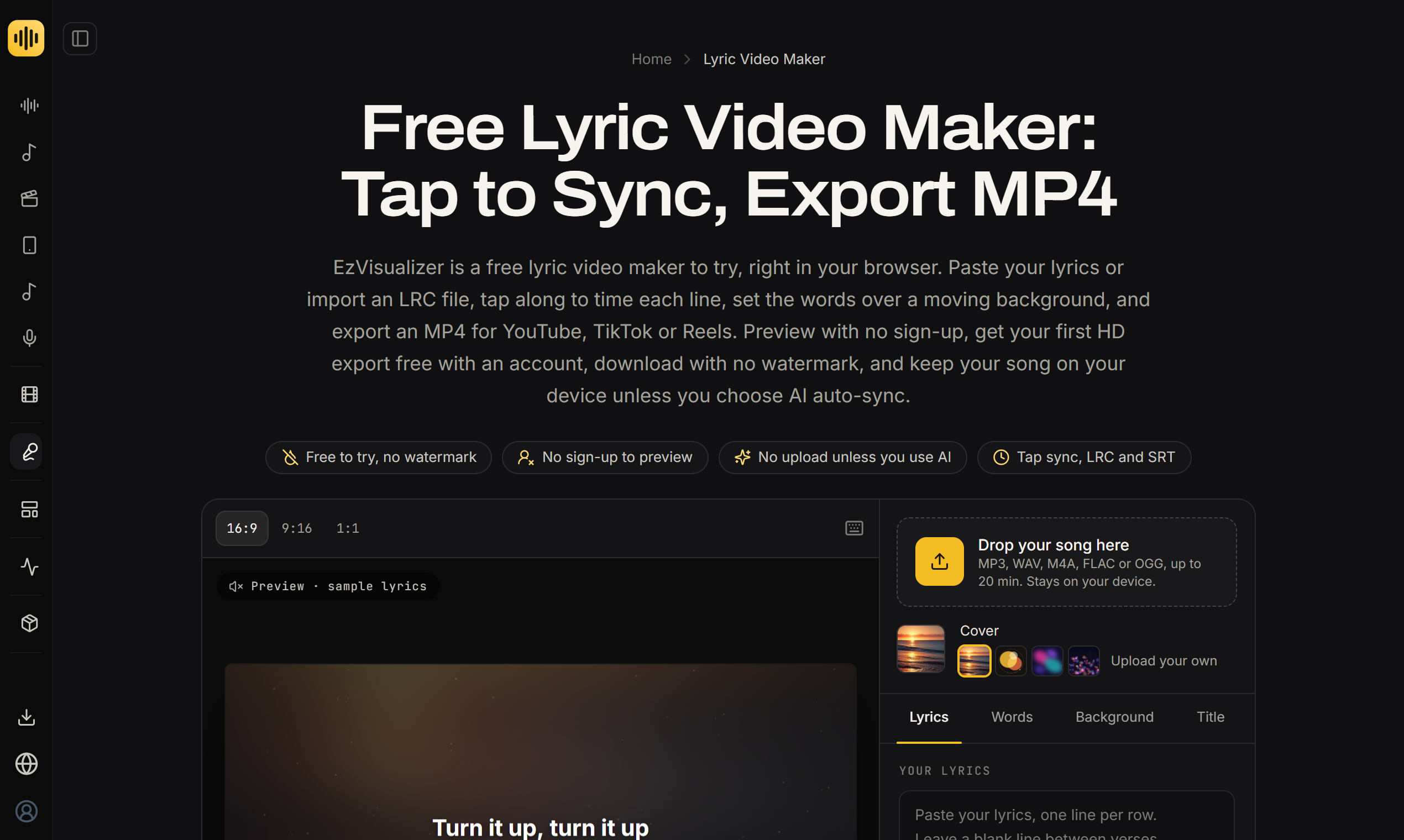
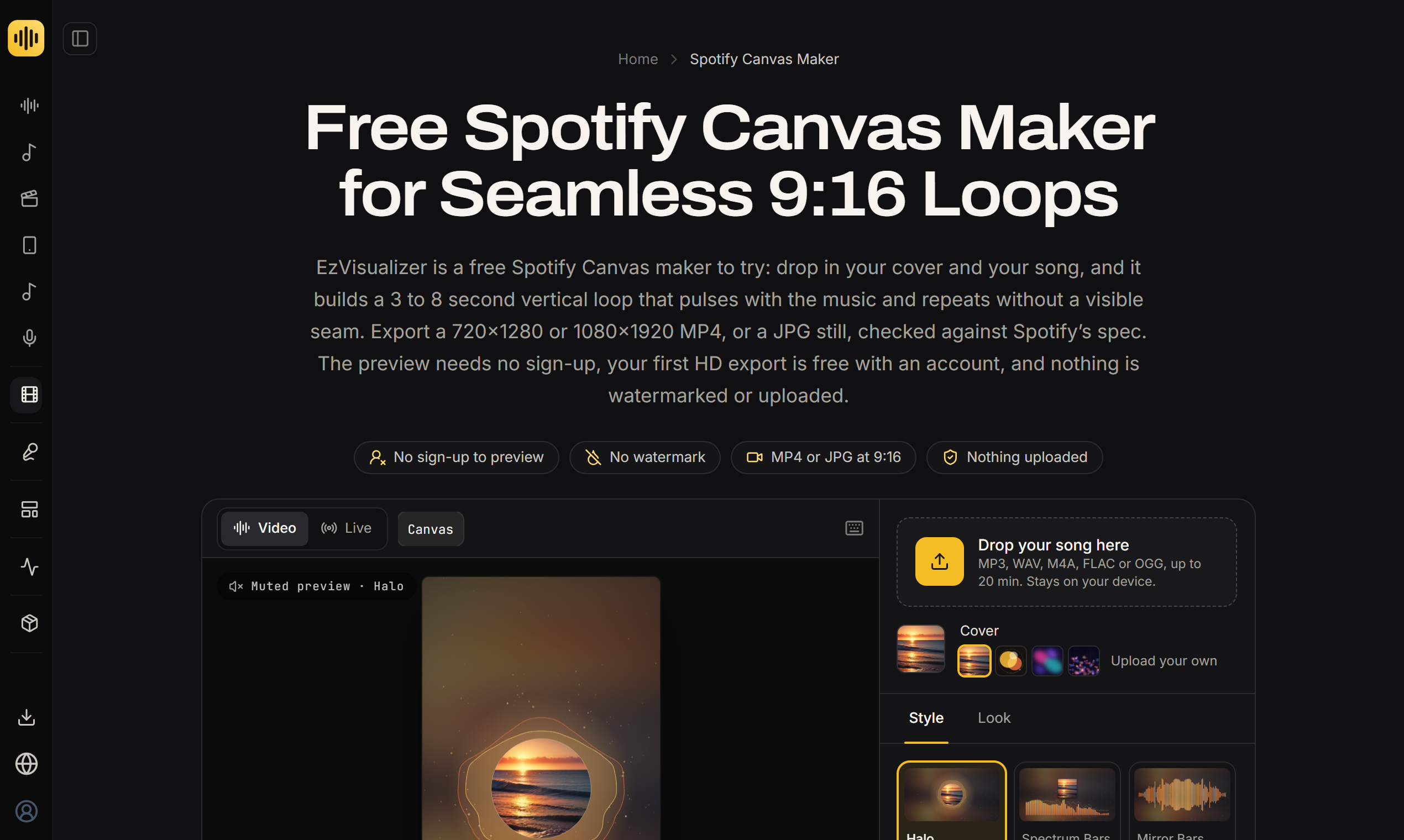
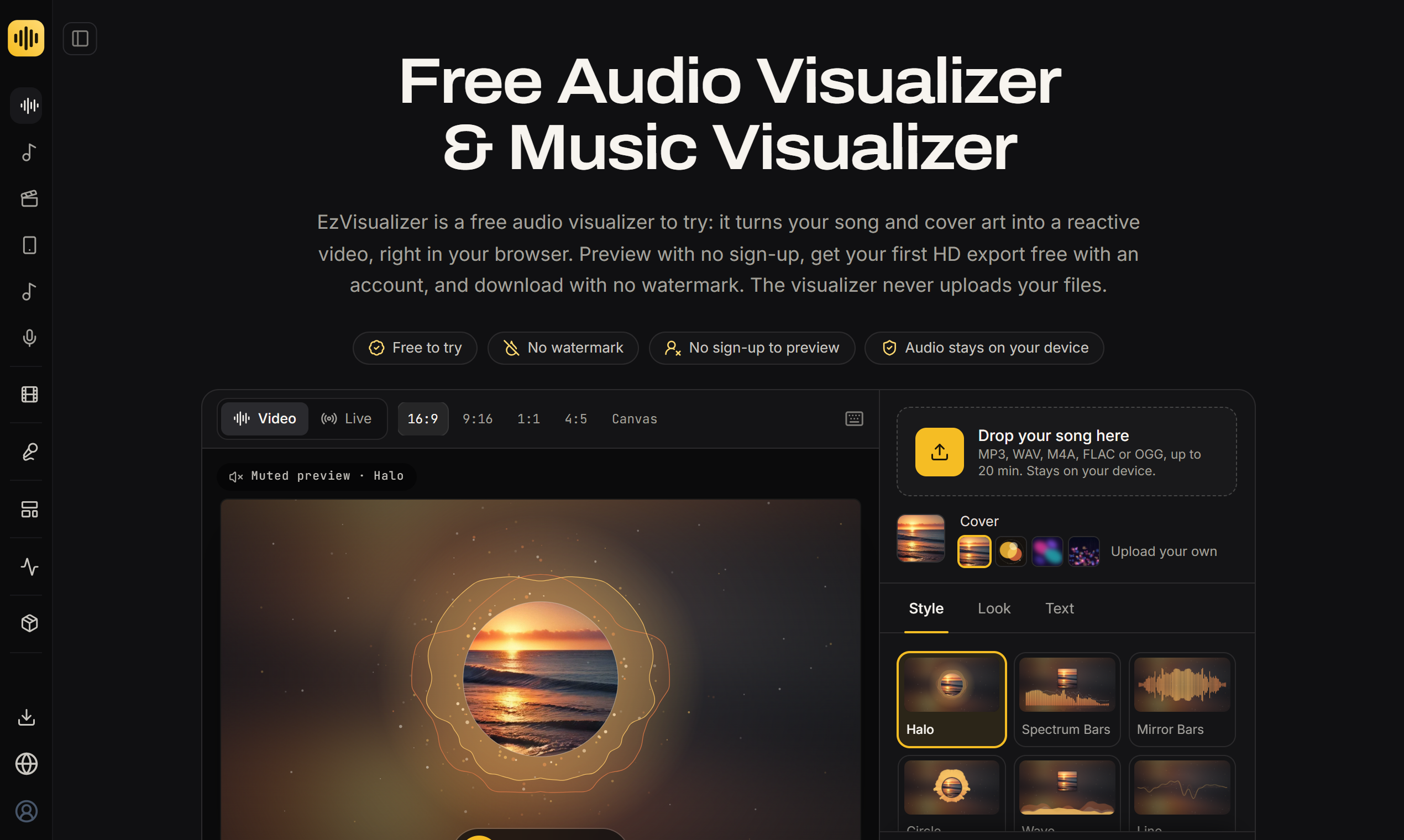
EzVisualizer is the right call for independent musicians who need a fast, no-fuss way to turn audio into platform-ready video without touching editing software. It does one thing well, but it is not a general video editor, and its AI features are credit-gated extras rather than a core strength. If you need talking-head videos, AI avatars, or anything beyond audio-reactive visuals, look elsewhere.
What is EzVisualizer?
EzVisualizer turns a song and its cover art into a reactive music video, right in your browser. Pick one of 13 visualizer styles (circle, vinyl, bars, NCS-style, car radio and more), preview free with no sign-up, and export MP4 in 16:9 for YouTube, 9:16 for TikTok and Reels, 1:1 for feeds, or a 3 to 8 second Spotify Canvas loop. The first HD export is free with an account and downloads carry no watermark. It also makes lyric videos (tap-to-sync, LRC/SRT/VTT), karaoke videos, audiograms for podcasts, photo slideshows and album covers. Rendering happens on your device, so unreleased music is not uploaded. Optional AI features (AI album covers, AI vocal removal, AI lyric sync, AI music video shots) use credits.
How we scored EzVisualizer
Capability scores 19 because EzVisualizer genuinely leads its narrow niche of browser-based audio-to-video conversion, with 13 visualizer styles, every major aspect ratio including Spotify Canvas, lyric and karaoke video, audiograms, and a suite of audio analysis tools, but it cannot touch recorded footage at all, which is a hard ceiling compared to Runway or Descript. Ease of use scores 22 because the no-sign-up preview and zero-install browser workflow are as frictionless as this category gets. Value scores 20 because the $4.99 single pass and $7.99 Starter plan are genuinely competitive for what they deliver, though the non-refundable payment policy and the credit system's steep cost for Pro vocal removal (85 credits, nearly the full Starter monthly budget) introduce real friction for casual users. Delivery scores 11 because no third-party sentiment data could be found to validate the tool's claims, the non-refundable policy is an aggressive stance for a subscription product, and the AI credit table in the pricing page appears truncated, raising questions about full transparency of costs before purchase.
Pros and cons
What we liked
- Genuinely watermark-free exports on every paid tier, including the one-time $4.99 single pass, which is rare among freemium audio-to-video tools.
- Local browser rendering keeps unreleased audio off external servers, a meaningful privacy advantage for artists who have not yet released a track.
- The Release Kit pass ($9.99 one-time) bundles every aspect ratio, 4K on exports up to five minutes, Spotify Canvas, and 40 AI credits into a single purchase with no subscription required.
Where it falls short
- No timeline editor and no support for recorded footage: the tool only works from an audio file plus static image, so any project involving camera footage requires a completely separate tool.
- All payments are explicitly non-refundable, including monthly plan charges, which is a harder policy than most subscription SaaS tools in this price range.
- The AI credit system adds a secondary cost layer that is easy to underestimate: a single Pro vocal removal job on a released song costs 85 credits, which consumes 85% of the Starter plan's monthly allotment in one use.
Key features
EzVisualizer pricing
Free preview with no sign-up. First HD export free with an account (no card required). After that: Single HD pass at $4.99 one-time per song; Release Kit at $9.99 one-time per song (all formats plus 4K and 40 AI credits). Monthly plans start at $7.99/month (Starter, 10 songs, 1080p), $9.99/month (Creator, 30 songs, 4K, 500 AI credits), and $24.99/month (Pro, 100 songs, 4K, 2,500 AI credits). Annual billing saves up to 38%. All payments are non-refundable.
| Plan | Price | Who it is for |
|---|---|---|
| Free Preview | Free | Full preview of any visualizer style on your own song, no sign-up required. No exports. |
| First HD Export (account) | Free | One 1080p export after creating a free account, with free re-exports in that format for 30 days. No card required. |
| Single HD Pass | $4.99 | One 1080p video of one song in one format (16:9, 9:16, 1:1, 4:5, or Spotify Canvas), up to 20 minutes (10 minutes on phones). Free re-export of that format for 30 days. One-time, no subscription. |
| Release Kit Pass | $9.99 | One song in every format including Spotify Canvas, up to 4K on exports up to five minutes, free re-export in any format for 30 days, and 40 AI credits valid for 365 days. One-time, no subscription. |
| Starter | $7.99/mo | 10 new songs per month, 1080p in every format including Spotify Canvas, 100 AI credits per month, live recording. Billed monthly, cancel anytime. |
| Creator | $9.99/mo | 30 new songs per month, up to 4K on exports up to five minutes, every format including Canvas and live recording, 500 AI credits per month. Billed monthly, cancel anytime. |
| Pro | $24.99/mo | 100 new songs per month, up to 4K in every format including Canvas and live recording, 2,500 AI credits per month. Positioned for producers, labels, and client work. Billed monthly, cancel anytime. |
Pricing reflects what we saw at time of review (2026-11). Always confirm current pricing on the tool's own site.
Who should use EzVisualizer?
EzVisualizer fits the independent artist or small-label coordinator who puts out music regularly and needs each release to look presentable on YouTube, TikTok, and Spotify without spending hours in a timeline editor. A solo musician releasing two or three singles a month gets real value from the $7.99 Starter plan: 10 songs a month at 1080p across every format, with Spotify Canvas included. The Release Kit pass at $9.99 per song also makes sense for anyone releasing infrequently who still wants every format and 4K in one purchase.
Podcasters who want audiograms and anyone making memorial or event slideshows will find the tool covers those use cases without a separate subscription. That said, if you need to edit recorded footage, add voiceover, or produce talking-head content, EzVisualizer has nothing to offer you. Descript is the better fit for podcast and video editing driven by a transcript, and Runway is the right choice if you need generative AI video or timeline-based editing with real footage.
Skip it if: Anyone needing general-purpose video editing, AI avatars, or complex post-production.
EzVisualizer alternatives
Tags
Frequently asked questions
Is there really no watermark on exports?+
Yes. EzVisualizer applies no watermark on any paid export, including the one-time $4.99 Single HD pass. The free account's first HD export is also watermark-free.
Does EzVisualizer upload my unreleased music to its servers?+
Rendering happens locally in your browser, so your audio file is not uploaded. The exception is AI features such as vocal removal or AI video shots, which do upload the file needed for that specific job.
What is the cheapest way to get a Spotify Canvas from EzVisualizer?+
The Single HD pass at $4.99 covers one format including Spotify Canvas. If you want every format plus Canvas in one purchase, the Release Kit pass is $9.99 and also includes 4K and 40 AI credits.
Can I get a refund if I change my mind after subscribing?+
No. The pricing page states explicitly that all payments for passes, plans, and credit packs are final and non-refundable. You can cancel a monthly plan to stop future charges, but the current period is not refunded.
How far do AI credits go on the Starter plan?+
The Starter plan includes 100 AI credits per month. An AI album cover costs 20 credits, standard karaoke vocal removal costs 25 credits per five minutes, and a Pro vocal removal job costs 85 credits. One Pro vocal removal job uses 85% of the monthly Starter allotment.
Does the annual billing option save money, and how much?+
Yes. The pricing page states annual billing saves up to 38% compared to monthly billing across all three plans.
More AI Video Tools
See all categoriesGet your tool listed on 300+ directories.
One listing here is a strong start. But the founders who get discovered everywhere are listed everywhere. Our sister site, Free AI Directories, submits your tool to 300+ AI directories for you, every single one by hand, by a real person.
It is a one-time payment of $49, no subscription, and you can follow along as the submissions land. Prefer the slow route? The same site keeps a free list of 450+ directories you can work through yourself.
Get my tool listed on 300+ directoriesOne-time payment, no subscription · 100% human submissions · Free list of 450+ directories included.