
Focus 100
A free Android and web app that reads your messages and turns requests into tasks with due dates and drafted replies.
Are you the maker? Claim this listing to keep info, pricing and screenshots current. Verified via your tool's domain email.
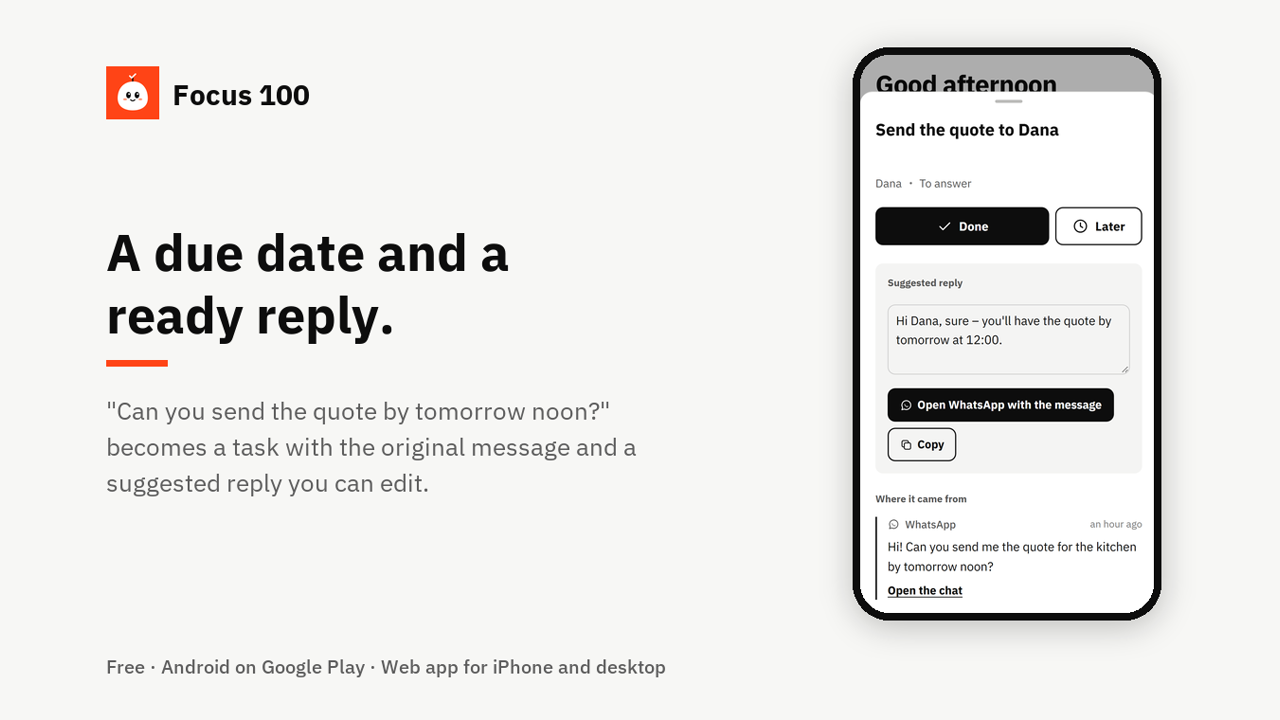
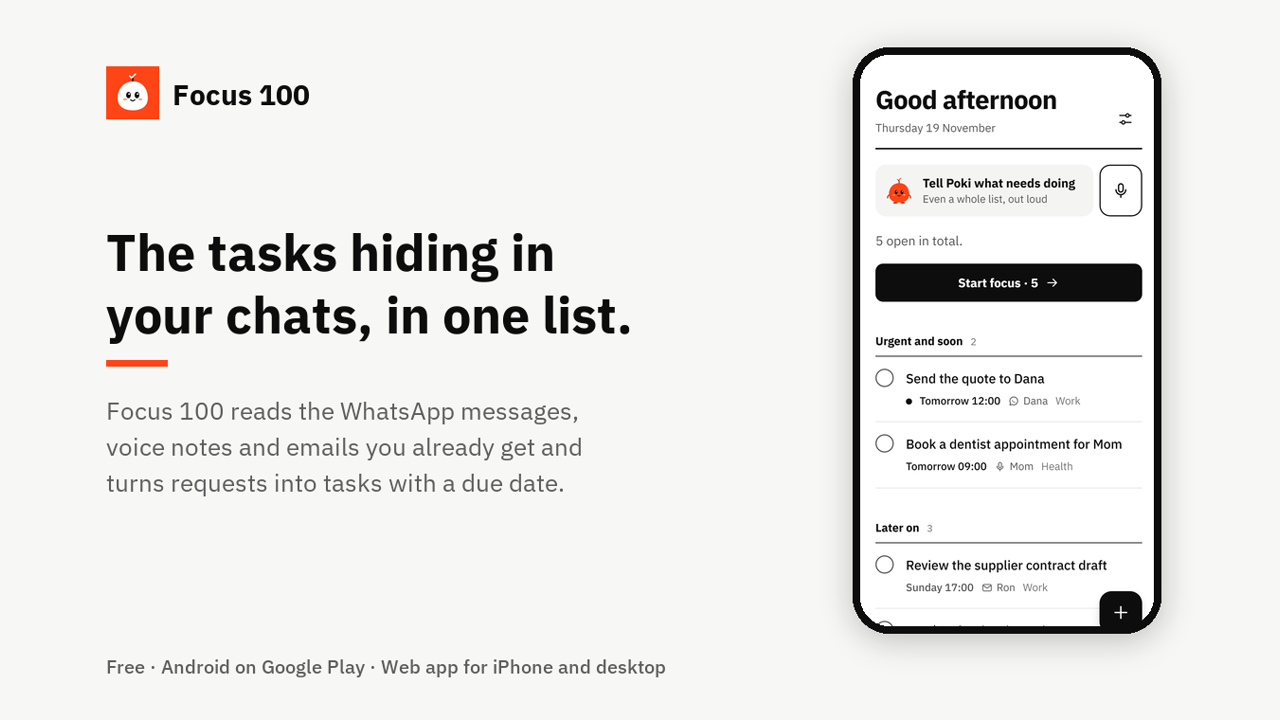
Focus 100 is best for solo users on Android who are drowning in message-based requests and want a zero-friction way to convert them into a task list without signing up for anything. Its closest named rivals in our directory, like Notion AI, require an account and a paid plan to get comparable AI-assisted task drafting. Skip it if you need desktop-first workflows, team collaboration, or integrations beyond WhatsApp and Gmail, since the app is still maturing and a full desktop version is not yet available.
What is Focus 100?
Focus 100 is a free AI task agent for Android and web that processes messages from WhatsApp, Gmail, and voice notes to extract action items. For each request or promise it finds, it creates a task with a suggested due date and a drafted reply the user can send directly.
The app also maintains a Waiting list for commitments others have made to the user, and delivers morning and evening summaries through a built-in assistant named Poki. It runs on Android via Google Play and on iPhone or desktop as a browser-based app requiring no installation. No account or password is needed to use it.
How we scored Focus 100
Capability lands at 14 because the tool covers a narrow slice of the productivity space, with only three message sources confirmed and no calendar, project board, or team features, while named competitors like Notion AI handle a far broader workflow. Ease of use scores 20 because the no-account, no-password, no-install path for both Android and iPhone is genuinely frictionless and the core loop is simple. Value scores 20 because the tool is completely free with no paywalled tier, which is a real differentiator even if the feature set is thin. Delivery drops to 4 because there is no verifiable track record: no published user count, no third-party reviews found, no changelog, and the product page is itself a minimal install guide with a waitlist for basic platform coverage. A tool this early with this little public evidence of working reliably cannot score higher on delivery regardless of how promising the concept is.
Pros and cons
What we liked
- Genuinely free with no account required and no paid tier gating core features, which is rare among AI productivity tools.
- The Waiting list for tracking others' promises is a specific, uncommon feature that most task managers and AI assistants do not include.
- Zero-install path for iPhone users via Safari progressive web app removes a meaningful adoption barrier while the App Store version is pending.
Where it falls short
- No native desktop app exists yet, and the full desktop experience is on a waitlist with no published release date, making this impractical as a primary tool for anyone who works mainly at a computer.
- Source integrations are limited to WhatsApp, Gmail, and voice notes at launch. Tools like Notion AI connect to a full workspace with documents, databases, and third-party integrations that Focus 100 does not touch.
- The product is early-stage with thin public documentation, no visible changelog, and no published user count or track record, making it hard to assess reliability or long-term commitment from the developer.
Key features
Focus 100 pricing
Entirely free at launch. No account, no password, no paid tiers listed on the pricing page. The page notes a waitlist for an App Store version and a full desktop app, suggesting the product is still in early release.
| Plan | Price | Who it is for |
|---|---|---|
| Free | Free | Full access to all current features including message-to-task conversion, Waiting list, Poki summaries, and drafted replies. No account or password required. Available on Android via Google Play and on web for iPhone and desktop. |
Pricing reflects what we saw at time of review (2026-11). Always confirm current pricing on the tool's own site.
Who should use Focus 100?
Focus 100 fits a solo professional or freelancer whose workday runs through their phone and whose task list is buried inside WhatsApp threads and email chains. If you spend real time copy-pasting requests from messages into a separate to-do app, this tool removes that step entirely. The Waiting list feature is particularly useful for consultants or account managers who need to track what clients have promised to send back.
If you work primarily on a desktop, manage tasks inside a shared workspace, or need your task tool to sync with a calendar or project board, look elsewhere. Notion AI is the stronger pick for anyone already living in Notion who wants AI-assisted task drafting inside a full workspace, and it handles desktop-first workflows far better than Focus 100 does at this stage.
Skip it if: Teams, desktop-primary users, or anyone needing calendar or project management integrations
Focus 100 alternatives
Frequently asked questions
Does Focus 100 cost anything?+
No. The app is free with no paid tiers listed. No account or password is required to use it on Android or in the browser.
Which message sources does Focus 100 read?+
At launch it supports WhatsApp, Gmail and other mail apps, and voice notes. Other sources are not listed on the current product page.
Is there an iPhone app on the App Store?+
Not yet. The iPhone version installs as a progressive web app directly from Safari, bypassing the App Store. A native App Store build is on a waitlist with no published release date.
Can I use Focus 100 on my laptop or desktop?+
A browser-based web app is available now for desktop use. A full dedicated desktop app is listed as coming, with a waitlist for notifications when it launches.
What is the Waiting list feature?+
It is a separate list that tracks commitments other people have made to you, distinct from your own task list. This lets you follow up on things you are waiting to receive rather than only managing what you owe others.
Who is Poki?+
Poki is the name of the built-in AI assistant inside Focus 100. It delivers morning and evening summaries of your tasks and waiting items each day.
More AI Productivity Tools
See all categoriesGet your tool listed on 300+ directories.
One listing here is a strong start. But the founders who get discovered everywhere are listed everywhere. Our sister site, Free AI Directories, submits your tool to 300+ AI directories for you, every single one by hand, by a real person.
It is a one-time payment of $49, no subscription, and you can follow along as the submissions land. Prefer the slow route? The same site keeps a free list of 450+ directories you can work through yourself.
Get my tool listed on 300+ directoriesOne-time payment, no subscription · 100% human submissions · Free list of 450+ directories included.