
Pavleur
A Mac and Windows desktop meeting copilot that combines live transcription, screenshots, and project documents without sending a bot into
Are you the maker? Claim this listing to keep info, pricing and screenshots current. Verified via your tool's domain email.
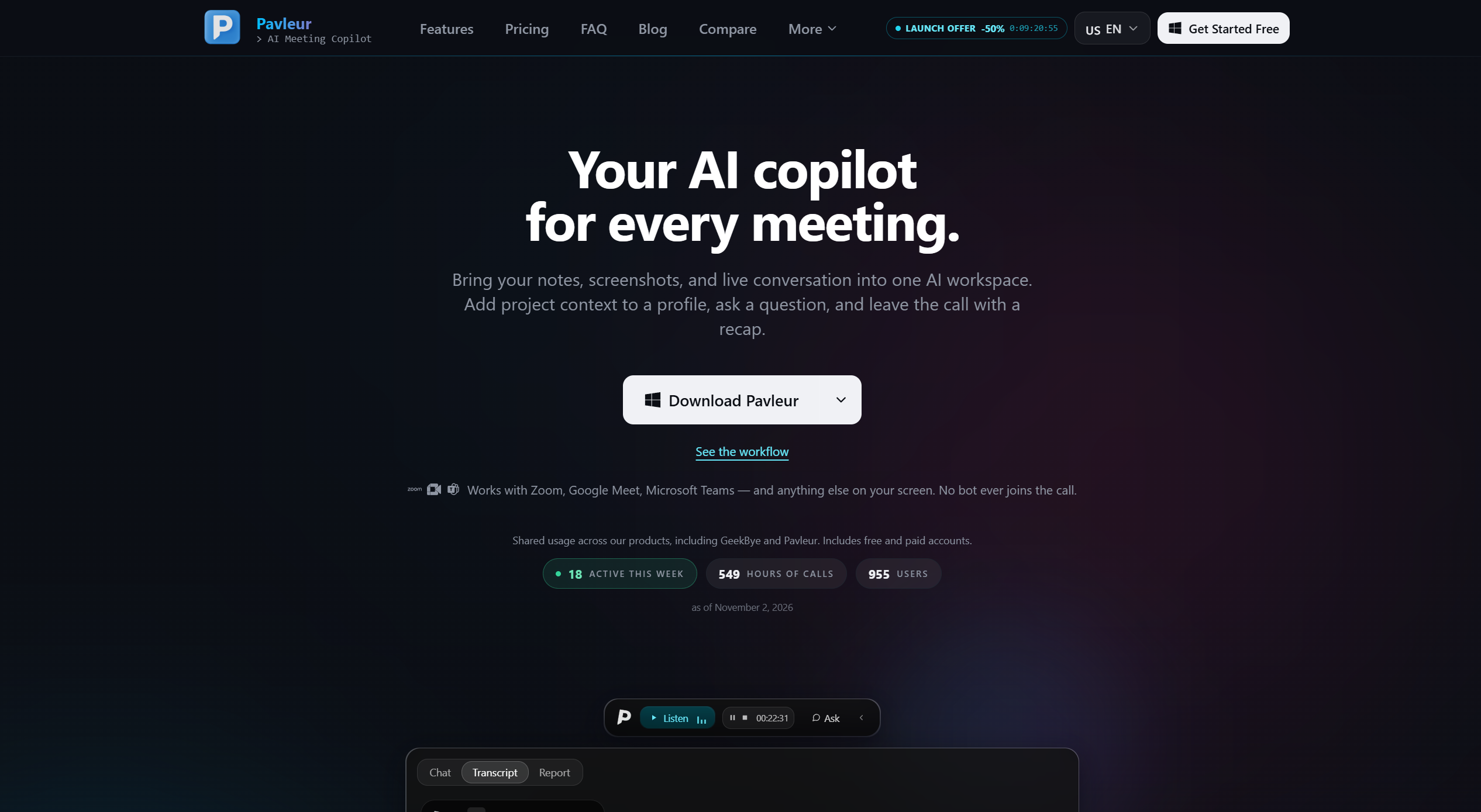
Pavleur is the right pick for consultants or founders who want a botless, locally stored meeting record with document context baked in before the call starts. Its privacy architecture is genuinely differentiated, but the $49/month Pro price is high for a tool that still locks screen video recording behind admin-only access. If you primarily need post-meeting notes and analytics rather than live in-call assistance, look elsewhere.
What is Pavleur?
Pavleur is an AI meeting copilot for consultants, founders, sales professionals, and project managers. It brings live conversations, selected screenshots, and project documents into one workspace to provide relevant assistance during calls.
Attach notes, PDFs, or Word documents to a project profile before a meeting. During the conversation, ask for explanations, response drafts, or recaps using your selected context. Afterward, review summaries, decisions, and action items.
Pavleur works alongside Zoom, Google Meet, Microsoft Teams, and other applications without adding a meeting bot. Profiles and transcripts are stored locally, while transcription and AI assistance use online processing.
How we scored Pavleur
Capability scores 17 because the pre-call document profile system is a genuine differentiator, but screen video recording is locked behind admin-only access rather than available to paying Pro subscribers, and advertised integrations like Obsidian vault sync are not in the public release. Ease of use scores 17 because a desktop-only app with no mobile option and a recently repositioned product with thin public documentation creates real onboarding uncertainty, though the botless setup removes one common friction point. Value scores 13 because $49/month Pro is priced above Granola at $14/user/month and Read.ai Pro at $15/month billed annually, for a product with fewer than 1,000 users and a feature set that is still maturing. Delivery scores 16 because the privacy claims are specific and verifiable, but the gap between what the site implies (screen video, vault sync) and what is actually available to standard subscribers is a meaningful credibility issue for a product this early in its lifecycle.
Pros and cons
What we liked
- Botless local capture with AES-256 encryption and zero bytes stored on Pavleur's servers gives a concrete, verifiable privacy guarantee that cloud-first competitors cannot match.
- Pre-call document profiles let you attach PDFs, Word files, or Markdown notes so the AI has your project context before the first word is spoken, a workflow most transcription tools do not support.
- A Lifetime plan at $500 one-time means heavy users can exit the subscription treadmill entirely, which is rare in this category.
Where it falls short
- Screen video recording is currently restricted to admin accounts only and is not included in the standard Free or Pro plans, so a prominently advertised capability is unavailable to most paying subscribers.
- At $49/month, the Pro plan is priced above several direct competitors: Granola's Business tier was $14/user/month and Read.ai's Pro was $15/month billed annually as of mid-2026.
- The product recently repositioned from AI interview coach to meeting copilot, and with only 700+ users as of September 2026, the track record for the current feature set is thin. Automatic Obsidian vault sync and GitHub repository connections listed on the site are explicitly not available in the public release.
Key features
Pavleur pricing
Free tier allows up to 10 calls per month with no credit card required. Pro costs $49/month or $348/year (approximately $29/month). A Lifetime plan is available for a one-time payment of $500. Earlier subscribers at $37.50/month are grandfathered for 12 months.
| Plan | Price | Who it is for |
|---|---|---|
| Free | Free | Up to 10 calls per month. No credit card required. Core transcription and AI assistance features. Screen video recording not included. |
| Pro | $49/mo (or $348/yr) | Unlimited recordings and transcripts, 40+ languages with live code-switching, AI-extracted decisions and action items, full-text search across all transcripts. Screen video recording remains admin-only and is not a standard Pro entitlement. |
| Lifetime | $500 one-time | Everything in Pro, all future Pro features, and access to the founding-customer Slack channel. All payments are final and non-refundable due to AI processing costs. |
Pricing reflects what we saw at time of review (2026-11). Always confirm current pricing on the tool's own site.
Who should use Pavleur?
Consultants, account managers, and founders who prep heavily before calls will get the most from Pavleur. The profile system rewards people who already maintain project notes or client briefs, because attaching that context before a meeting means the AI can answer questions that a generic transcription tool cannot. A solo consultant running five client calls a week, each with its own background documents, is the clearest fit.
Anyone who needs mobile access, team-level collaboration on meeting notes, or post-meeting engagement analytics should look elsewhere. Notion AI is a better fit if your meeting notes need to live inside a broader knowledge base you already maintain in Notion. If you want cross-platform access including mobile and richer post-meeting analytics, Read.ai covers that ground and starts at a lower monthly price.
Skip it if: Teams wanting cloud-based meeting analytics or cross-platform mobile access
Pavleur alternatives
Tags
Frequently asked questions
Does Pavleur join my Zoom or Google Meet call as a visible bot?+
No. Pavleur runs as a desktop app and captures audio locally without sending a participant into the meeting. Other attendees do not see a bot in the participant list.
What does the free plan actually include?+
The free tier allows up to 10 calls per month with no credit card required. It includes core transcription and AI assistance but not screen video recording, which is currently limited to admin accounts only.
How much does Pro cost, and is there an annual discount?+
Pro is $49/month or $348/year, which works out to $29/month billed annually. A one-time Lifetime plan is also available for $500.
Where is my meeting data stored?+
Profiles and transcripts are stored locally on your computer. Audio, screenshots, and prompts are sent to Pavleur's backend and AI providers when you use those features, but the company states it stores zero bytes of meeting data on its own servers.
Can I attach my own project documents for AI context?+
Yes. You can manually attach exported Obsidian Markdown notes, text files, PDFs, or Word documents to a profile before a call. Automatic Obsidian vault sync and GitHub repository connections are listed on the site but are not available in the current public release.
Does Pavleur work on Windows or only Mac?+
Pavleur runs on both Mac and Windows as a desktop app. Mobile apps are not currently offered.
More AI Productivity Tools
See all categoriesGet your tool listed on 300+ directories.
One listing here is a strong start. But the founders who get discovered everywhere are listed everywhere. Our sister site, Free AI Directories, submits your tool to 300+ AI directories for you, every single one by hand, by a real person.
It is a one-time payment of $49, no subscription, and you can follow along as the submissions land. Prefer the slow route? The same site keeps a free list of 450+ directories you can work through yourself.
Get my tool listed on 300+ directoriesOne-time payment, no subscription · 100% human submissions · Free list of 450+ directories included.