
ReportArk
A hosted sharing layer for finished HTML reports, with controlled review links, comments, and version management.
Are you the maker? Claim this listing to keep info, pricing and screenshots current. Verified via your tool's domain email.
ReportArk is the right pick for analysts, data scientists, or AI agent builders who produce finished HTML reports and need a clean, controlled way to share them without emailing ZIP files or spinning up a server. The free tier caps you at 5 reports and 20 MB each, and the tool does nothing to help you build or generate reports, only host and share them. If you need collaborative document editing, a full workspace, or anything beyond HTML delivery, Notion AI is a better fit.
What is ReportArk?
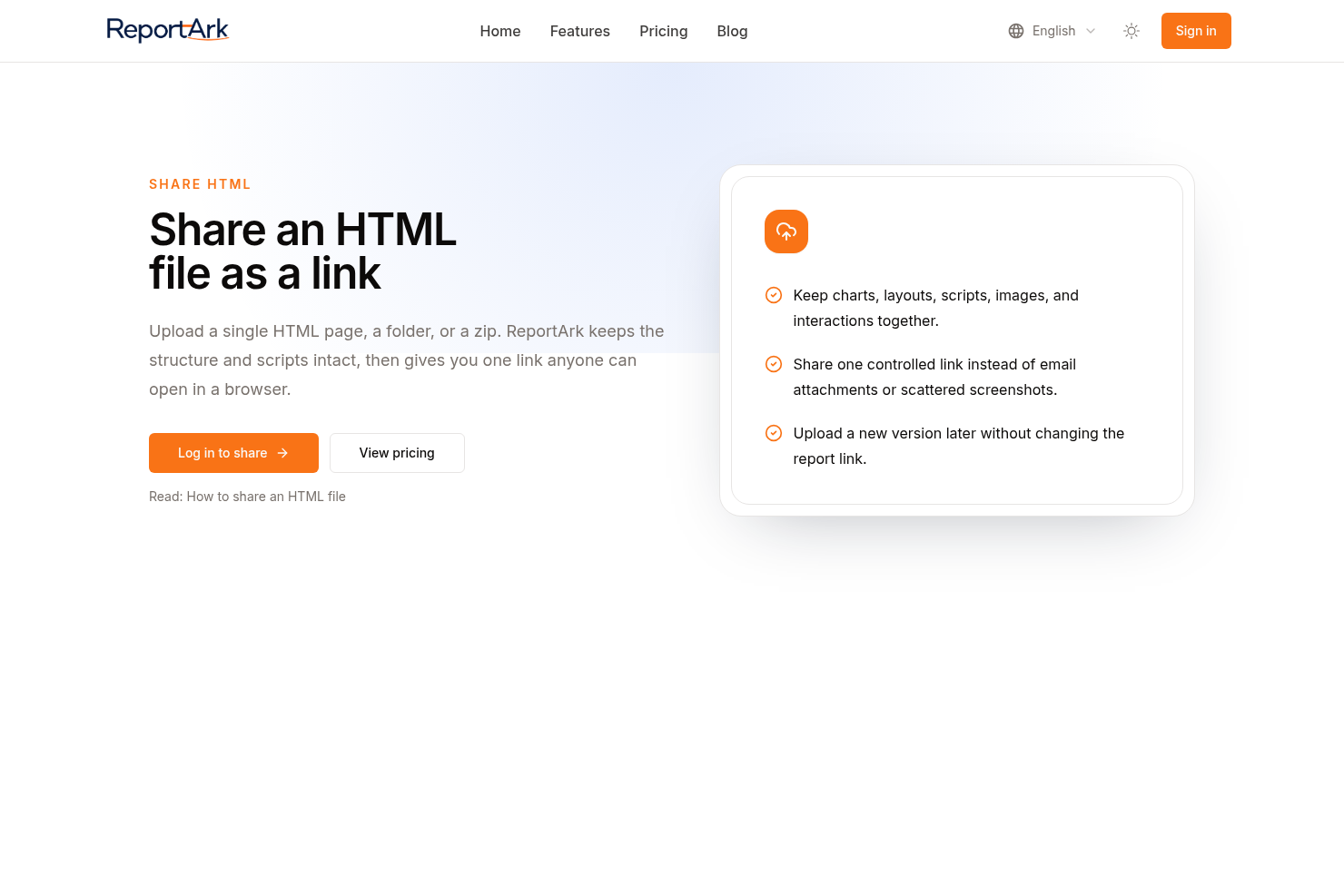
ReportArk turns finished HTML reports into a stable review link. Upload a single HTML file or a ZIP/folder with index.html plus assets; reviewers open the rendered package in the browser. Optional password, pause/resume sharing, and update content without changing the URL. Comments can sit next to evidence for the next revision.
How we scored ReportArk
Capability scores 14 because ReportArk does exactly one thing, hosting and sharing finished HTML reports, and does it with genuinely useful controls like pause-sharing and version staging, but it cannot accept any format other than HTML and has no report creation, data connection, or AI generation features that named competitors in adjacent categories offer. Ease of use scores 20 because the workflow is intentionally minimal: upload a file, get a link, share it; there is almost nothing to learn. Value scores 16 because the free tier's 5-report, 30-day limit pushes most real users to Lite at $9.90/month, which is reasonable but not cheap for a tool that only hosts static files with no generation capability. Delivery scores 12 because the product is a 2025 early-stage launch with no public user reviews, no confirmed social presence, and no documented API despite the site's reference to AI agent integration; the thin public track record makes it hard to verify that delivery matches the claims.
Pros and cons
What we liked
- Stable URL across version updates means reviewers always open the latest content without you resending a link.
- Pause-sharing control lets you revoke access instantly without deleting the report, a genuinely useful feature for client-facing work.
- The HTML upload Skill is included on every plan, including Free, so the core workflow is accessible without a paid commitment.
Where it falls short
- The free plan caps reports at 20 MB each and retains only 5 reports for 30 days, which is too restrictive for any regular publishing workflow and forces an upgrade quickly.
- ReportArk only hosts HTML; there is no support for PDF, Markdown, Jupyter notebooks, or any other output format, so teams with mixed report types need a separate solution alongside it.
- No public API or documented webhook is listed on the pricing or features page, which limits how deeply it can be integrated into automated pipelines beyond a manual upload step.
Key features
ReportArk pricing
Free plan at $0 with 5 reports retained and 20 MB per report. Lite is $9.90/month (or $99/year) for up to 50 reports and 100 MB each with 5 GB storage. Pro is $19/month (or $190/year) for up to 200 reports and 100 MB each with 50 GB storage.
| Plan | Price | Who it is for |
|---|---|---|
| Free | $0 | 20 MB per report, up to 5 reports retained, 1 ready version per report, 30-day report availability, 30-day access analytics. Includes password sharing, pause sharing, and HTML upload. |
| Lite | $9.90/mo | 100 MB per report, up to 50 reports retained, 5 GB storage, 5 ready versions per report, reports kept while subscribed, 180-day access analytics. Annual billing available at $99/year. |
| Pro | $19/mo | 100 MB per report, up to 200 reports retained, 50 GB storage, 20 ready versions per report, reports kept while subscribed, 730-day access analytics. Annual billing available at $190/year. |
Pricing reflects what we saw at time of review (2026-11). Always confirm current pricing on the tool's own site.
Who should use ReportArk?
ReportArk fits a solo data analyst or a small consulting team that regularly hands off finished HTML reports to clients or internal stakeholders. The pause-sharing control and password protection are genuinely useful for client work where you need to revoke access cleanly, and the stable URL across versions saves the back-and-forth of resending files. It also fits developers building AI agent pipelines that output HTML, since the upload step can be automated and the review link gives non-technical stakeholders a clean way to comment.
Anyone who needs to create reports from scratch, collaborate on document content in real time, or share reports in formats other than HTML should look elsewhere. Notion AI covers the collaborative workspace angle and lets teams draft, edit, and share structured documents with AI assistance built in. If your reports live in Notion already, adding ReportArk as a separate hosting layer adds friction rather than removing it.
Skip it if: Teams needing collaborative document creation or non-HTML report formats
ReportArk alternatives
Frequently asked questions
What happens to my reports if I cancel a paid plan?+
Paid access continues until the end of the current billing period. After that, existing reports get a 30-day window before becoming inaccessible, so you have time to download or migrate content.
Is there a file size limit per report?+
Yes. The Free plan caps each report at 20 MB. Both Lite ($9.90/month) and Pro ($19/month) raise that to 100 MB per report.
Can I update a report without changing the shared link?+
Yes. Pushing a new version replaces the content at the existing URL. Reviewers who already have the link will see the updated report without you resending anything.
Does ReportArk support formats other than HTML?+
No. The service is built specifically for HTML files and ZIP archives containing an index.html. PDF, Markdown, Jupyter notebooks, and other formats are not supported.
How much does the annual plan save compared to monthly?+
Roughly 17%. Lite drops from $9.90/month to an effective $8.25/month when billed annually at $99/year. Pro drops from $19/month to an effective $15.83/month when billed annually at $190/year.
Can ReportArk be used in an AI agent pipeline?+
The site describes an HTML upload Skill compatible with AI agent workflows, suggesting the upload step can be automated. However, no public API documentation is listed on the pricing page, so the depth of that integration is unclear.
More AI Productivity Tools
See all categoriesGet your tool listed on 300+ directories.
One listing here is a strong start. But the founders who get discovered everywhere are listed everywhere. Our sister site, Free AI Directories, submits your tool to 300+ AI directories for you, every single one by hand, by a real person.
It is a one-time payment of $49, no subscription, and you can follow along as the submissions land. Prefer the slow route? The same site keeps a free list of 450+ directories you can work through yourself.
Get my tool listed on 300+ directoriesOne-time payment, no subscription · 100% human submissions · Free list of 450+ directories included.