
styleLatex
An online converter that turns PDFs, photos, and handwritten notes into editable LaTeX, built for students and researchers.
Are you the maker? Claim this listing to keep info, pricing and screenshots current. Verified via your tool's domain email.
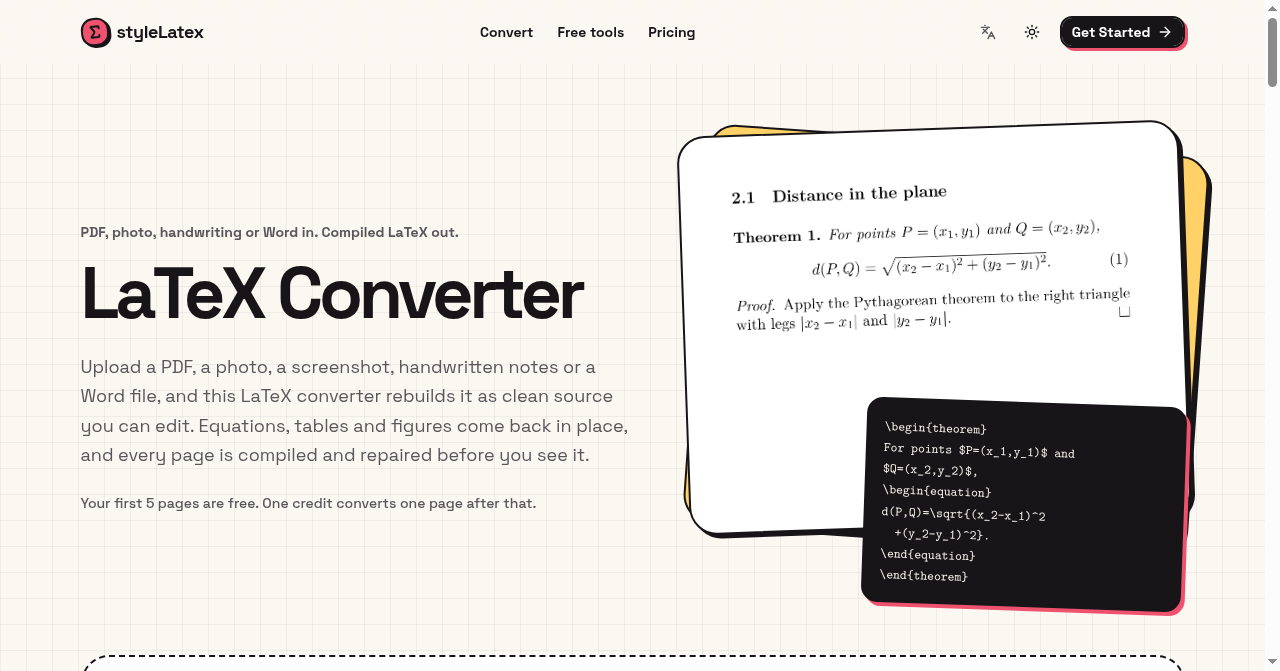
styleLatex is the right pick for a student or researcher who needs a clean, browser-based pipeline from messy source material to compiled, downloadable LaTeX without installing anything. Its per-page limits are tighter than direct rivals at comparable prices, and the absence of a free tier means you pay before you know whether the output quality suits your documents. Anyone converting more than 500 pages a month or wanting to try before buying should look at Underleaf instead.
What is styleLatex?
styleLatex is an online LaTeX converter for students, researchers and teachers. Upload a PDF, photo, screenshot, handwritten notes or a Word document to turn equations, tables and document content into editable LaTeX. Each converted page is compiled with XeLaTeX and repaired from compiler errors before review. Users can compare the source with a PDF preview, edit and compile the result, and download .tex, PDF or Word files. The site also offers free tools for LaTeX tables and conversions between LaTeX, Markdown, HTML and Typst.
How we scored styleLatex
Capability scores 17 because the XeLaTeX compile-and-repair loop is a genuine differentiator over raw OCR tools, but the 20-page-per-conversion ceiling on the top plan and the absence of API access, Overleaf integration, or a browser extension leave it behind rivals like Underleaf that offer all three. Ease of use scores 18 for a clean browser-only workflow with no installation required and a clear side-by-side review interface, though the lack of a free trial adds onboarding friction. Value scores 13 because $8/month with no free tier and a 10-page-per-conversion cap is a poor entry point when Underleaf offers 10 free credits with no card and comparable paid tiers at similar annual prices with fewer restrictions. Delivery scores 15 because no independent user reviews or third-party benchmarks were findable to corroborate the output quality claims, and the absence of a free tier means buyers cannot verify fit before paying.
Pros and cons
What we liked
- XeLaTeX compile-and-repair loop delivers source that actually builds, not just raw OCR output that needs manual debugging.
- Free tools for LaTeX tables and LaTeX/Markdown/HTML/Typst conversion require no account and add genuine utility beyond the paid conversion pipeline.
- Annual billing cuts the effective cost significantly: Starter drops to $6/month ($72/year) and Pro to $12/month ($144/year).
Where it falls short
- No free conversion quota at all: the 7-day refund policy is the only safety net, which is a meaningful barrier for users who want to validate output quality on their specific document types before paying.
- The 10-page-per-conversion cap on Starter and 20-page cap on Pro means any document longer than 20 pages must be split manually before upload, a real friction point for thesis or book-chapter conversion.
- Web-only with no API access, no Overleaf direct integration, and no Chrome extension, leaving it behind rivals like Underleaf that offer browser extension workflows and direct editor handoffs.
Key features
styleLatex pricing
Two paid tiers only, no free tier. Starter is $8/month (200 pages/month, up to 10 pages per conversion). Pro is $16/month (500 pages/month, up to 20 pages per conversion). Annual billing is available: Starter at $72/year (2,400 credits) and Pro at $144/year (6,000 credits). Unused purchases can be refunded within 7 days.
| Plan | Price | Who it is for |
|---|---|---|
| Starter | $8/mo | 200 pages per month, up to 10 pages per single conversion, email support. Annual option: $72/year (2,400 credits total). |
| Pro | $16/mo | 500 pages per month, up to 20 pages per single conversion, priority support. Annual option: $144/year (6,000 credits total). |
Pricing reflects what we saw at time of review (2026-11). Always confirm current pricing on the tool's own site.
Who should use styleLatex?
A PhD student digitizing lecture notes or a researcher who regularly receives scanned papers and needs editable source will get the most from styleLatex. The compile-and-repair step saves real time compared to pasting raw OCR output into Overleaf and fixing errors manually. Teachers converting course materials from Word or PDF to LaTeX for journal submission are another natural fit, especially at the Pro tier where the 500-page monthly allowance covers a semester's worth of documents.
Anyone who wants to test output quality before paying should look elsewhere. Underleaf offers 10 free credits with no card required, making it the better starting point for users who are not yet sure whether AI-assisted LaTeX conversion will handle their specific document types. Users converting very long documents in a single pass, such as full theses, will also hit styleLatex's 20-page-per-conversion ceiling on the Pro plan and should consider a service without that cap.
Skip it if: High-volume converters or anyone who needs a free trial before committing
styleLatex alternatives
Tags
Frequently asked questions
Is there a free plan or free trial?+
No. styleLatex has no free conversion quota. The free tools (table generator and format converters) require no account, but converting PDFs or photos to LaTeX requires a paid plan starting at $8/month. A 7-day refund is available on unused purchases.
What is the maximum document length I can convert in one upload?+
The Starter plan caps each conversion at 10 pages. The Pro plan raises this to 20 pages per conversion. Documents longer than 20 pages must be split before uploading, even on the highest plan.
What file types can I upload?+
The service accepts PDFs, photos, screenshots, handwritten notes, and Word documents. All are converted to LaTeX source covering equations, tables, and general document content.
What LaTeX engine does styleLatex use?+
Conversions are compiled with XeLaTeX. The service also runs an automatic error-repair pass before delivering output, so the downloaded source is intended to compile without manual fixes.
What export formats are available?+
Users can download the LaTeX source as a.tex file, a compiled PDF, or a Word document. There is no direct Overleaf integration or one-click export to an online editor.
Does annual billing save money?+
Yes. The Starter plan drops from $8/month to effectively $6/month when billed annually at $72/year (2,400 credits). Pro drops from $16/month to $12/month at $144/year (6,000 credits).
More AI Writing & Content tools
See all categoriesGet your tool listed on 300+ directories.
One listing here is a strong start. But the founders who get discovered everywhere are listed everywhere. Our sister site, Free AI Directories, submits your tool to 300+ AI directories for you, every single one by hand, by a real person.
It is a one-time payment of $49, no subscription, and you can follow along as the submissions land. Prefer the slow route? The same site keeps a free list of 450+ directories you can work through yourself.
Get my tool listed on 300+ directoriesOne-time payment, no subscription · 100% human submissions · Free list of 450+ directories included.