The Best Free AI Tools Worth Your Time
A practical look at the best free AI tools for writing, research, design, and coding, with what each free plan actually includes and who it suits.

Advice about the best free AI tools usually starts with a list and a promise: sign up here, it's free. Read the vendor's own limits page and that promise splits in two. Some tools run an ongoing free plan that renews daily, monthly or on a rolling window. Others hand over a one-time batch of credits or a trial that ends, and the work stops unless you pay.
That difference carries more weight now. Organizations' use of generative AI grew quickly through 2024, a shift the Stanford AI Index tracks in detail. As demand rises, vendors revisit what a free tier can afford to include, so the word "free" on a pricing page is worth checking rather than trusting.
Limits also shift for quieter reasons. Model costs change, features migrate to paid tiers, caps get recalculated. A free plan that suited your workflow last quarter may not fit this one, so confirm the current terms on each vendor's page before you build a habit around it. AI Tool Seekers keeps hand-verified listings with Editor's Scores and free-plan details if you want a second source. The picks below are separated by what the free tier is.
Table of Contents
- 1. Free AI Tools: Reviewed Picks With Real Free Plans
- 2. ChatGPT
- 3. Claude
- 4. Gemini
- 5. Perplexity
- 6. Canva
- 7. GitHub Copilot
- Free AI Tools at a Glance
- How to Pick Your Free Stack Without Wasting Signups
1. Free AI Tools: Reviewed Picks With Real Free Plans
Start with a directory when the requirement is a free tier you can still use next month. The free AI tools page collects products that run ongoing free plans rather than trials or one-time credits, and its current focus is video generators and video editors.
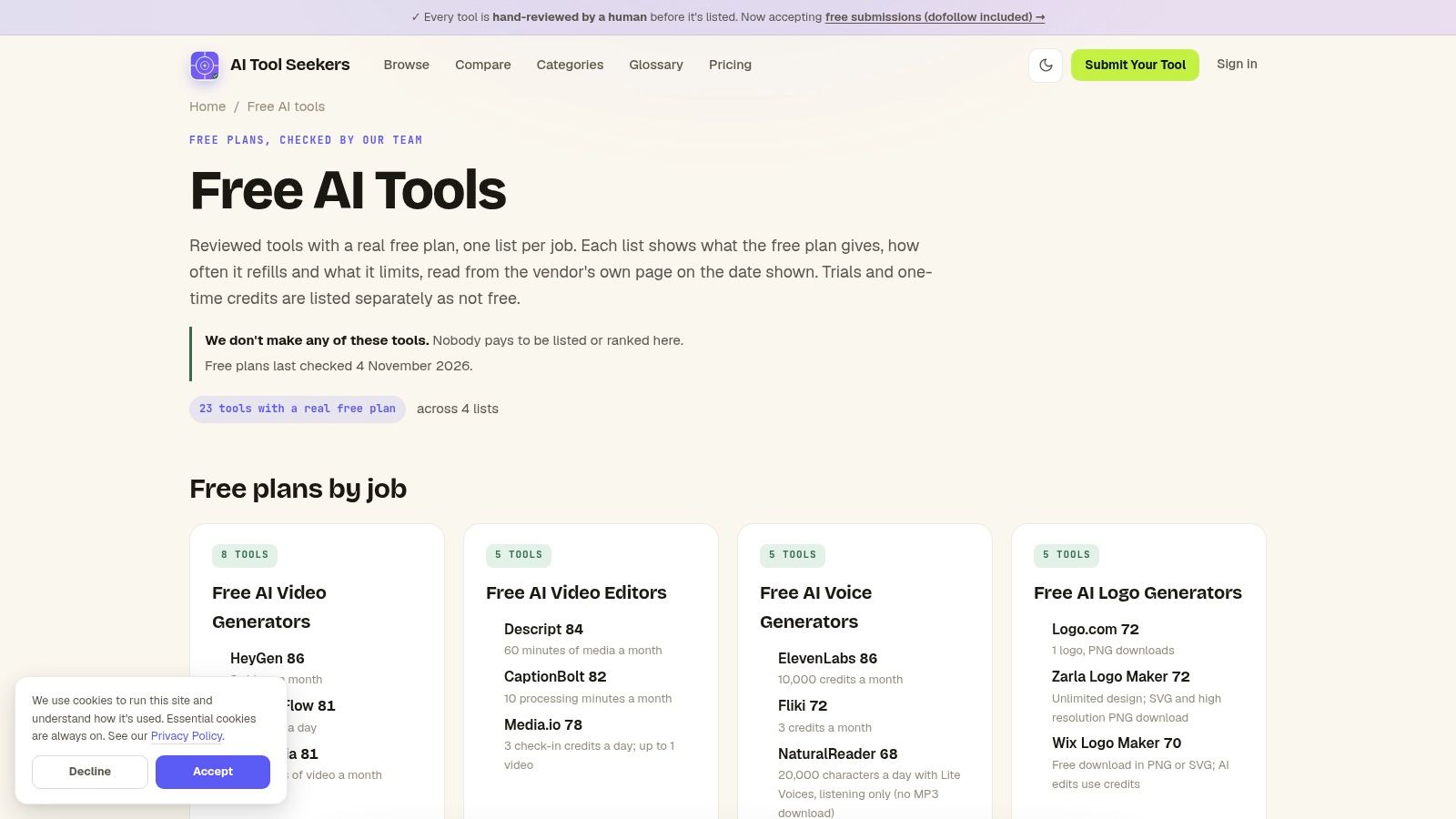
Video is the category where trials vanish fastest, because every generated clip costs the provider real money. That makes a renewing allowance worth checking before anything else. Teams producing training content rather than marketing clips can compare the same products through this roundup of free video tools for L&D teams.
Why a renewing free plan still matters
Most organizations are testing, not scaling. McKinsey's 2025 state of AI survey found that 88% of respondents said their organizations regularly used AI in at least one business function, up from 78% a year earlier, and that only about one-third had begun scaling AI programs across the enterprise. Nearly half of respondents at companies with more than $5 billion in annual revenue had reached the scaling phase, against 29% at companies below $100 million.
That gap tells you who is buying platforms and who is still comparing. On the smaller side of it, a free tier with published limits is the cheaper route to a decision.
- Ongoing plans only: listings favor tools with a free tier that renews, not trials dressed up as free plans.
- Grouped by function: video generators and editors sit in separate groups, so you aren't sorting a mixed list by hand.
- Review scores: each listing carries a score you can weigh against your own priorities.
- Limits shown up front: free-plan caps appear on the listing, which is the fastest way to judge whether a tool fits weekly output or only a single demo.
The honest limitation is coverage. The free-tools page leans on video today, so writing, coding and research work will need the other picks below. Caps also bite on heavy projects: a plan that suits one short clip a month won't suit daily publishing. Students comparing options before a term starts can begin with this guide to free AI tools for students, which narrows the same problem to coursework.
Practical rule: judge a free tier by what renews, not by what it gives you once. A small allowance you can plan around beats a large credit drop that never comes back.
2. ChatGPT
For mixed work, the free ChatGPT tier covers the most ground in one login.
Everyday chat, web search, file uploads, image generation and voice all sit in the same window. What isn't obvious is that the extras have separate ceilings. OpenAI's free tier FAQ states that file uploads, image generation, voice and data analysis each carry their own caps, that free users see an in-product notice when they reach one, and that access resumes when the limit resets. OpenAI also notes the limits vary by plan and model and may change.
Volume explains why it's the default. The Federal Reserve Bank of St. Louis reports that 54.6% of U.S. adults ages 18 to 64 used generative AI in 2025, up from 44.6% in August 2024 (St. Louis Fed).
- Drafting and rewriting: strong on structure and tone across short and long work.
- Follow-up questions: the chat holds context, so a second and third pass is faster than restarting.
- Files and images: uploads with data analysis and image generation are included, within their own caps.
- Custom GPTs: free users can use them but can't create and publish their own.
The weaknesses are the flip side of the breadth. Because each feature has its own limit, the one you rely on most is the one that stops you, and the message appears mid-task rather than at signup. Answers can also be wrong with total confidence, so anything factual gets checked.
Direct advice: spend the allowance on one strong draft and one revision pass. Five rewrites of the same paragraph is how people hit a cap before lunch and blame the tool.
3. Claude
Claude's free plan suits work that is mostly text: drafting, editing, restructuring a long document, or coding in the same thread.
The free plan doesn't publish a message count, which trips people up. Claude's pricing page says free access runs on a rolling five-hour usage window, and that how much you can do in it depends on conversation length, model choice and the features you enable. Web, desktop, mobile and Claude Code all draw from the same pool.
Reading the five-hour window
That design rewards one habit: start a fresh thread for each new job. A long conversation carrying an entire project drains the window faster than four short threads that each do one thing, because every reply re-reads the history.
Long-form editing: the strongest use case, especially when you supply your own draft and ask for cuts.
Code and analysis: code generation, data visualization and image analysis are included.
Web search: available on the free plan, which makes it useful for quick checks as well as prose.
No published cap: you can't budget your day by message count, so hit the window and you wait.
Regional variation: availability depends on supported regions.
Verification stays with you: technical and factual output needs checking before it ships.
Paid plans raise the ceiling, but every plan still has limits. Anyone expecting unlimited output from a paid tier will be disappointed.
Usage habit: when the window closes, don't fight it. Move to a different task and come back after the reset.
4. Gemini
Google's assistant is the sensible first look for anyone whose work already sits in Gmail, Docs and Drive.
Free access comes with a Google Account and bundles several jobs: chat, research help, image generation and editing, Gemini Live for spoken back and forth, and Canvas for developing a draft. This is an ongoing free plan, not a trial, so it holds up as a daily tool rather than expiring after a week. Access to specific models and features varies on the free tier, and the caps aren't fixed, so treat any published list of limits as a snapshot.
Usage share adds context. StatCounter figures analyzed by TechRadar, drawn from more than 3.8 billion monthly page views across over 1.5 million websites, put ChatGPT at 80.92% of worldwide AI-chatbot usage in August 2025 after a peak of 84.2% in April 2025, while Gemini stayed between 1.9% and 3.3% in the same dataset (TechRadar).
One assistant usually ends up as the default, so a second tool earns its place only for a task it handles better. For Gemini, that task is image work or anything that pulls context from Google apps. It is a weak reason to switch your main assistant and a strong reason to keep it one click away.
Images inside the conversation: generate and edit without switching apps.
Ecosystem fit: pulling context from Google apps is the reason to choose it over a rival.
Live conversation: useful for talking through an idea while walking.
Model access varies: some models and features sit outside the free tier.
Limits move: caps on the free tier change without much notice.
Output needs checking: anything consequential gets a second read.
Keep one assistant as the default. Open Gemini when the job involves a Doc, a Drive file, or an image you want generated mid-conversation.
5. Perplexity
A chatbot answer is only as good as the sources behind it, and research is the task where weak sourcing shows fastest.
Perplexity's Standard plan is an ongoing free tier with no expiry date, which puts it in a different category from tools that only offer a trial window. It covers basic searches, follow-up questions, search history and basic file uploads. Pro Searches are capped, and advanced models plus image generation sit on the paid side. What the free plan realistically buys you is verification work: asking a question, reading the citations and deciding whether the summary holds up.
That habit matters more as usage grows. The 2025 Google and Ipsos survey found that 62% of respondents had used an AI chatbot, up from 48% in 2024, and 74% of users said AI helped them learn or understand topics (Ipsos). Learning at that volume needs a check built in, because a fluent summary can still misstate the page it points to. The link under a claim is an invitation to verify, and skipping it is where errors slip through.
Inline citations: every claim links to a page, so you can inspect the basis.
Follow-ups: a summary is a starting point, not a final answer.
Search history: useful when a research thread spans days.
Pro Searches limited: the deeper queries run out on the free plan.
No advanced models or image generation: both sit behind the paid tier.
Citations aren't proof: a cited summary can still misread the page it links to.
Check before you cite: open two of the links yourself. If they don't say what the summary says, the summary is wrong.
6. Canva
Design is where a free plan's accounting gets strange, and Canva is the clearest example.
Canva's own pricing page says its AI tools draw on a shared allowance that varies by plan and resets each month, so usage is pooled across the covered features rather than split into a separate quota per tool. The same page notes that some AI tools are unavailable on certain plans. A feature you can see in the editor isn't automatically included in the free tier.
Personal projects drive a lot of this work. The Federal Reserve reported in November 2025 that approximately 50% of the U.S. population reported non-work-related generative AI use (Federal Reserve).
One workflow: AI features sit inside a full design editor, so the output goes straight into a layout.
No design background needed: templates and drag-and-drop handle the composition.
Slides and social graphics: the fastest route to a finished asset without a designer.
Shared allowance: one busy afternoon of image generation affects everything else that draws on it.
Plan gating: advanced tools sit on paid tiers, and visible doesn't mean included.
Generic templates: without customization, the output looks like everyone else's.
For pure image generation outside a layout, compare dedicated options in this guide to the best AI image generators before relying on a design tool for it.
7. GitHub Copilot
Code is the category where a free plan is easiest to judge, because output either runs or it doesn't.
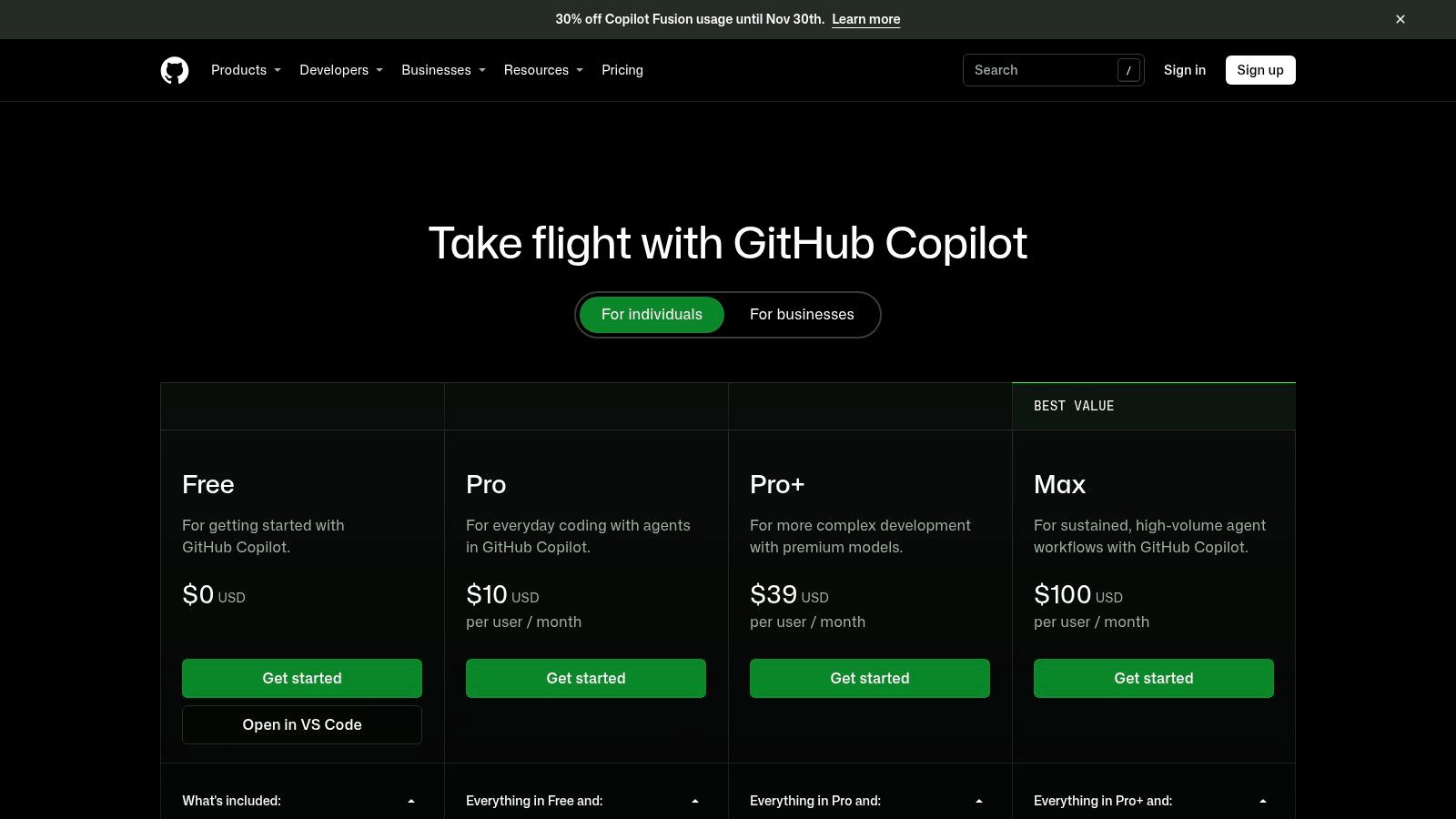
The free plan on GitHub's Copilot plans page includes a stated monthly code-completion allowance, limited chat and agent usage, and Copilot CLI, with no credit card needed to start. Cloud agent and code review sit on paid plans. Model access depends on the plan, and limits are stated rather than hidden.
Before you paste company code
A coding assistant reads your repository, so the decision is about data as much as productivity. Deloitte's 2025 Connected Consumer study found that 24% of U.S. generative AI users had encountered data-privacy issues, and only 20% said providers were very clear about data collection and use (Deloitte).
In-editor completions: the fastest gain for repetitive code.
Chat for explanation: useful when reading an unfamiliar file.
No card required: you can evaluate it on a real repository.
Monthly caps: completions and AI credits are finite.
Paid features: cloud agent and code review aren't in the free tier.
Review the output: generated code needs tests before it ships.
When the work moves past completions into multi-step tasks, the trade-offs change. This guide to AI agent software covers what to check before handing an agent real access.
Working rule: treat every free assistant as a public place until you've read its data controls.
Free AI Tools at a Glance
| Tool | Main strength | Free option type | Best for |
|---|---|---|---|
| Free AI Tools: Reviewed Picks With Real Free Plans | Curates video tools with ongoing free plans and lists their limits | Directory of tools with ongoing free plans | Comparing free AI video generators and editors |
| ChatGPT | Broad range of tasks in one assistant | Free tier with feature-dependent usage limits | Everyday writing, research, and analysis |
| Claude | Writing and analysis, with coding support | Free plan with limited usage | Writing-heavy work and occasional analysis |
| Gemini | Combines chat, research, and image tools | Free access with a Google Account | Work, school, and personal tasks, especially in Google's ecosystem |
| Perplexity | Web-grounded answers with citations | Free Standard plan with basic searches and file uploads | Web research and source discovery |
| Canva | AI tools integrated into a visual-design workflow | Free plan with limited AI usage | Creating presentations and social graphics |
| GitHub Copilot | Coding assistance within supported development workflows | Free plan with monthly completion and AI-usage limits | Coding in supported editors and on GitHub |
How to Pick Your Free Stack Without Wasting Signups
Two assistants is one too many for daily use. Pick one for the work you do every day. If that work is writing, editing and analysis, the choice is usually Claude or ChatGPT. If it's code, start with Copilot and keep a chat assistant for the parts that aren't code.
Then add specialists instead of more generalists:
- Research: Perplexity, because a cited answer is faster to check than an uncited one.
- Visuals: Canva, because a design editor does the layout work a chat window can't.
- Video: a generator with a renewing free tier, which is where the free-tools directory earns its place.
Before committing, open the vendor's limits page. Adobe is a good example of why. Adobe says Firefly gives free users a limited number of complimentary generations that refresh daily, and that paid plans provide monthly generative credits in tiers of 2,000, 4,000, 10,000 and 50,000 depending on the plan (Adobe). A generous free allowance and a large paid credit pool are two different things, and only one of them is free.
Compare before you sign up, not after. AI Tool Seekers lists tools side by side on features, pricing and an Editor's Score, and the tool finder narrows the directory by task so you aren't reading thirty listings to find three that fit. Listings show real pros and cons rather than marketing copy, which is the part most roundups skip.
The directory is free for readers to use. Makers can submit a tool for review without paying a listing fee, and every submission is checked by a person before it goes live. That's the only way a "free tools" list stays honest.
AI Tool Seekers lists 751 verified tools across 13 categories, with pricing, pros, cons and an Editor's Score on each listing, so the free-versus-trial question gets answered before you hand over an email address. Its tool finder filters by task, and the cost calculator shows what a paid upgrade would add. Start at AI Tool Seekers and shortlist two tools instead of ten.