
AI Cover Studio
A pay-per-cover AI book cover generator for indie authors, with title lettering in 79 Google fonts and 9 trim sizes, no subscription
Are you the maker? Claim this listing to keep info, pricing and screenshots current. Verified via your tool's domain email.
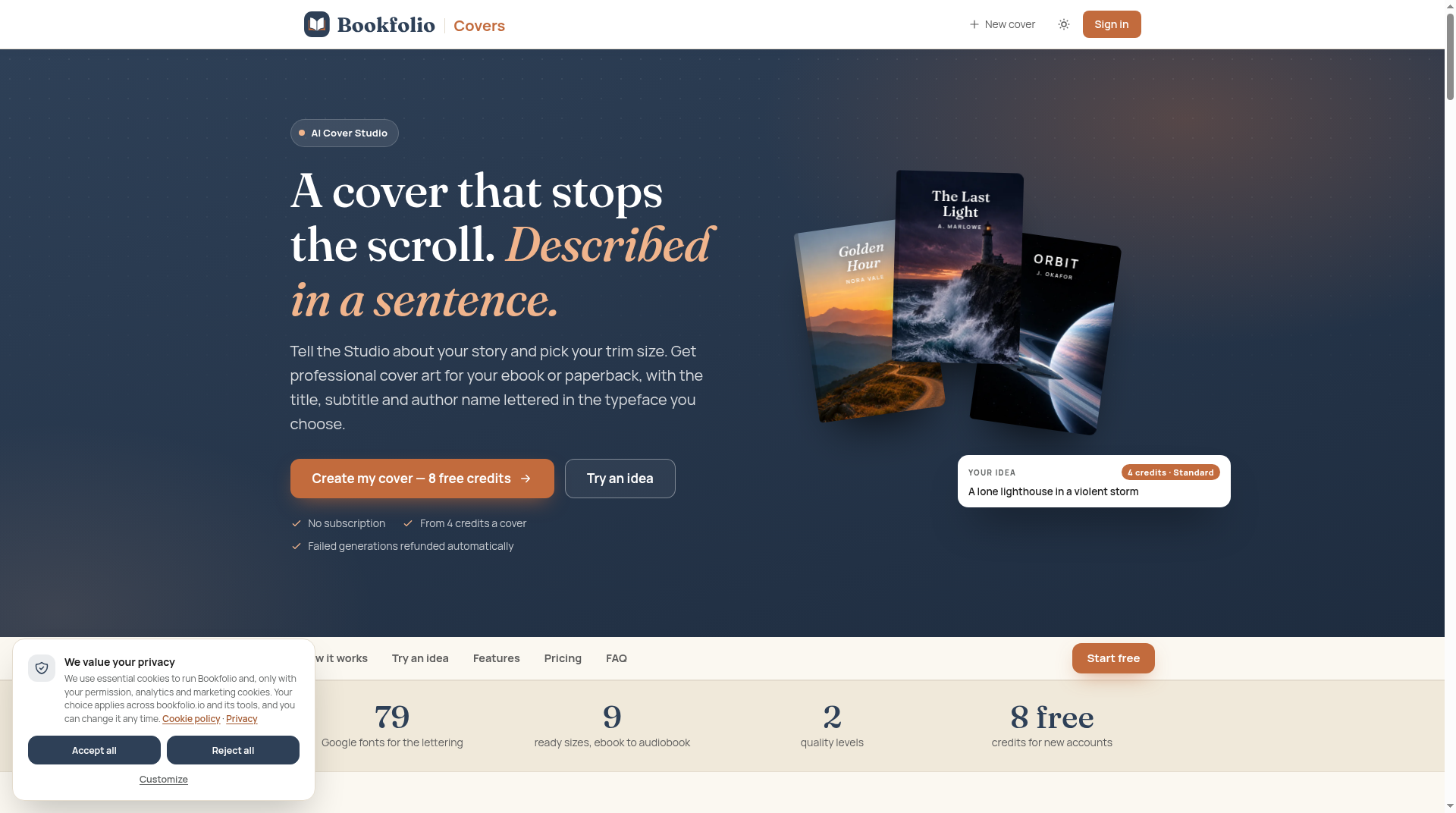
AI Cover Studio is the right pick for indie authors who want a finished, lettered book cover fast without committing to a monthly plan. The pay-per-image model is genuinely author-friendly, but the two-tier quality system means you may spend 13 credits per cover before you find the one worth keeping. Authors who need brand-consistent social assets or full design flexibility beyond cover art should look at Canva instead.
What is AI Cover Studio?
AI Cover Studio is a web-based book cover generator from Bookfolio Covers. Authors describe their desired cover in a sentence, select from 9 preset trim sizes ranging from ebook to audiobook formats, and choose a typeface from 79 Google fonts. The tool generates cover art with the title, subtitle, and author name already lettered into the image.
The service runs on a pay-per-generation credit model with no subscription required. Standard generations cost 4 credits and Best quality generations cost 13 credits. New accounts receive 8 free credits to start, and credits for failed generations are refunded automatically. A free Bookfolio account is required to use the service.
How we scored AI Cover Studio
Capability scores 17 because the tool does its narrow job well: lettered cover art from a sentence, 9 trim sizes, 79 font choices, and an automatic refund on failures are all genuinely useful features for its target audience. But it does nothing beyond cover generation, and named competitors like Canva offer AI image generation alongside a full design environment. Ease of use scores 20 because the workflow is genuinely simple: describe, size, font, generate, and the live font preview before spending credits is a thoughtful touch. Value scores 14 because the credit top-up prices in dollars are not published on the pricing page, making it impossible to assess real cost before signing up, and the Best quality tier at 13 credits per cover could become expensive for authors who iterate. Delivery scores 11 because there is no user sentiment, no third-party coverage, and no published commercial license terms to confirm the tool delivers what it promises at scale. The combination of opaque credit pricing and absent licensing language creates real uncertainty for a buyer.
Pros and cons
What we liked
- Lettering is generated with the cover art, not added after: title, subtitle, and author name are placed in the image using a font you choose from 79 Google fonts, with a live preview before you generate.
- No subscription required: the pay-per-generation model means you only spend when you actually create, and the 8 free credits on new accounts let you test the output quality before buying more.
- Failed generations are refunded automatically, which is a meaningful protection in a credit-based system where a bad output would otherwise cost you the same as a good one.
Where it falls short
- Best quality costs 13 credits versus 4 for Standard, meaning a single finished cover at the higher quality level costs more than three times a Standard attempt. Authors who need several rounds to find the right image can burn through credits quickly before reaching a result worth downloading.
- Credit pack prices are not listed on the pricing page. The page shows per-generation costs (4 and 13 credits) but does not publish what a top-up pack of credits actually costs in dollars, which makes it impossible to budget a project before signing up.
- The tool generates book covers only. There is no way to export the cover art into social post formats, create series branding assets, or use the generated image in any other context within the platform.
Key features
AI Cover Studio pricing
No subscription. New accounts get 8 free credits. Standard generations cost 4 credits each; Best quality costs 13 credits each. Failed generations are refunded automatically. Credit pack prices are not publicly listed on the pricing page beyond the per-generation costs.
| Plan | Price | Who it is for |
|---|---|---|
| Free (new account credits) | Free | 8 credits on account creation. Enough for two Standard generations. No subscription, no card required to start. |
| Standard generation | 4 credits | One cover generation at Standard quality. Intended for exploring ideas and directions. |
| Best quality generation | 13 credits | One cover generation at Best quality. Intended for the final cover once a concept is confirmed. |
Pricing reflects what we saw at time of review (2026-10). Always confirm current pricing on the tool's own site.
Who should use AI Cover Studio?
Self-publishing authors who produce books regularly and want cover options in minutes rather than weeks are the clearest fit. The no-subscription model suits someone publishing one or two titles a year who does not want to pay monthly for a tool they use occasionally. The built-in lettering is a real time-saver for authors who have no design background and do not want to wrestle with typography after the image is generated.
Authors who need a full design environment, brand kit management, or the ability to repurpose cover art into social posts and marketing graphics should look elsewhere. Canva, which is already in our directory, covers that broader creative workflow and includes AI image generation alongside its full suite of design and publishing tools.
Skip it if: Designers or marketers needing broad creative tools beyond book covers
Frequently asked questions
How many free credits do new accounts get, and what can I do with them?+
New accounts receive 8 free credits. A Standard generation costs 4 credits, so you can run two Standard-quality covers before spending anything.
What is the difference between Standard and Best quality?+
Standard costs 4 credits and is designed for exploring ideas. Best quality costs 13 credits and is intended for the final cover once you have found a direction worth finishing.
What happens if a generation fails?+
Credits spent on a failed generation are refunded automatically. You do not lose credits to technical failures.
Do I need a subscription?+
No. AI Cover Studio has no subscription. You pay per generation using credits. A free Bookfolio account is required to use the service.
How much do credit top-ups cost?+
The pricing page lists per-generation costs (4 credits for Standard, 13 for Best quality) but does not publish credit pack prices in dollars. You would need to sign in or proceed to purchase to see top-up pricing.
Can I use the generated cover for commercial publishing?+
The page does not explicitly state commercial licensing terms. Authors intending to publish commercially should confirm the license terms after signing up before using generated covers on published titles.
More AI Design & Art tools
See all categoriesGet your tool listed on 300+ directories.
One listing here is a strong start. But the founders who get discovered everywhere are listed everywhere. Our sister site, Free AI Directories, submits your tool to 300+ AI directories for you, every single one by hand, by a real person.
It is a one-time payment of $49, no subscription, and you can follow along as the submissions land. Prefer the slow route? The same site keeps a free list of 450+ directories you can work through yourself.
Get my tool listed on 300+ directoriesOne-time payment, no subscription · 100% human submissions · Free list of 450+ directories included.