
Enhance My Photo
Browser-based AI photo enhancer with six scene presets for portraits, products, pets, and text, exporting watermark-free JPEG, PNG, or WebP.
Are you the maker? Claim this listing to keep info, pricing and screenshots current. Verified via your tool's domain email.

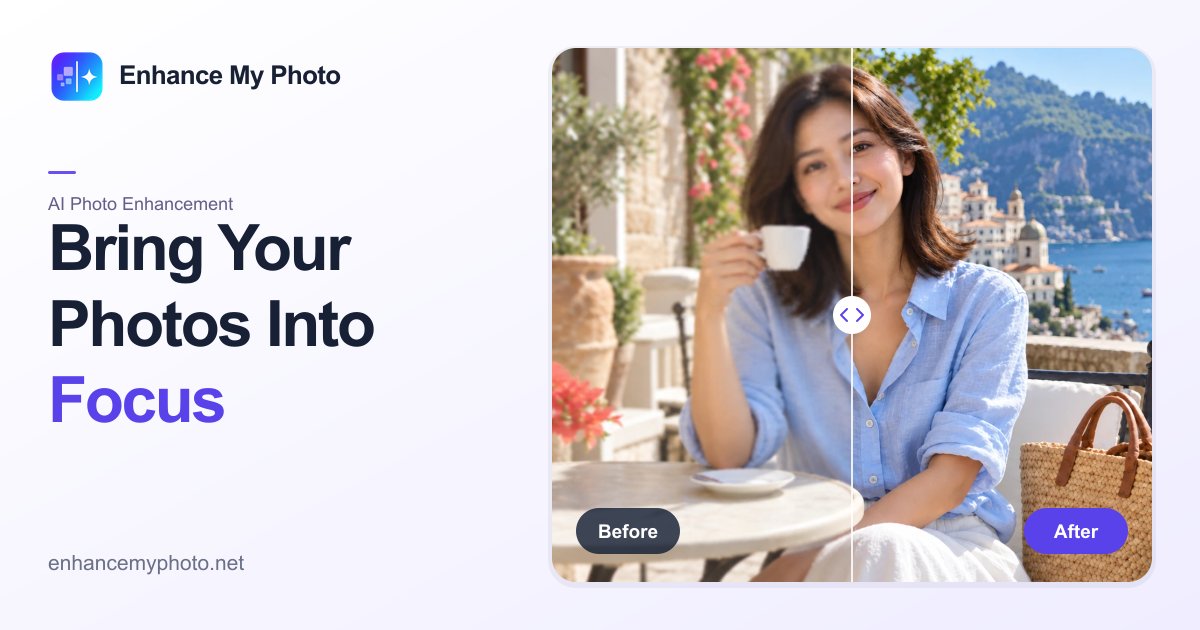
Enhance My Photo suits casual users and e-commerce sellers who need quick, watermark-free clarity fixes without installing software. Its free tier is genuinely usable at 20 credits per day, but the credit system is opaque enough that heavy users will hit paywalls faster than expected, and Canva's Magic Studio covers similar ground with far broader design tooling at a comparable price. Anyone needing batch processing, API access, or output above 16 MP should look elsewhere.
What is Enhance My Photo?
Enhance My Photo is a web-based AI photo enhancement service at enhancemyphoto.net. Users upload a JPG, PNG, or WebP image up to 20 MiB, select one of six scene presets (General, Portrait, Product, Scenery, Pets, or Text), and download the processed result in any of the three same formats without a watermark. Output is capped at 16 megapixels, and a Flash or Pro quality mode controls processing speed versus output fidelity.
The platform operates on a credit system. A free account provides 20 credits per day after sign-in, while paid subscriptions (Starter, Creator, and Studio) add monthly credit pools and daily login bonuses, batch processing, priority processing, and credit rollover. Alongside the main photo enhancer, the site hosts separate tools for image upscaling, deblurring, denoising, old photo restoration, background removal, glare reduction, image sharpening, and black-and-white colorization.
How we scored Enhance My Photo
Capability lands at 16 because the tool does photo clarity well within its scope, but the 16 MP output ceiling, no API, and a collection of disconnected single-page utilities rather than a layered editor put it clearly below category leaders. Ease of use scores 19: the upload-preset-download flow is genuinely simple, the before/after comparison is useful, and no install is required, though navigating between separate tool pages for multi-step work adds friction. Value scores 15 because the Starter plan's $8/month buys 300 base credits with no published per-image cost, making it impossible for a buyer to know what they are actually purchasing; the Studio tier price is not even disclosed publicly. Delivery scores 13 because no documented trust controversies were found, but the absence of any user sentiment data, the opaque credit cost structure (a form of hidden-limit pricing), and the fact that the free tier's actual daily credit count differs between the pre-fetched page content and the live search result suggest the product's claims are not consistently communicated, which is a delivery concern even without a formal complaint record.
Pros and cons
What we liked
- Watermark-free exports on the free tier, which is genuinely rare among freemium photo tools and removes a common friction point for casual users.
- Six scene-specific presets (Portrait, Product, Scenery, Pets, Text, General) give the AI a subject-aware starting point rather than applying a single generic enhancement pass to every image.
- The toolkit extends well beyond basic enhancement: old photo restoration, AI denoise, glare removal, background removal, and a black-and-white colorizer are all available as separate tools on the same platform.
Where it falls short
- The site does not publish per-operation credit costs on its pricing or marketing pages, so buyers on the Starter plan ($8/month, 300 base credits) cannot calculate how many enhancements they actually get before purchasing.
- Output is hard-capped at 16 megapixels with no higher-resolution option on any tier, which rules the tool out for print work or any workflow where the source image exceeds that ceiling.
- Batch processing is locked behind paid plans, and the tool collection is a set of separate single-page utilities rather than a unified editor, meaning multi-step workflows require navigating between pages and re-uploading images each time.
Key features
Enhance My Photo pricing
Free plan gives 20 credits per day (no signup required for a visitor trial, sign-in required to keep task history). Starter is $8/month billed annually ($96/year) for 300 base credits per month, rising to 1,200 with daily logins. Creator is $13/month billed annually ($156/year) for 1,000 base credits, up to 2,200 with daily logins. A Studio tier exists at 2,000 base credits and 60 daily login credits; its annual price was not confirmed in search results. Paid plans include batch processing, priority processing, credit rollover for one billing cycle, and higher-quality output.
| Plan | Price | Who it is for |
|---|---|---|
| Free | $0 | 20 credits per day (valid that day only), basic Flash quality, single-photo processing, PNG/JPG/WebP export, no watermark. Sign-in required to retain task history; visitors can try without an account subject to usage limits. |
| Starter | $8/month (billed annually at $96/year) | 300 base credits per month, plus 30 daily login credits (up to 1,200 credits/month total), credits roll over one billing cycle, VIP access, higher-quality output, batch processing, priority processing, option to purchase credit packs. |
| Creator | $13/month (billed annually at $156/year) | 1,000 base credits per month, plus 40 daily login credits (up to 2,200 credits/month total), all Starter features included. |
| Studio | Price not confirmed in search results | 2,000 base credits per month, plus 60 daily login credits. Positioned for higher-volume professional photo work. Annual price not surfaced in search results. |
Pricing reflects what we saw at time of review (2026-11). Always confirm current pricing on the tool's own site.
Who should use Enhance My Photo?
Casual photographers and social media users who occasionally need a blurry portrait or product shot cleaned up will find the free tier genuinely useful: 20 credits per day, no watermark, no install. Small e-commerce sellers who photograph products on a phone and need a quick clarity pass before uploading to a marketplace are a natural fit, especially given the dedicated Product preset.
Anyone running a high-volume photo workflow, needing API integration, or working with images above 16 MP should look elsewhere. Canva (in our directory) is the better call for users who also need to design social posts, presentations, or marketing assets around their enhanced photos, since it wraps comparable AI image tools inside a full design environment at a similar price point.
Skip it if: High-volume professionals or developers needing API access or output beyond 16 MP
Enhance My Photo alternatives
Tags
Frequently asked questions
Can I download enhanced photos without a watermark on the free plan?+
Yes. The site explicitly states that exports are watermark-free on all plans, including the free tier. The free plan gives 20 credits per day after sign-in.
How many photos can I enhance per day on the free plan?+
The free plan provides 20 credits per day, valid only on the day they are issued. The site does not publish a per-image credit cost on its marketing pages, so the exact number of enhancements per day depends on the settings chosen.
What is the maximum output resolution?+
Output is capped at 16 megapixels across all plans. There is no higher-resolution tier available.
Does the Starter plan include batch processing?+
Yes. Batch processing is included on the Starter plan ($8/month billed annually) and above. The free plan is limited to single-photo processing.
Do unused credits carry over to the next month?+
On paid plans, credits roll over for one billing cycle. Free daily credits expire at the end of each day and do not roll over.
Is there a mobile app?+
The reviewed tool at enhancemyphoto.net is web-only. A separate Android app called Enhance My Photo AI exists on Google Play but is a different product from a different developer and is not part of this review.
More AI Design & Art tools
See all categoriesGet your tool listed on 300+ directories.
One listing here is a strong start. But the founders who get discovered everywhere are listed everywhere. Our sister site, Free AI Directories, submits your tool to 300+ AI directories for you, every single one by hand, by a real person.
It is a one-time payment of $49, no subscription, and you can follow along as the submissions land. Prefer the slow route? The same site keeps a free list of 450+ directories you can work through yourself.
Get my tool listed on 300+ directoriesOne-time payment, no subscription · 100% human submissions · Free list of 450+ directories included.