Images Upscale
Browser-based AI image upscaler offering 2x and 4x enlargement for JPG, PNG, and WebP files with no watermark on downloads.
Are you the maker? Claim this listing to keep info, pricing and screenshots current. Verified via your tool's domain email.
Images Upscale is the right pick for occasional users who need a fast, no-install way to sharpen a handful of images each day without paying anything. The free tier is genuinely useful, but 2 credits per day is a hard ceiling that makes it impractical for anyone processing more than a few files regularly. If you need batch volume or API access, look elsewhere.
What is Images Upscale?
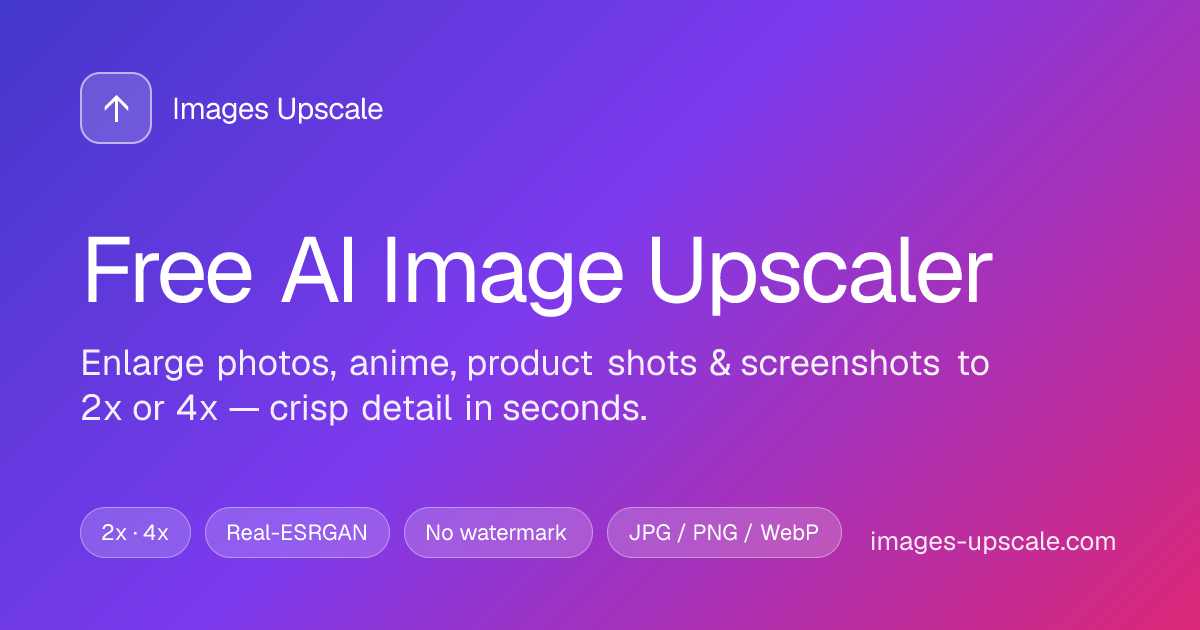
Free AI image upscaler in the browser. JPG/PNG/WebP up to 25MB; 2x or 4x; about 5-15 seconds; no watermark on downloads. 2 free credits/day for guests; guest results auto-delete after about 7 days; signed-in workspace keeps results. Powered by Real-ESRGAN on cloud GPUs. Modes for photos, anime/illustration, product shots, screenshots/UI. Also on-site: remove background, unblur, alt text/SEO, image-to-prompt, image-to-text. Support: support@images-upscale.com. Independent listing, not official staff.
How we scored Images Upscale
Capability scores 17 because the four content-specific modes and the companion tools (background removal, OCR, alt text) give it more breadth than a pure single-feature upscaler, but it tops out at 4x with no API access and no resolution ceiling information published, which named competitors at similar price points often exceed. Ease of use scores 21 because the zero-install, drag-and-drop interface with no account required is genuinely frictionless, and batch ZIP upload at the free tier is a real convenience. Value scores 15 because 2 free credits per day is one of the tightest free allowances in this category, and the absence of published subscription tier prices makes it impossible for a buyer to budget confidently against competitors offering clear monthly plans. Delivery scores 12 because no user sentiment data specific to images-upscale.com could be found to verify output quality claims, the schema.org pricing data conflicts with the visible page text, and the independent (non-official) submission status means core claims have not been verified by the tool's own team.
Pros and cons
What we liked
- Genuinely free daily use with no watermark: 2 credits per day require no account and produce clean downloads, which is a real differentiator from tools that watermark free output.
- Four content-specific upscaling modes (Photo, Anime, Product Shots, Screenshots/UI) let users match the model to the image type rather than applying a single generic pass.
- Batch input via ZIP or multi-file drop means a user can queue several images in one session rather than uploading one at a time, which is uncommon at the free tier.
Where it falls short
- 2 credits per day is an unusually tight free ceiling: most comparable tools offer at least 3 to 5 free runs per day or a monthly credit pool, so anyone with even modest regular needs will exhaust the free tier quickly.
- No published subscription tier names or monthly plan prices on the pricing page, only a per-credit rate starting at 3.8 cents. Buyers cannot compare a monthly cost against competitors without doing extra math or contacting support.
- Guest results auto-delete after 7 days with no warning system described, meaning a user who forgets to download their output loses it permanently without any account to fall back on.
Key features
Images Upscale pricing
Free tier gives 2 credits per day to guests (no sign-in required), with each upscale run costing 1 credit. The site advertises credits starting from 3.8 cents per credit for paid top-ups. A 7-day guest history is available without an account; signed-in workspaces retain results longer. No subscription tier names or monthly plan prices were surfaced on the pricing page beyond the per-credit rate.
| Plan | Price | Who it is for |
|---|---|---|
| Free (Guest) | Free | 2 credits per day with no account required. Each upscale or tool run costs 1 credit. Guest results are stored for 7 days then deleted. No watermark on downloads. |
| Pay-as-you-go Credits | From $0.038 per credit | Credits purchased on demand at a rate starting from 3.8 cents each. No named monthly subscription tiers were published on the pricing page at review time; volume pricing details were not disclosed publicly. |
Pricing reflects what we saw at time of review (2026-09). Always confirm current pricing on the tool's own site.
Who should use Images Upscale?
Solo content creators, bloggers, and small e-commerce sellers who occasionally need to enlarge a product photo, sharpen a social media thumbnail, or clean up a screenshot for a tutorial will get real value from the free daily credits. The anime and illustration mode makes it a practical option for fan artists or manga readers who want to upscale low-resolution artwork without paying anything for light use.
Anyone processing more than 2 images per day on a regular basis will hit the free ceiling fast and find the lack of published subscription tiers frustrating when trying to budget. For high-volume product photography workflows, Canva's Magic Studio suite inside a paid Canva plan offers broader design tooling alongside upscaling. For users who primarily need a full design environment rather than a standalone upscaler, Canva is the stronger directory option.
Skip it if: Teams or sellers who need to process dozens of images per day without hitting a credit wall
Images Upscale alternatives
Frequently asked questions
How many free upscales do I get per day?+
Guests get 2 free credits per day with no account needed. Each upscale run costs 1 credit, so that is 2 images per day at the free tier.
Does the free tier add a watermark to downloaded images?+
No. The site explicitly states that free downloads have no watermark, which is one of its main differentiators from competing tools.
What file formats and sizes are supported?+
The upscaler accepts JPG, PNG, and WebP files up to 25 MB. The background remover accepts the same formats up to 10 MB.
How much do paid credits cost?+
The pricing page lists credits starting from 3.8 cents each. No named monthly subscription plans with fixed credit pools were published at review time, so buyers need to calculate costs based on their expected volume.
What happens to my images if I do not sign in?+
Guest results are stored for 7 days and then automatically deleted. Signing in gives access to a persistent workspace with no stated expiry on saved results.
Can I upscale multiple images at once?+
Yes. The tool accepts multiple files or a ZIP archive dropped in a single upload session, so you can queue a folder of images without uploading them one at a time.
More AI Design & Art tools
See all categoriesGet your tool listed on 300+ directories.
One listing here is a strong start. But the founders who get discovered everywhere are listed everywhere. Our sister site, Free AI Directories, submits your tool to 300+ AI directories for you, every single one by hand, by a real person.
It is a one-time payment of $49, no subscription, and you can follow along as the submissions land. Prefer the slow route? The same site keeps a free list of 450+ directories you can work through yourself.
Get my tool listed on 300+ directoriesOne-time payment, no subscription · 100% human submissions · Free list of 450+ directories included.