
Kite
Agent-first design tool that lets Claude, ChatGPT, or Cursor draw real HTML/CSS layers in a shared file alongside your team.
Are you the maker? Claim this listing to keep info, pricing and screenshots current. Verified via your tool's domain email.
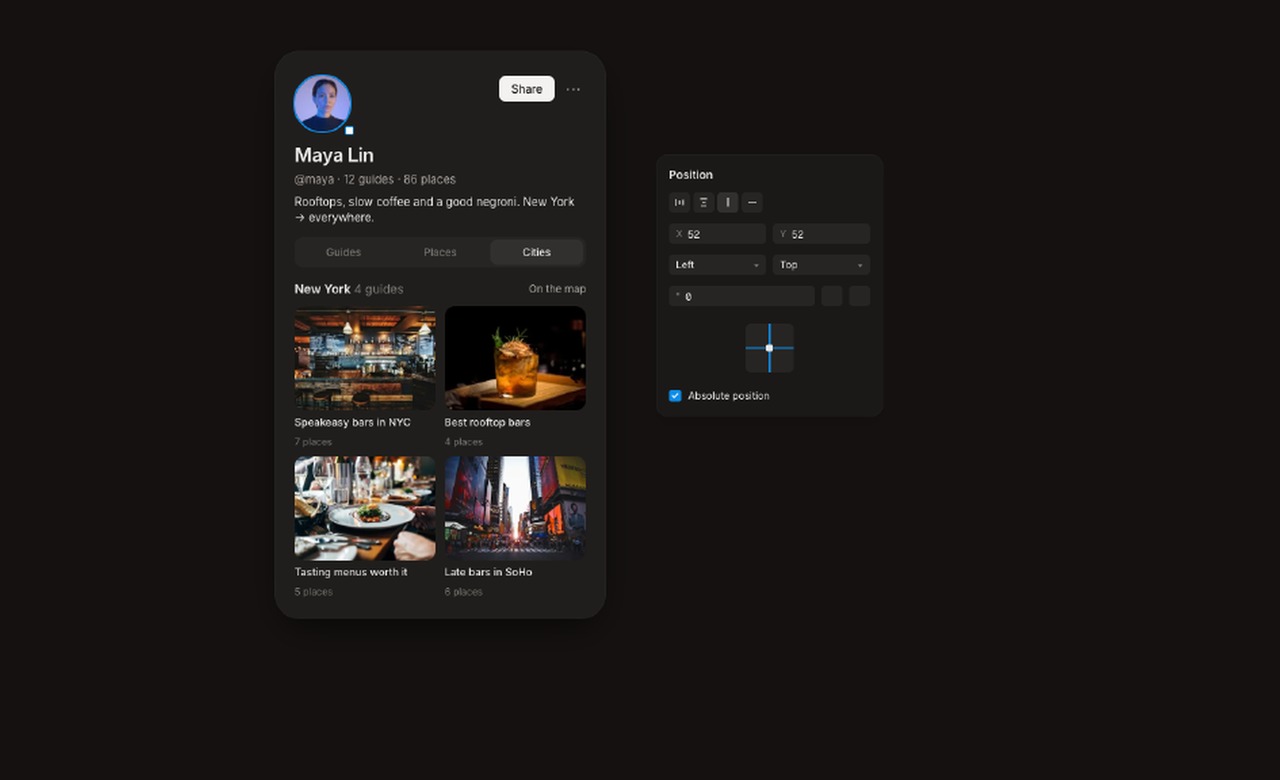
Kite is the right pick for product teams already paying for Claude, Cursor, or ChatGPT who want those agents drawing directly in a shared design file, not just generating images on the side. The catch is real: Kite does nothing without an external agent, so anyone without an existing AI subscription gets nothing from the canvas. Teams wanting a self-contained AI design tool with its own generation model should look at Canva instead.
What is Kite?
Kite (kite.new) is a browser-based and macOS design tool where AI agents and human editors share a single canvas. Designs are stored as real HTML and CSS, letting agents like Claude, ChatGPT, Cursor, and Codex read and write layers directly through a hosted MCP server. The editor includes components with variants, variable modes, auto layout, vector tools, and two-way Figma compatibility.
Kite charges per human editor seat and runs no AI model of its own, so users connect whichever agent they already subscribe to. The free plan supports unlimited editors and viewers with 3 files and 200 agent actions per day. Pro is $20 per editor per month (or $16 billed yearly) with unlimited files and agent actions. A Team tier at $35 per editor per month adds SSO, SAML, admin controls, and dedicated onboarding.
How we scored Kite
Capability scores well because the MCP-native approach with 61 agent tools, full vector editing, components with variants, variable modes, and two-way Figma compatibility is genuinely differentiated, but the hard dependency on an external agent subscription means the tool delivers zero AI capability to a user who arrives without one, which a competitor like Canva does not impose. Value is strong: the free plan is genuinely useful at $0 with 200 agent actions per day, and Pro at $20 per editor per month is competitive for what it includes, especially with no AI credit overhead. Ease of use takes a hit because the setup path requires configuring an external MCP client, and the ChatGPT write-access ambiguity documented on Kite's own pages adds real friction for a common user type. Delivery lands in the mid-teens because there are no independent user reviews or third-party sentiment to verify claims, all evidence comes from Kite's own site, and the 200-action daily cap on the free plan is a hard ceiling that can interrupt real work sessions.
Pros and cons
What we liked
- No AI credit system: you pay for editor seats only, and your existing Claude, ChatGPT, or Cursor subscription does the AI work, so there is no double-billing.
- Hosted MCP server works from any browser without a local app, with OAuth 2.1 authentication, giving agents 61 tools to read, draw, edit, and verify their own output.
- Full Figma-class editing primitives, including components with variants, variable modes, auto layout, pen tool with boolean operations, and two-way Figma paste, so the file is not a locked export.
Where it falls short
- Kite does nothing without an external agent: there is no built-in generation model, so a user without a Claude, ChatGPT, or Cursor subscription gets a blank canvas and no AI capability at all.
- The free plan caps agent actions at 200 per day, which is a hard daily ceiling that will interrupt workflows mid-session for anyone doing more than light evaluation.
- ChatGPT MCP write access is genuinely unclear: Kite's own documentation notes that OpenAI's pricing page and help center disagree on which ChatGPT plans allow custom MCP servers with write actions, leaving users to figure out their own plan compatibility.
Key features
Kite pricing
Free plan at $0 includes unlimited editors and viewers, 1 workspace with 3 files and 3 design systems, and 200 agent actions per day. Pro is $20 per editor per month ($16 billed yearly) with unlimited files, workspaces, agent actions, and version history. Team is $35 per editor per month ($28 billed yearly) and adds SSO, SAML, admin controls, custom contracts, and dedicated onboarding.
| Plan | Price | Who it is for |
|---|---|---|
| Free | $0 | Unlimited editors and viewers, 1 workspace with 3 files and 3 design systems, 200 agent actions per day, full editor access, connect any agent. |
| Pro | $20 per editor/month | Everything in Free, plus unlimited files and workspaces, unlimited agent actions, version history, and priority feedback. Billed yearly at $16 per editor per month. |
| Team | $35 per editor/month | Everything in Pro, plus SSO and SAML, admin controls, custom contracts, and dedicated support and onboarding. Billed yearly at $28 per editor per month. Contact sales to set up. |
Pricing reflects what we saw at time of review (2026-11). Always confirm current pricing on the tool's own site.
Who should use Kite?
Kite fits product designers and frontend-adjacent teams who already have Claude Pro, a Cursor subscription, or a ChatGPT plan that supports custom MCP servers with write access. The workflow pays off most when agents handle the repetitive or first-draft work, like generating a pricing section or building out component variants, while humans refine and comment in the same file. A solo designer who wants to try agent-assisted design without committing to a paid seat can do real work on the free plan, within the 200-action-per-day cap.
Anyone who wants a self-contained AI design tool that generates visuals without a separate agent subscription should skip Kite entirely. Canva, which is in our directory, has its own Magic Studio AI built in and requires no external model. Teams focused on social graphics, marketing assets, or non-UI creative work will also find Canva a better fit, since Kite's own comparison pages acknowledge it is built for product and UI design, not general graphic design.
Skip it if: Anyone without an existing Claude, ChatGPT, or Cursor subscription
Kite alternatives
Frequently asked questions
Do I need to pay for AI credits inside Kite?+
No. Kite runs no AI model of its own. You connect the agent you already pay for, such as Claude, ChatGPT, or Cursor, and Kite charges only for editor seats. The free plan includes 200 agent actions per day at no cost.
What is the difference between the Free and Pro plans?+
Free gives you 1 workspace with 3 files, 3 design systems, and 200 agent actions per day. Pro at $20 per editor per month (or $16 billed yearly) removes all three limits: unlimited files, workspaces, and agent actions, and adds version history.
Can I use Kite without a Claude or ChatGPT subscription?+
You can open and edit files manually as a human editor on any plan, but the AI agent features require an external agent subscription. Kite has no built-in generation model, so without an agent connected, you get a standard design editor with no AI capability.
Does Kite work with ChatGPT?+
Yes, but with a caveat. You add Kite as a custom MCP server in ChatGPT. However, Kite's own documentation notes that OpenAI's pricing page and help center disagree on which ChatGPT plans allow custom MCP servers with write access, so you should verify your specific plan before relying on this workflow.
Is kite.new the same as kite.ai?+
No. Kite at kite.new is a design tool for AI agents and human teams. kite.ai is a separate company's AI marketing product. Pricing and features published for kite.ai do not apply to this tool.
What does the Team plan add over Pro?+
Team at $35 per editor per month ($28 billed yearly) adds SSO and SAML authentication, admin controls, custom contracts, and dedicated support and onboarding. You contact the team at hello@kite.new to set it up.
More AI Design & Art tools
See all categoriesGet your tool listed on 300+ directories.
One listing here is a strong start. But the founders who get discovered everywhere are listed everywhere. Our sister site, Free AI Directories, submits your tool to 300+ AI directories for you, every single one by hand, by a real person.
It is a one-time payment of $49, no subscription, and you can follow along as the submissions land. Prefer the slow route? The same site keeps a free list of 450+ directories you can work through yourself.
Get my tool listed on 300+ directoriesOne-time payment, no subscription · 100% human submissions · Free list of 450+ directories included.