
Lovspark
AI design canvas for interior designers and architects that takes a project from sketch to shoppable FF&E schedule in one browser tab.
Are you the maker? Claim this listing to keep info, pricing and screenshots current. Verified via your tool's domain email.
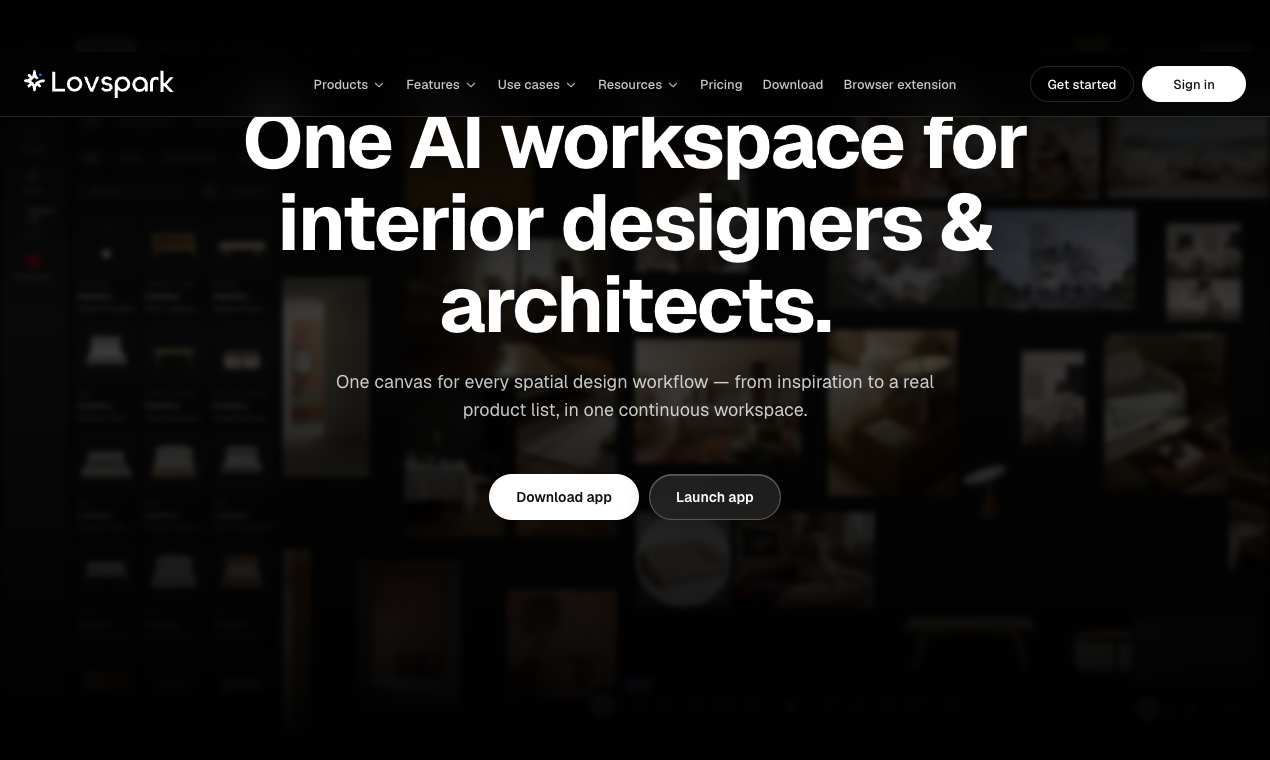
Lovspark is the right pick for working interior designers and architects who need a single place to go from raw photo or sketch to a client-ready render with real, sourced products attached. Its FF&E schedule export and AI product placement set it apart from generic image generators, but the free tier's 200 monthly credits run out fast, and video exports are capped at 720p on the entry paid plan. Teams who need a general-purpose design tool rather than a spatial-workflow specialist should look at Canva instead.
What is Lovspark?
Lovspark is an AI design canvas built for interior designers, architects and real estate professionals. Work on one canvas from first idea to client-ready proposal, instead of jumping between a rendering tool, a mood board app and a spreadsheet.
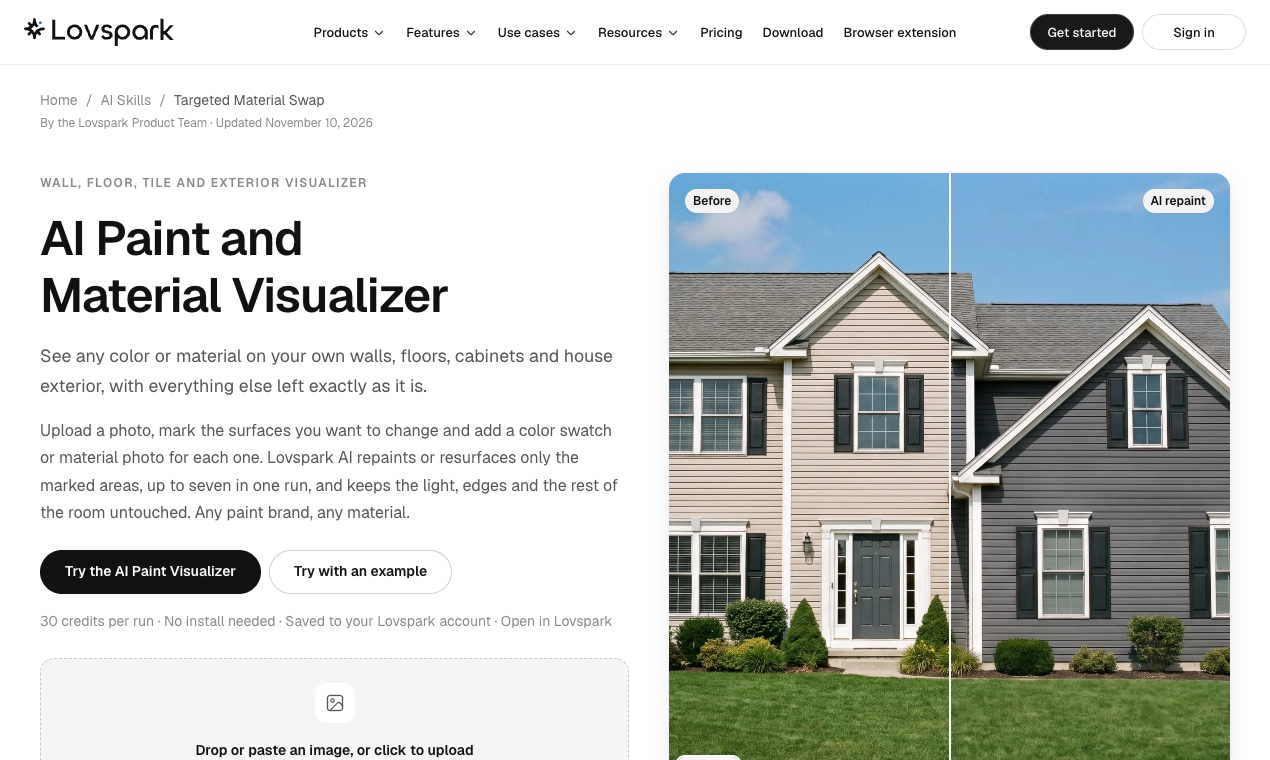
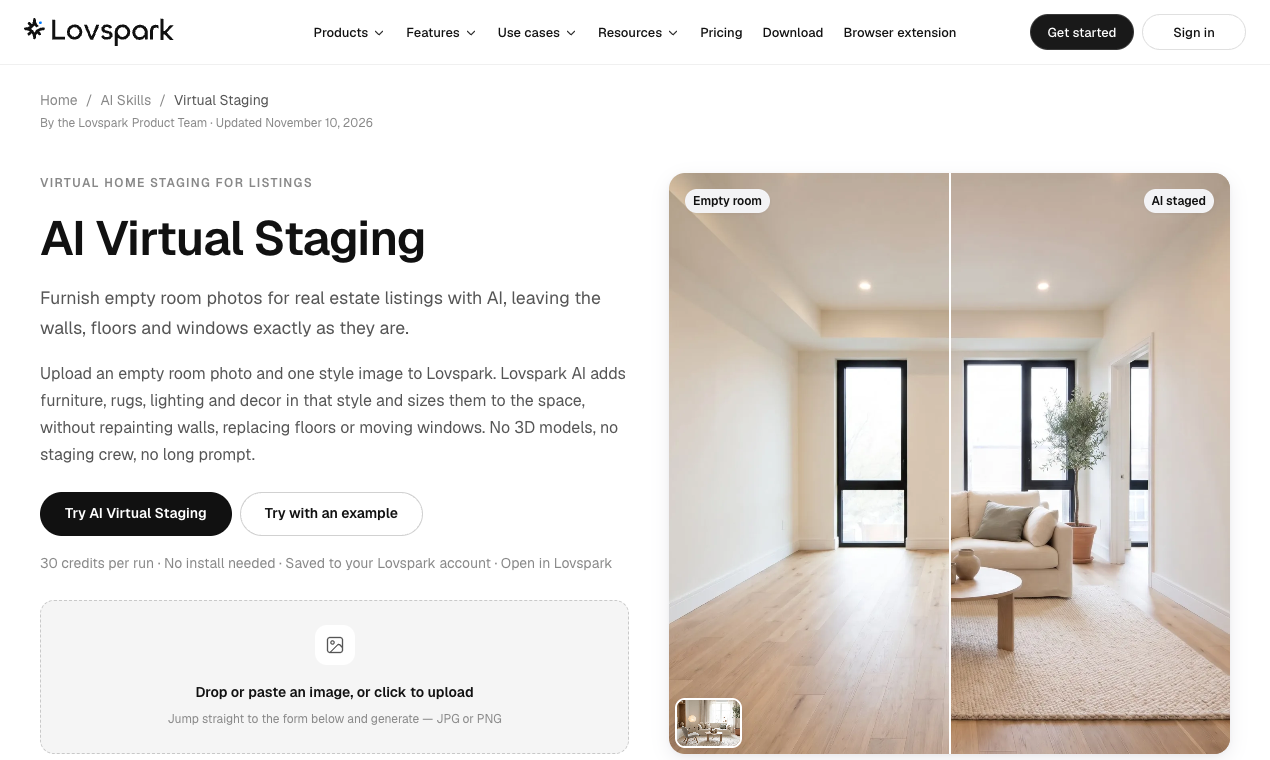
Upload a room photo, sketch, floor plan or SketchUp view and run any of 20+ AI skills: virtual staging, AI interior redesign, paint and material visualizer, sketch to render, floor plan rendering, mood board to render and axonometric views.
What sets Lovspark apart is real products. Place furniture and lighting from supplier catalogs into your renders, then export an FF&E schedule with products, suppliers and quantities straight from the image.
Lovspark runs in the browser, with desktop apps for Mac and Windows. The free plan includes 200 credits every month.
How we scored Lovspark
Capability scores high because the FF&E schedule export with real supplier products is a genuinely differentiated feature no general-purpose AI image tool offers, and the 20-plus named skills plus multi-model switching on one canvas give working designers real depth. Ease of use loses a few points because the credit system adds cognitive overhead (costs vary from 8 to 60 credits per image depending on model), and the node-based workflow has a learning curve for designers unfamiliar with pipeline tools. Value is solid at the Pro tier ($44.99/month for 5,000 credits and 4K exports) but the Creator plan's 720p video cap and 2K image ceiling are real limitations for client-facing work, and the free tier's 200 credits are thin enough that most users will hit the wall in a single session. Delivery lands in the mid-teens because public independent reviews are sparse, making it impossible to verify the FF&E and product placement claims against real-world use, and the introductory pricing structure (first-month discounts on every paid tier) adds uncertainty about the true ongoing cost.
Pros and cons
What we liked
- FF&E schedule export with real supplier products is a feature no general-purpose AI image tool offers, closing the gap between render and procurement.
- Model flexibility on one canvas: users can switch between more than a dozen image and video models mid-project, from fast cheap options at 8 credits per image to higher-quality models at 60 credits per image.
- Browser extension captures product and image data from any webpage directly into the Product Library, reducing manual data entry when sourcing furniture and materials.
Where it falls short
- The free plan's 200 monthly credits reset each month and carry a watermark on exports, which means a single session using a mid-tier model like Nano Banana Pro at 25 credits per image burns through the allowance in eight images.
- Video exports are capped at 720p on the Creator plan ($19.99/month); 1080p requires stepping up to Pro at $44.99/month, which is a meaningful quality gap for client-facing walkthroughs.
- Public user reviews are sparse, making it difficult to independently verify how well the AI product placement and FF&E export perform on real projects outside the tool's own documentation and demo canvases.
Key features
Lovspark pricing
Free plan at $0/month includes 200 credits (roughly 25 images). Creator is $4.99/month for the first month then $19.99/month, with 2,000 credits and 2K image exports. Pro is $24.99/month first month then $44.99/month, with 5,000 credits, 4K images, and 1080p video. Max is $74.99/month first month then $99.99/month, with 12,000 credits and highest render priority. One-time credit packs are also available from $6.99 for 500 credits up to $150 for 16,000 credits; those credits never expire.
| Plan | Price | Who it is for |
|---|---|---|
| Free | $0/mo | 200 credits per month (resets monthly), roughly 25 images or 50 seconds of video at base model rates. Exports carry a watermark. Personal use only. No parallel render priority. |
| Creator | $4.99 first month, then $19.99/mo | 2,000 credits per month, roughly 250 images or 500 seconds of video. Standard render priority, up to 6 parallel render jobs, 10GB project storage, image exports up to 2K, video exports up to 720p, unlimited clean exports, commercial use for client drafts. |
| Pro | $24.99 first month, then $44.99/mo | 5,000 credits per month, roughly 625 images or 1,250 seconds of video. Priority render queue, up to 12 parallel render jobs, 100GB project storage, image exports up to 4K, video exports up to 1080p, unlimited clean exports, commercial use for client work. |
| Max | $74.99 first month, then $99.99/mo | 12,000 credits per month, roughly 1,500 images or 3,000 seconds of video. Highest render priority, up to 20 parallel render jobs, 500GB project storage, image exports up to 4K, video exports up to 1080p, unlimited clean exports, commercial use for client work. |
| Credit Packs (one-time) | From $6.99 | Top-up packs that never expire: 500 credits for $6.99, 1,050 for $13.99, 2,500 for $29.99, 4,500 for $49.99, 6,500 for $69.99, 10,500 for $104.99, 16,000 for $150. Available to any plan holder. |
Pricing reflects what we saw at time of review (2026-11). Always confirm current pricing on the tool's own site.
Who should use Lovspark?
A solo interior designer preparing client proposals will get the most out of Lovspark. The ability to upload a room photo, run a virtual staging skill, swap materials, place specific products from supplier catalogs, and hand the client a shoppable render with an attached FF&E schedule is a workflow that previously required at least three separate tools. Architects working on bare-shell or white-model projects benefit from the sketch-to-render and axonometric view skills, and the shareable canvas makes client review straightforward without exporting files.
Real estate marketers staging vacant properties for listings are also a natural fit, particularly on the Pro or Max plan where 1080p video exports make walkthrough animations usable. Freelancers on tight budgets should note that the free tier's 200 credits cover roughly 25 images per month at the cheapest model rate, which is enough to evaluate the tool but not enough for active project work. If you need a general-purpose design tool for social graphics, presentations, or brand assets rather than spatial rendering, Canva is a better match: it covers far more content types and its free tier is substantially more generous.
Skip it if: General graphic designers or social media creators who do not need spatial rendering or FF&E output.
Lovspark alternatives
Frequently asked questions
Does the free plan put a watermark on exports?+
Yes. The free plan's exports carry a watermark and are limited to personal use only. Watermark-free commercial exports require the Creator plan at $19.99 per month or above.
What resolution can I export images and videos at?+
Creator plan exports images up to 2K and video up to 720p. Pro and Max plans export images up to 4K and video up to 1080p. The free plan does not specify a resolution cap but exports are watermarked.
Can I use Lovspark for commercial client work on the Creator plan?+
The Creator plan is listed as covering commercial use for client drafts. Full commercial use for client work is available on Pro and Max.
Do unused credits roll over each month?+
Monthly plan credits reset each month and do not roll over. One-time credit pack purchases never expire and can be used at any time.
Does Lovspark work on Windows, or only Mac?+
Lovspark runs in the browser and has desktop apps for both Mac and Windows, plus a browser extension for capturing product data from external websites.
What is the FF&E export and which plan includes it?+
The FF&E export generates a schedule of furniture, fixtures, and equipment with product names, suppliers, and quantities pulled from the render. It is part of the Product Library feature; the pricing page does not restrict it to a specific paid tier, but a reviewer should confirm whether it is available on the free plan before publishing.
More AI Design & Art tools
See all categoriesGet your tool listed on 300+ directories.
One listing here is a strong start. But the founders who get discovered everywhere are listed everywhere. Our sister site, Free AI Directories, submits your tool to 300+ AI directories for you, every single one by hand, by a real person.
It is a one-time payment of $49, no subscription, and you can follow along as the submissions land. Prefer the slow route? The same site keeps a free list of 450+ directories you can work through yourself.
Get my tool listed on 300+ directoriesOne-time payment, no subscription · 100% human submissions · Free list of 450+ directories included.