
Personalized Home Interior Visualizer
A photo-based AI interior visualizer that generates redesigned room concepts from a single uploaded photo, with floor planning and 4K
Are you the maker? Claim this listing to keep info, pricing and screenshots current. Verified via your tool's domain email.
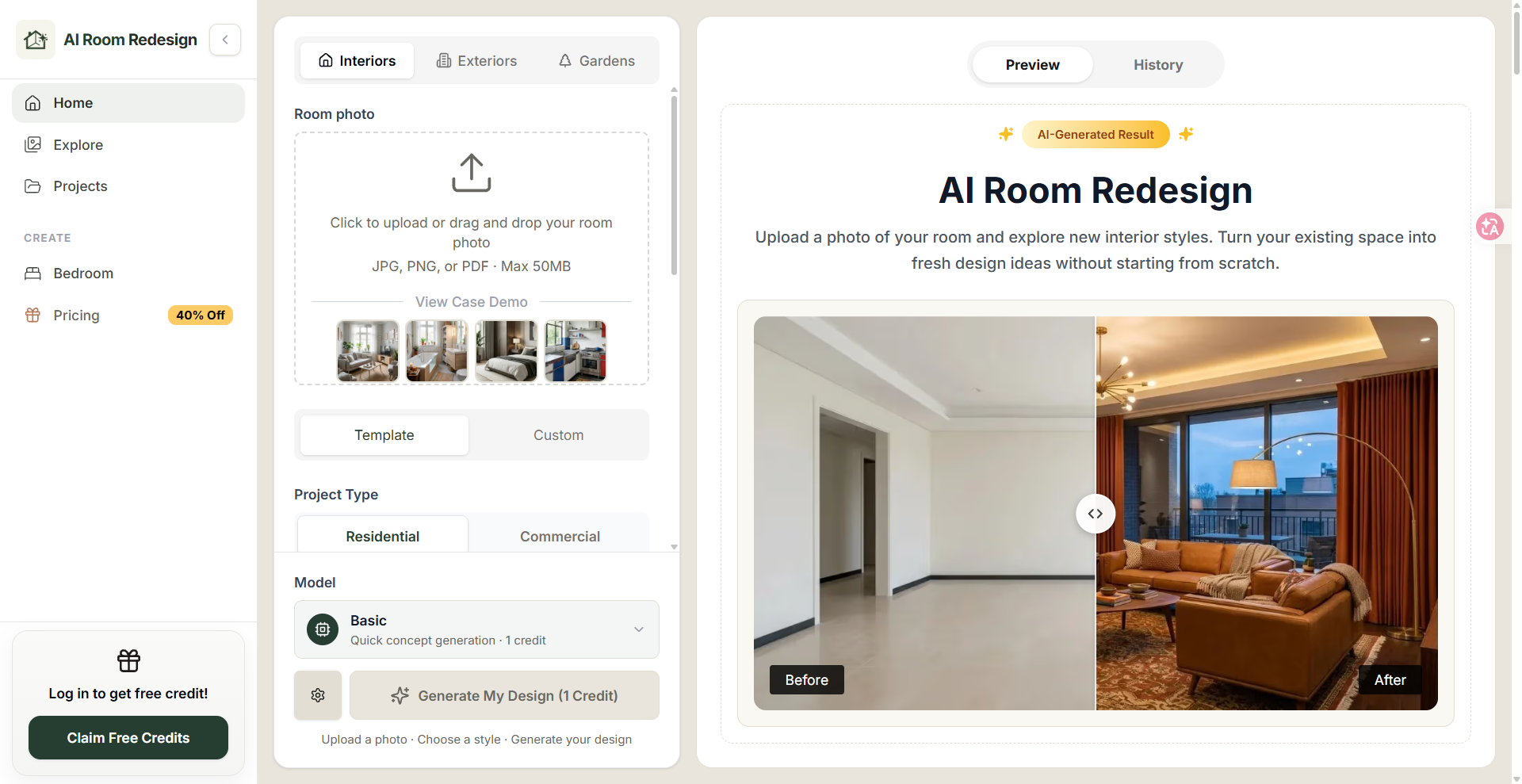
AI Room Redesign suits homeowners and renters who want a fast visual sanity-check before redecorating, and its one-time credit packs make occasional use genuinely affordable. Against dedicated professional tools it falls short on iteration depth: there is no furniture shopping integration, no mood board builder, and no 3D spatial planning beyond the floor planner add-on. Anyone who needs client-ready renders or detailed construction references should look elsewhere.
What is Personalized Home Interior Visualizer?
AI Room Redesign is a web-based interior visualization tool that transforms uploaded room photos into AI-generated redesign concepts. Users select a room type, choose a design style, and optionally add text instructions to guide the output. The tool covers living rooms, bedrooms, bathrooms, kitchens, and several other room categories, and includes a floor planner with DXF export alongside 4K image output on paid plans.
The service targets homeowners, renters, and real estate professionals who want to preview interior style changes before committing to a renovation or purchase. It operates on a credit system available as one-time purchases or monthly and annual subscriptions, with credits covering both Basic and Pro generation modes.
How we scored Personalized Home Interior Visualizer
Capability lands at 17 because the core photo-to-concept generation works and the floor planner with DXF export is a genuine differentiator, but the tool lacks furniture sourcing, mood board building, and any API or 3D spatial output that named competitors like Plnty offer. Ease of use scores 20 because the three-step workflow (upload, configure, generate) is about as frictionless as this category gets, with dedicated room-type pages reducing prompt guesswork. Value scores 16: the never-expiring one-time credit packs are genuinely fair for casual users, but the subscription plans charge $19.99 to $99.99 per month with credits that expire monthly and no rollover, which is a poor deal for anyone whose usage is uneven. Delivery scores 10 because no substantial independent user sentiment could be found to verify output quality claims, the 'free credits' promise on the homepage is not backed by a documented free tier on the pricing page, and the tool is a web-only consumer product with no track record signals available from search.
Pros and cons
What we liked
- One-time credit packs never expire, so occasional users pay only for what they use without a recurring subscription penalty.
- Floor planner with DXF export is included on all paid tiers, a feature absent from most consumer-grade room redesign tools.
- 4K quality export and commercial usage rights are available from the entry-level Starter plan at $19.99/mo, not locked behind a higher tier.
Where it falls short
- No furniture shopping integration or product sourcing: generated images show styled rooms but give no path to actually buy what is shown, a gap that direct competitors like dedicated staging tools have started to close.
- Credits on subscription plans expire monthly, so a Professional subscriber who skips a busy month loses all 600 credits with no rollover option.
- The tool is web-only with no mobile app and no API access at any tier, limiting use in automated workflows or on-site consultations.
Key features
Personalized Home Interior Visualizer pricing
One-time credit packs range from $9.99 for 30 credits to $149 for 1,500 credits (credits never expire). Monthly subscriptions run $19.99/mo (Starter, 200 credits), $49.99/mo (Professional, 600 credits), and $99.99/mo (Enterprise, 1,500 credits). Annual billing cuts each subscription price by 50%. A free credit offer is advertised on login.
| Plan | Price | Who it is for |
|---|---|---|
| 30 Credits (One-Time) | $9.99 | 30 credits at $0.33 per credit. Credits never expire. One-time payment, no subscription. |
| 100 Credits (One-Time) | $19.99 | 100 credits at $0.20 per credit. Credits never expire. One-time payment. |
| 200 Credits (One-Time) | $29.99 | 200 credits at $0.15 per credit. Credits never expire. One-time payment. |
| 400 Credits (One-Time) | $54.99 | 400 credits at $0.14 per credit. Credits never expire. One-time payment. |
| 600 Credits (One-Time) | $79.99 | 600 credits at $0.13 per credit. Credits never expire. One-time payment. |
| 1,500 Credits (One-Time) | $149 | 1,500 credits at $0.10 per credit. Credits never expire. One-time payment. |
| Starter (Subscription) | $19.99/mo | 200 credits/month (expires monthly). 200 Basic generations, 50 Pro generations, 4K export, 3 floor planners/month, DXF export, no watermark, commercial usage rights. Annual billing available at $9.99/mo ($119/year). |
| Professional (Subscription) | $49.99/mo | 600 credits/month (expires monthly). 600 Basic generations, 150 Pro generations, 4K export, 10 floor planners/month, DXF export, no watermark, commercial usage rights, priority processing. Annual billing at $24.99/mo ($299/year). |
| Enterprise (Subscription) | $99.99/mo | 1,500 credits/month (expires monthly). 1,500 Basic generations, 375 Pro generations, 4K export, unlimited floor planners, DXF export, no watermark, commercial usage rights, priority processing. Annual billing at $49.99/mo ($599/year). |
Pricing reflects what we saw at time of review (2026-11). Always confirm current pricing on the tool's own site.
Who should use Personalized Home Interior Visualizer?
A homeowner planning a living room refresh who wants to compare three or four style directions before buying furniture will get real value here. The one-time 100-credit pack at $19.99 covers roughly 10 Basic generations with room to spare, and the credits never expire, so there is no pressure to use them up. Renters who want visual references to share with a landlord or decorator are another natural fit.
Real estate agents staging listings digitally could use the tool for quick concept images, though the output is better described as a style reference than a photorealistic render. Professional interior designers who need client-presentable visuals, furniture sourcing links, or integration with project management tools should look at Canva (already in our directory) for broader design workflow coverage, or Plnty if they need a spatial canvas with multi-format creative output beyond static room images.
Skip it if: Professional interior designers needing client-ready renders or detailed spatial planning
Personalized Home Interior Visualizer alternatives
Frequently asked questions
Is there a free plan or free trial?+
There is no permanently free tier. The site advertises free credits on login, but the pricing page lists no free plan with a fixed credit allowance. The cheapest entry point is the $9.99 one-time pack for 30 credits.
Do credits expire?+
Credits from one-time purchases never expire. Credits included in monthly or annual subscriptions reset each billing cycle and do not roll over.
What is the difference between Basic and Pro generation?+
Both modes use the same photo-to-design workflow, but Pro generation consumes more credits and produces higher-fidelity output. The Starter plan gives 200 Basic and 50 Pro generations per month.
Can I use the generated images commercially?+
Yes. All paid plans, including the Starter subscription at $19.99/mo, include commercial usage rights and no-watermark downloads.
What does the floor planner include, and can I export it?+
The floor planner is a built-in spatial layout tool. All paid plans include DXF export. Starter allows 3 floor planners per month, Professional allows 10, and Enterprise is unlimited.
Is there a mobile app or API?+
No. The tool is web-only. No mobile app and no API access are listed at any pricing tier.
More AI Design & Art tools
See all categoriesGet your tool listed on 300+ directories.
One listing here is a strong start. But the founders who get discovered everywhere are listed everywhere. Our sister site, Free AI Directories, submits your tool to 300+ AI directories for you, every single one by hand, by a real person.
It is a one-time payment of $49, no subscription, and you can follow along as the submissions land. Prefer the slow route? The same site keeps a free list of 450+ directories you can work through yourself.
Get my tool listed on 300+ directoriesOne-time payment, no subscription · 100% human submissions · Free list of 450+ directories included.