
Room Design AI by AIBackyardDesigner
Upload a room photo, pick a style, and get a watermark-free AI redesign for $4.99 per 20 images, no subscription required.
Are you the maker? Claim this listing to keep info, pricing and screenshots current. Verified via your tool's domain email.
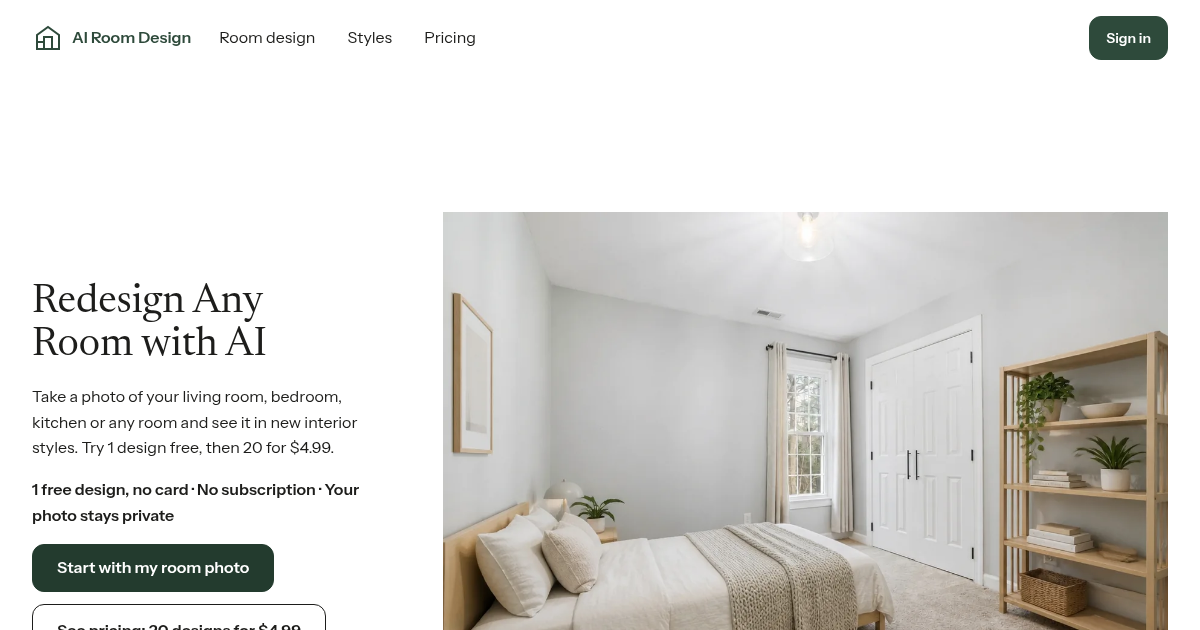
Room Design AI is the right pick for a homeowner who wants to try a handful of interior styles once, pay a flat $4.99, and never think about a subscription again. It trades depth for simplicity: no furniture swapping, no floor-plan output, and no 4K export, which puts it behind heavier tools for anyone doing repeated or professional work. If you need more than a visual mood-board, look elsewhere.
What is Room Design AI by AIBackyardDesigner?
AI Room Design is a photo-based room design tool. You upload a photo of your living room, bedroom, kitchen or any room, pick a room type, and choose up to 4 styles to see the same space in new interior looks. Styles include Modern, Minimalist, Scandinavian, Japandi, Industrial, Boho, Mid-century, Coastal, Farmhouse and Luxury. Each account gets 1 free design with a watermark, no card needed. After that, Room Pack is a one-time $4.99 for 20 design credits, no subscription. The images are visual ideas, not floor plans, so check measurements before you buy or build.
How we scored Room Design AI by AIBackyardDesigner
Capability lands at 15 because the tool lacks features that direct competitors in the broader market offer as standard: no object removal, no furniture editing, no 4K export, and a style count of ten versus rivals offering 30 or more. Ease of use scores 20 because the model is genuinely simple: one photo, one style pick, one credit spent, and no subscription to manage. Value scores 20 because $4.99 for 20 non-expiring credits with a no-card free trial is a legitimately fair entry price for casual use, even if heavy users will find the single-tier structure limiting. Delivery scores 11 because no independent user sentiment data was found for this specific tool, the social presence appears nonexistent, and the product is very new with no track record to evaluate; the transparent refund policy and clear pricing prevent a lower score, but the absence of any verifiable user evidence keeps it out of the mid-range.
Pros and cons
What we liked
- No-subscription, pay-once model: $4.99 buys 20 non-expiring credits, genuinely rare in this category where most rivals charge $9 to $30 per month.
- Zero friction to try: one free watermarked design is available per account with no card required, so buyers can verify output quality before spending anything.
- Covers ten named interior styles including Japandi and Coastal, letting a single room photo be tested across multiple aesthetics in one session.
Where it falls short
- No iterative editing tools: unlike competitors that offer point-edit brushes, furniture swaps, or object removal, this tool generates a static image with no way to adjust specific elements after the fact.
- Output tops out at 2K resolution with no 4K option, which limits usefulness for print, large-format display, or professional client presentations.
- The free tier produces only one watermarked image per account lifetime, not per month, so there is no ongoing free allowance to test new rooms without paying.
Key features
Room Design AI by AIBackyardDesigner pricing
One free watermarked design per account, no card needed. After that, a single Room Pack costs $4.99 for 20 design credits. Credits never expire and the pack is refundable within 7 days if unused. No subscription option exists.
| Plan | Price | Who it is for |
|---|---|---|
| Free | Free | One watermarked room design per account. No card required. Cannot be used for commercial purposes due to watermark. |
| Room Pack | $4.99 | 20 design credits. Each credit generates one new room image at 1K or 2K resolution. Credits never expire. No watermark on paid results. Re-downloading an existing image is free. Unused pack refundable within 7 days. |
Pricing reflects what we saw at time of review (2026-11). Always confirm current pricing on the tool's own site.
Who should use Room Design AI by AIBackyardDesigner?
A homeowner redecorating a living room or bedroom who wants to see three or four style directions before buying furniture is the clearest fit. The one-time $4.99 pack covers 20 images, which is enough to test multiple rooms and styles without any ongoing cost. Renters who want inspiration without committing to a designer also get good value here.
Anyone doing this professionally should look elsewhere. Real estate agents staging properties, interior designers iterating with clients, or anyone needing 4K exports or shoppable furniture links will hit the ceiling of this tool quickly. Canva covers broader design work if you need branded visuals alongside room concepts. For a more capable photo-based room tool with higher output volume, the broader market offers options like RoomAI, though those come with subscription pricing starting around $29 per month.
Skip it if: Designers or agents needing high-volume renders, 4K exports, or furniture sourcing
Room Design AI by AIBackyardDesigner alternatives
Frequently asked questions
Is there a subscription?+
No. The only paid option is the Room Pack, a one-time purchase of $4.99 for 20 credits. There is no monthly or annual plan.
How many free designs do I get?+
One watermarked design per account, with no card required. This is a lifetime allowance, not a monthly reset.
What resolution are the generated images?+
Each credit produces one image at either 1K or 2K resolution. There is no 4K export option available.
Can I get a refund if I buy the pack and don't use it?+
Yes. A fully unused Room Pack can be refunded within seven days of purchase. Packs with any usage require a manual review.
Are the designs usable as construction or renovation plans?+
No. The tool explicitly states that outputs are visual inspiration only. Measurements and structural feasibility must be verified independently before any building work.
Can I redesign kitchens and bathrooms, or only living rooms?+
The tool supports any room type: living rooms, bedrooms, kitchens, and other spaces are all accepted as photo inputs.
More AI Design & Art tools
See all categoriesGet your tool listed on 300+ directories.
One listing here is a strong start. But the founders who get discovered everywhere are listed everywhere. Our sister site, Free AI Directories, submits your tool to 300+ AI directories for you, every single one by hand, by a real person.
It is a one-time payment of $49, no subscription, and you can follow along as the submissions land. Prefer the slow route? The same site keeps a free list of 450+ directories you can work through yourself.
Get my tool listed on 300+ directoriesOne-time payment, no subscription · 100% human submissions · Free list of 450+ directories included.