
Spaceora
Photo-based AI tool for room redesigns, virtual staging, and climate-matched garden concepts for homeowners and real estate teams.
Are you the maker? Claim this listing to keep info, pricing and screenshots current. Verified via your tool's domain email.
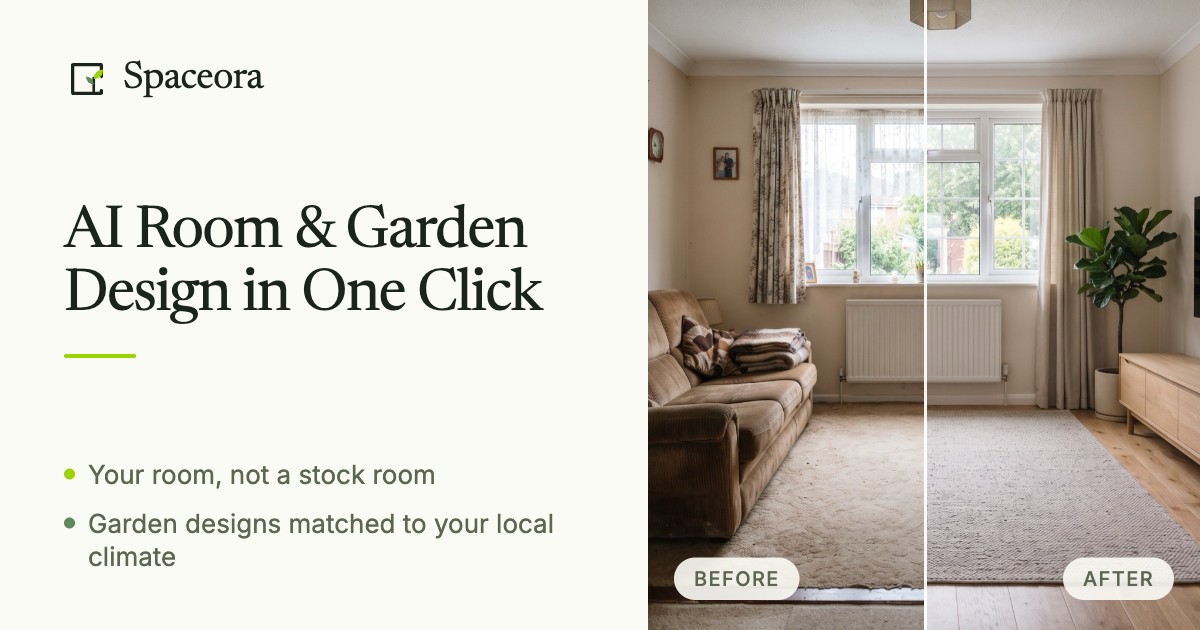
Spaceora is the clearest option for real estate photographers who need fast virtual staging and garden concepts in one tool, without switching between apps. Its credit model is transparent, but the free tier gives only 10 credits (one design), and edit costs of 15 credits each eat into paid allowances faster than the headline design counts suggest. Teams wanting deeper customization or API access should look at Plnty, which offers a broader creative canvas.
What is Spaceora?
Spaceora helps homeowners and real estate teams explore interior and outdoor designs using real furniture and climate-matched plants. Upload a photo to visualize room redesigns, virtual staging, furniture replacements, gardens or landscapes. New accounts can try one generation for free. The images help compare ideas before buying furniture or planning a garden; they are design concepts, not measured building plans.
How we scored Spaceora
Capability scores 18 because the combination of interior, exterior, virtual staging, and USDA-matched garden tools in one product is genuinely differentiated, but the tool lacks API access, batch processing, and any 3D or vector capability that directory competitors like Plnty offer. Ease of use scores 19 because the photo-upload workflow is simple and the free entry point requires no credit card, though the credit math (10 for designs, 15 for edits) adds friction for new users trying to plan usage. Value scores 16 because the free tier is a single-use sample rather than a real ongoing free plan, the Lite tier's 2K resolution cap and Lite-model limitation feel thin at $19.90/month compared to competitors offering 4K at similar price points, and edit costs erode the headline credit counts faster than buyers expect. Delivery scores 15 because no user sentiment data exists to verify output quality claims, the 'Advanced model' on Pro and Max is not described in any detail, and the gap between the Lite and Advanced models is undisclosed, making it hard to assess whether the $19.90 tier delivers on its implied quality promise.
Pros and cons
What we liked
- Covers interior, exterior, virtual staging, and three garden design workflows in one subscription, removing the need for separate tools.
- USDA hardiness zone-matched plant recommendations make garden concepts practically useful, not just decorative.
- Transparent credit system with named tiers: Lite at $19.90/mo (300 credits), Pro at $39.90/mo (800 credits), Max at $79.90/mo (1,200 credits), all with no-watermark exports.
Where it falls short
- Edit operations cost 15 credits each versus 10 for a first design, so subscribers who iterate heavily will exhaust their monthly allowance well before hitting the headline design count.
- The free tier is a single-use sample (10 credits, one design, no edits) rather than a meaningful ongoing free plan, making it hard to evaluate the tool's edit quality before committing.
- No API access, no batch processing, and no desktop app; the tool is web-only with no documented integration path for teams wanting to embed outputs into existing real estate or design workflows.
Key features
Spaceora pricing
Free plan gives 10 credits (one design). Paid plans run $19.90/mo (Lite, 300 credits), $39.90/mo (Pro, 800 credits), and $79.90/mo (Max, 1,200 credits). Annual billing saves 25%. Each first design costs 10 credits; edits cost 15 credits each.
| Plan | Price | Who it is for |
|---|---|---|
| Free | $0 | 10 credits (one first design). Full redesigns only, no targeted edits. Watermarked exports. No projects. |
| Lite | $19.90/mo | 300 credits/mo, 30 tool designs, 3 projects, no watermark, Lite AI model, 2K image exports. First design costs 10 credits; edits cost 15 credits each. |
| Pro | $39.90/mo | 800 credits/mo, 80 tool designs, 10 projects, no watermark, Advanced AI model, around 4K resolution exports. |
| Max | $79.90/mo | 1,200 credits/mo, 120 tool designs, unlimited projects, no watermark, Advanced AI model, around 4K resolution exports. |
Pricing reflects what we saw at time of review (2026-10). Always confirm current pricing on the tool's own site.
Who should use Spaceora?
Real estate agents and listing photographers are the clearest fit. The virtual staging workflow is purpose-built for empty listing photos, and the ability to generate garden and exterior concepts alongside interior ones means a single subscription covers the full property. An agent shooting three to ten listings a month will find the Lite or Pro tier ($19.90 or $39.90/month) covers their volume without waste.
Homeowners planning a renovation or garden overhaul get genuine value from the free and Lite tiers for early-stage idea comparison. The USDA zone-matched plant suggestions make the garden tools more useful than generic AI renders for anyone who actually intends to plant what they see. Designers or teams who need measured outputs, API access, or batch rendering should look elsewhere. Plnty, which is in this directory, offers a broader spatial canvas with more professional-grade creative tools and is the better fit for studios running high-volume or multi-format creative work.
Skip it if: Teams needing API access, batch processing, or measured architectural outputs
Frequently asked questions
How many designs do I actually get per month on the Pro plan?+
The Pro plan includes 800 credits at $39.90/month. Each first design costs 10 credits, giving you up to 80 first designs. Every subsequent edit to an existing design costs 15 credits, so a workflow that mixes designs and edits will land below 80 total outputs.
Does the free plan let me try edits, or just one full design?+
The free plan gives 10 credits, which covers exactly one first design. Edits cost 15 credits each, so you cannot try the edit workflow on the free plan without upgrading.
What resolution do I get on paid plans?+
Lite plan exports are 2K. Pro and Max plans export at around 4K resolution. All paid plans remove watermarks.
How does the garden design differ from a generic AI image tool?+
Spaceora's garden tools use USDA hardiness zone data to recommend plants suited to your climate. The free Hardiness Zone Finder identifies your zone, and the AI Landscape, Garden, and Backyard Design tools factor that into plant suggestions.
Is there an API or integration for real estate platforms?+
No API or documented integration is listed on the Spaceora site. The tool is web-only, and there is no published path for embedding outputs into third-party real estate or CRM platforms.
Does annual billing save money, and how much?+
Yes. Switching from monthly to annual billing saves 25% across all paid tiers, per the pricing page.
More AI Design & Art tools
See all categoriesGet your tool listed on 300+ directories.
One listing here is a strong start. But the founders who get discovered everywhere are listed everywhere. Our sister site, Free AI Directories, submits your tool to 300+ AI directories for you, every single one by hand, by a real person.
It is a one-time payment of $49, no subscription, and you can follow along as the submissions land. Prefer the slow route? The same site keeps a free list of 450+ directories you can work through yourself.
Get my tool listed on 300+ directoriesOne-time payment, no subscription · 100% human submissions · Free list of 450+ directories included.