
StyleSVG
An AI image vectorizer built for makers, with presets for Cricut, laser engraving, embroidery, and print, plus a full suite of free
Are you the maker? Claim this listing to keep info, pricing and screenshots current. Verified via your tool's domain email.
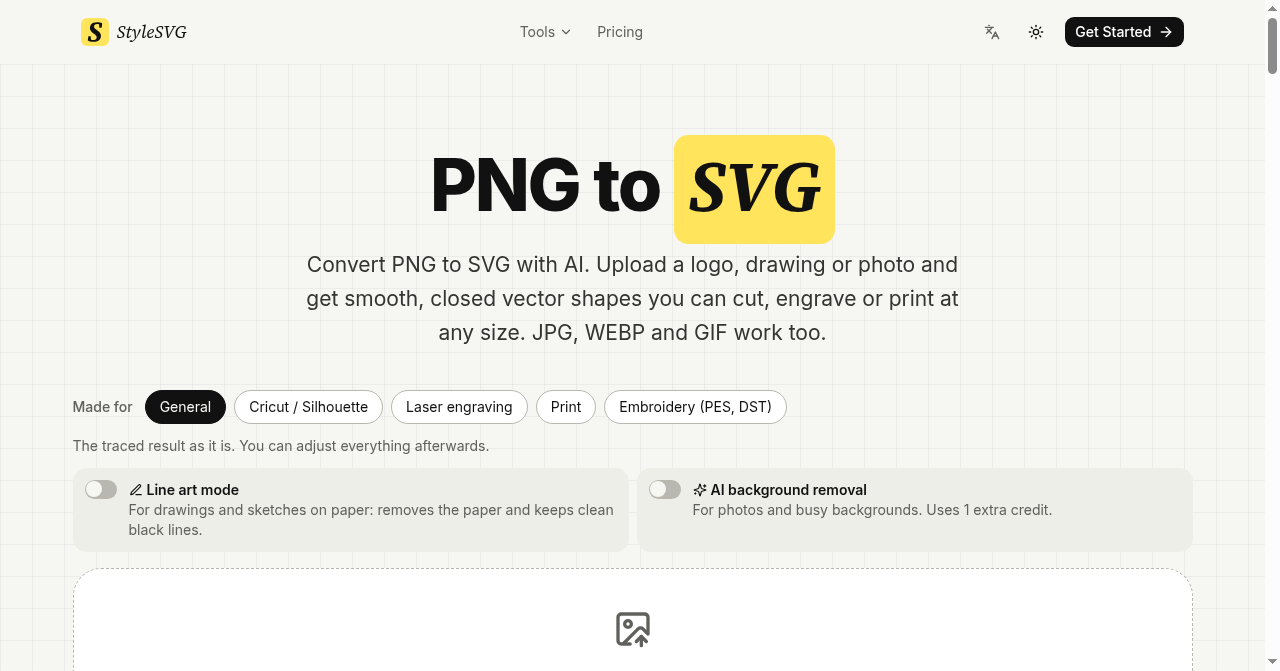
StyleSVG is the right pick for Etsy sellers, Cricut crafters, and laser engravers who need clean, cutter-friendly vectors from photos or clip art without a design background. Its per-file pricing ($6.99 one-off) and rollover credits on the $49/year Starter plan are genuinely fair for occasional converters, but the tool does no text-to-SVG generation and offers no API, which puts it behind more developer-oriented competitors. If you need bulk automation or text-prompt generation, look elsewhere.
What is StyleSVG?
StyleSVG is an online AI image vectorizer for makers, designers, print shops and Etsy sellers. Upload a PNG, JPG or WebP image, choose a preset for Cricut, laser engraving, print or embroidery, and inspect a free watermarked preview before unlocking the file. Users can adjust colours, remove backgrounds and export an unlocked conversion as SVG, PNG, PDF, EPS or DXF. The site also provides free browser-based tools for viewing, editing, optimizing and converting SVG files.
How we scored StyleSVG
Capability lands at 17 because StyleSVG does its core conversion job competently and adds genuinely useful maker-specific tools (centerline trace, embroidery, sticker outline, laser box generator) that competitors ignore, but the complete absence of an API and text-to-SVG generation are real feature gaps versus tools like Canva that can create vectors from scratch. Ease of use scores 20: the free preview before payment, browser-only operation with no install, and clearly named presets for Cricut and laser engraving make onboarding nearly frictionless for the target audience. Value scores 18 because the $49/year Starter plan at roughly $0.16 per file is fair for a weekly maker, and rollover credits reduce waste, but the $6.99 single-file price is punishing for casual one-off users and there is no true free download tier. Delivery scores 13 because no user sentiment data was findable to validate output quality claims, the social presence appears nonexistent (no confirmed profiles on any platform), and the 'FREEMIUM' label on a product with no free downloads is a mild bait-and-switch that erodes trust slightly.
Pros and cons
What we liked
- Free watermarked preview before any payment, so you know the output quality before committing $6.99 or a subscription credit.
- Unusually broad maker-specific toolset: centerline trace, sticker outline maker, laser cut box generator, and image-to-embroidery conversion are all included free alongside the core vectorizer.
- Rollover credits and transparent per-file math ($0.16/file on Starter, $0.11/file on Pro) make cost predictable for irregular workloads.
Where it falls short
- No API access at any tier, making StyleSVG unusable for automated or batch pipelines beyond the manual browser interface.
- No text-to-SVG generation: every conversion requires a raster source image, which is a meaningful gap versus tools that can create vectors from a text prompt.
- The one-file pay-as-you-go price of $6.99 per conversion is steep for casual users who only need occasional files but do not want an annual commitment.
Key features
StyleSVG pricing
Pay-per-file at $6.99 per conversion with no subscription required. Starter plan is $49/year (about $4.08/month) for 25 files/month. Pro plan is $129/year (about $10.75/month) for 100 files/month. Unused conversions roll over one month on both plans. No permanent free tier; free watermarked previews are available before purchase.
| Plan | Price | Who it is for |
|---|---|---|
| Pay Per File | $6.99 | Single file conversion with no subscription. Convert on the home page, inspect the free watermarked preview, then enable that one file. No rollover, no commitment. |
| Starter | $49/year | 25 files per month (about $0.16 per file). SVG, PNG, PDF, EPS, and DXF export. Cutter-friendly version, recolor, background removal, and color layers included. One free re-run per file. Unused files roll over one month. Billed as $49 once a year. |
| Pro | $129/year | 100 files per month (about $0.11 per file). Same feature set as Starter. Billed as $129 once a year. Aimed at shops and busy sellers with higher volume needs. |
Pricing reflects what we saw at time of review (2026-11). Always confirm current pricing on the tool's own site.
Who should use StyleSVG?
StyleSVG fits makers who work with physical media: someone running an Etsy shop selling Cricut cut files, a hobbyist preparing artwork for a laser engraver, or a small print shop that occasionally needs to vectorize a customer's logo for vinyl cutting. The free preview before payment removes the guesswork, and the $49/year Starter plan works out to about $0.16 per file, which is reasonable for someone converting a handful of images each week. The embroidery converter and sticker outline maker add genuine value for niche workflows that most general-purpose design tools ignore.
Designers who want to generate SVGs from text prompts should look at Canva, which includes AI-assisted design generation and a much broader creative toolkit. Developers or shops needing to automate vectorization through an API will find StyleSVG a dead end and should consider a tool with programmatic access instead.
Skip it if: Developers needing API access or designers wanting text-to-SVG generation
StyleSVG alternatives
Frequently asked questions
Is there a free plan?+
There is no permanent free tier. StyleSVG provides a free watermarked preview of every conversion before you pay, but downloading the enabled file costs $6.99 per file or requires a Starter ($49/year) or Pro ($129/year) subscription.
What file formats can I export?+
Enabled conversions can be downloaded as SVG, PNG, PDF, EPS, or DXF. Editing and PDF/EPS downloads are free on top of the conversion credit, so you are not charged extra to switch formats after converting.
Do unused monthly conversions expire?+
Unused conversions roll over for one month on both the Starter and Pro plans. Conversions from month one stay usable through month two, but they do not accumulate indefinitely.
Can I batch-convert multiple images at once?+
Batch processing is supported for signed-in accounts with enough credit balance. Each file in a batch counts as one conversion, and failed files are refunded automatically.
Is there an API for automated workflows?+
No. StyleSVG has no API at any pricing tier. All conversions are done manually through the browser interface, which makes it unsuitable for automated pipelines.
What is the refund policy?+
Failed conversions are refunded automatically. A single-file purchase can be refunded before download. A first subscription payment can be refunded within 7 days if you used 3 conversions or fewer.
More AI Design & Art tools
See all categoriesGet your tool listed on 300+ directories.
One listing here is a strong start. But the founders who get discovered everywhere are listed everywhere. Our sister site, Free AI Directories, submits your tool to 300+ AI directories for you, every single one by hand, by a real person.
It is a one-time payment of $49, no subscription, and you can follow along as the submissions land. Prefer the slow route? The same site keeps a free list of 450+ directories you can work through yourself.
Get my tool listed on 300+ directoriesOne-time payment, no subscription · 100% human submissions · Free list of 450+ directories included.