Tattoo From Photo
Converts a photo into tattoo line art across four styles, with placement and skin-tone preview, for anyone planning a custom tattoo.
Are you the maker? Claim this listing to keep info, pricing and screenshots current. Verified via your tool's domain email.
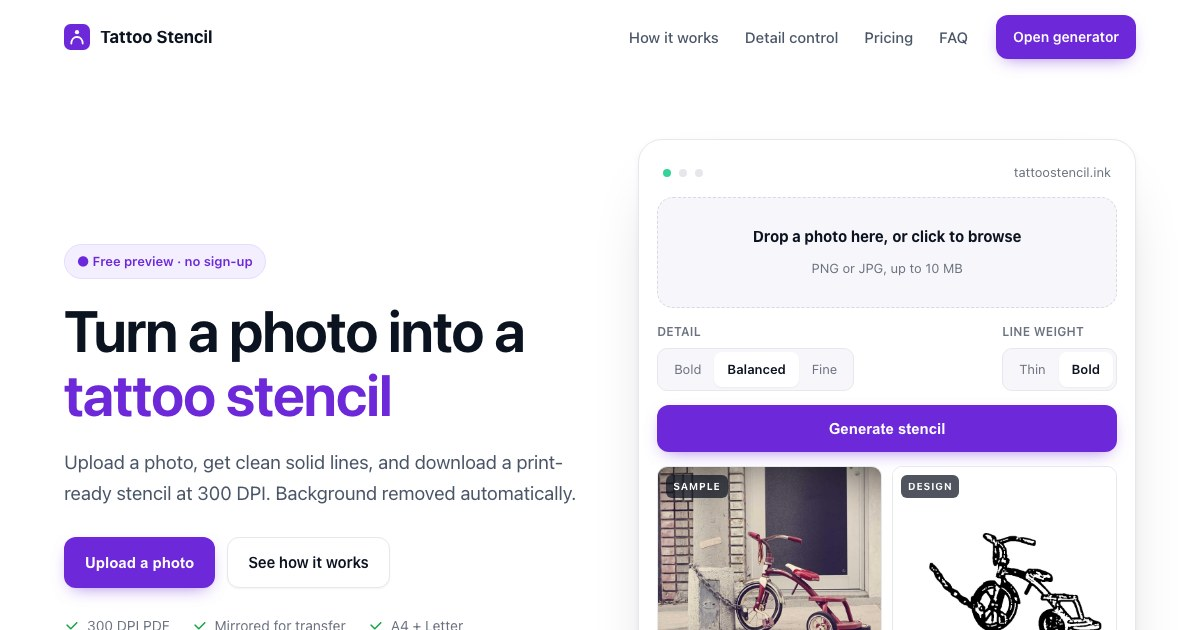
Tattoo From Photo is the right starting point for someone who has a photo of a pet, portrait, or memory and wants to hand a tattoo artist a usable line-art reference rather than a vague description. Its one-time credit packs keep costs low and predictable, but the tool stops at reference art: it does not generate fully original tattoo designs from text, and Canva's broader design toolkit will serve anyone who needs to do more than convert a single photo. Skip it if you want AI-generated tattoo concepts from scratch rather than a conversion of something you already have.
What is Tattoo From Photo?
Tattoo From Photo is a web-based AI tool that converts a personal photo into tattoo line art across four distinct styles: fine-line, blackwork, watercolor, and minimal. Users can preview how a design would look on different body placements, sizes, and skin tones, and can add text such as a name or dates before downloading a full-resolution file with a print-ready PDF.
The tool is aimed at individuals planning a custom tattoo who want a concrete visual reference to share with their artist. It operates on a freemium model: three watermarked previews are available daily without an account, while one-time credit packs and a monthly subscription enable full-resolution exports. The site is available in English, Spanish, Portuguese, and French, and runs entirely in the browser with no app download required.
How we scored Tattoo From Photo
Capability scores 16 because the tool does its narrow job (photo-to-line-art conversion across four styles with placement preview) competently, but it has no text-to-tattoo generation, no commercial licensing, and no API, features that named competitors in the broader AI design space offer. Ease of use scores 20 because the no-account free preview, clear one-time pricing, and multilingual support all reduce friction meaningfully for a first-time user. Value scores 21 because $4.99 for 20 non-expiring designs with a print PDF is genuinely fair for the personal-use buyer this tool targets, and the free tier lets anyone test before paying. Delivery scores 11 because the tool is very new, has minimal third-party coverage, no documented user base or review volume, and no social presence that could be confirmed, making it difficult to verify that the product delivers consistently at the quality level implied; the thin public footprint is a real trust signal gap, not just a marketing shortfall.
Pros and cons
What we liked
- One-time credit packs ($4.99 for 20 designs, $9.99 for 50) never expire and a failed generation never burns a credit, making the cost genuinely predictable.
- Free tier requires no account and delivers 3 previews per day, letting users verify their photo converts well before paying anything.
- Placement and skin-tone preview is built into the core workflow, giving users a realistic sense of how the design will look on an actual body before they visit an artist.
Where it falls short
- No text-to-tattoo generation: the tool only converts photos you already have, so anyone wanting to design a tattoo concept from a written description has to look elsewhere.
- No commercial-use licensing is mentioned anywhere on the pricing page, which rules the tool out for professional tattoo studios or designers producing work for clients.
- Web-only with no API or mobile app, and no account-based design history mentioned, meaning there is no obvious way to retrieve or manage past generations across sessions.
Key features
Tattoo From Photo pricing
Free previews (watermarked, low resolution, 3 per day, no account needed). One-time paid packs: Starter at $4.99 for 20 full-resolution designs with print PDF; Family at $9.99 for 50 designs. Pro Monthly subscription at $9.90/month adds 100 designs per billing cycle. Credits never expire on one-time packs.
| Plan | Price | Who it is for |
|---|---|---|
| Preview | $0 | 3 previews per day, no account required. Watermarked and low resolution only; no print PDF. |
| Starter pack | $4.99 | 20 full-resolution designs plus a print PDF. One-time payment, never expires. |
| Family pack | $9.99 | 50 full-resolution designs plus print PDFs. One-time payment, never expires. Suited to trying multiple styles across several photos. |
| Pro Monthly | $9.90/month | 100 designs added each billing month. Renews automatically; unused designs carry over after renewal or cancellation. Cancel any time to stop the next renewal. |
Pricing reflects what we saw at time of review (2026-10). Always confirm current pricing on the tool's own site.
Who should use Tattoo From Photo?
This tool fits someone with a specific photo they want turned into ink: a pet portrait, a memorial image of a loved one, a landscape from a meaningful trip. The free preview tier lets you test your photo before committing any money, which is genuinely useful when you are unsure whether the source image will convert cleanly. The Starter pack at $4.99 covers 20 attempts, which is more than enough for most single-subject projects.
Professional tattoo artists looking to generate original designs for clients, or designers who need commercial-use rights, should look elsewhere. Canva (in our directory) covers a much wider design workflow and is better suited to anyone who needs to produce finished, branded, or multi-format creative assets beyond a single line-art conversion. Anyone wanting AI-generated tattoo concepts from a text prompt rather than a photo conversion will also find this tool too narrow for their needs.
Skip it if: Tattoo artists or designers who need text-to-tattoo generation or commercial-use licensing
Frequently asked questions
Can I try it without paying or creating an account?+
Yes. The free Preview tier gives 3 watermarked, low-resolution previews per day with no account required. This is enough to check whether your photo converts well before buying credits.
What happens if a generation fails?+
A failed generation does not use a credit, according to the pricing page. You only spend a credit when a design is successfully produced.
Do credits expire?+
Credits from the one-time Starter ($4.99) and Family ($9.99) packs never expire. On the Pro Monthly plan, unused designs carry over after renewal or cancellation.
What styles can I generate?+
The tool supports four styles: fine-line, blackwork, watercolor, and minimal. You can compare the same photo across styles before downloading.
Is the output a stencil I can use directly in the studio?+
No. The output is a line-art reference image with a print PDF, intended to show your tattoo artist what you want. It is not a transfer-ready stencil.
Can I use the designs commercially?+
The pricing page does not mention commercial-use licensing. The tool appears aimed at personal use; professional studios or designers should check the Terms page directly before using outputs for client work.
More AI Design & Art tools
See all categoriesGet your tool listed on 300+ directories.
One listing here is a strong start. But the founders who get discovered everywhere are listed everywhere. Our sister site, Free AI Directories, submits your tool to 300+ AI directories for you, every single one by hand, by a real person.
It is a one-time payment of $49, no subscription, and you can follow along as the submissions land. Prefer the slow route? The same site keeps a free list of 450+ directories you can work through yourself.
Get my tool listed on 300+ directoriesOne-time payment, no subscription · 100% human submissions · Free list of 450+ directories included.