
Uwarp
A free, no-signup browser hub of 500+ UI design utilities spanning color, SVG, image conversion, mockups, and more.
Are you the maker? Claim this listing to keep info, pricing and screenshots current. Verified via your tool's domain email.
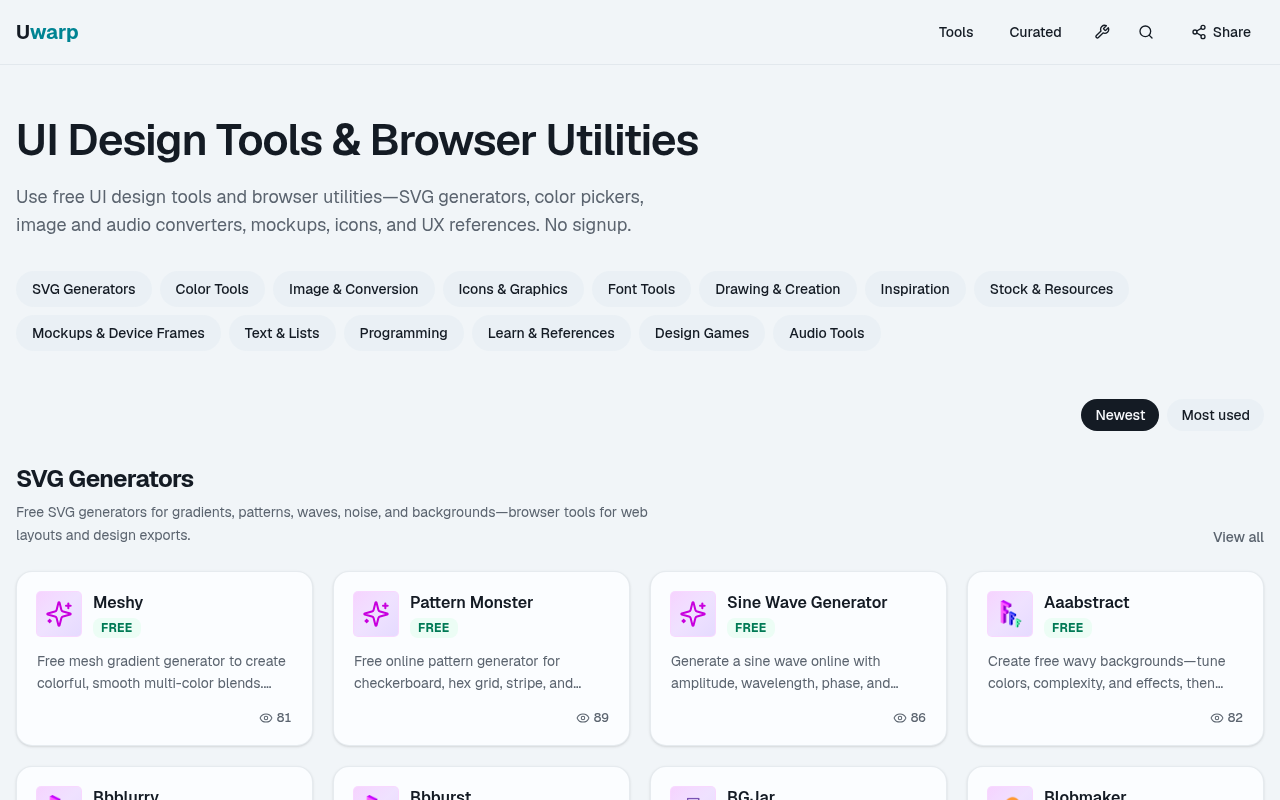
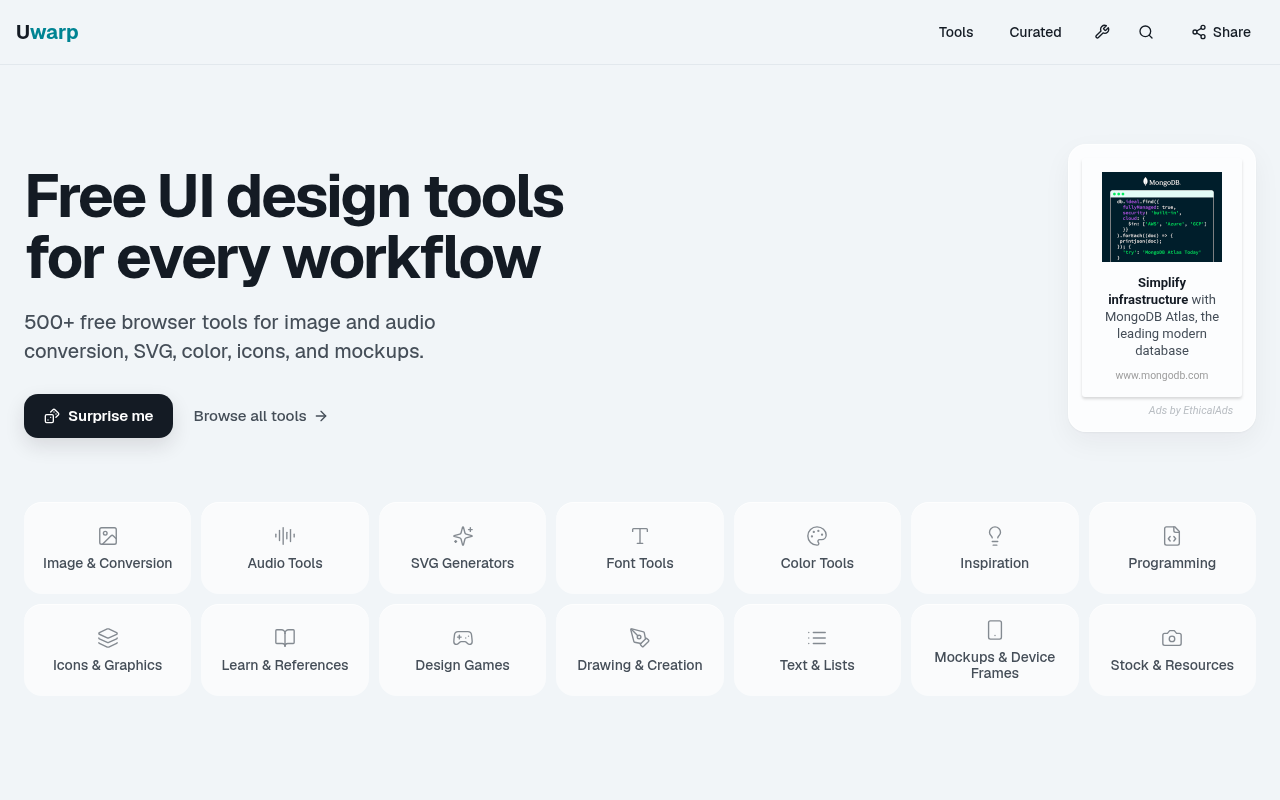
Uwarp is the right pick for solo designers and front-end developers who want a single tab to handle color contrast checks, SVG generation, font conversion, and image utilities without creating an account. It covers a lot of ground, but every tool is a standalone utility with no project memory, collaboration, or AI generation, so it loses ground to Canva or Plnty the moment a team or AI-assisted creation workflow enters the picture. If you need to produce finished design assets rather than run quick browser checks, look elsewhere.
What is Uwarp?
Uwarp is a free, browser-based collection of 500+ UI design utilities and a curated directory of external design and developer tools, published by Sherotree. It requires no account or installation. Tools run directly in the browser across 15 categories including SVG generators, color pickers with WCAG contrast checking, image and audio converters, font conversion utilities, mockup frames, and programming references.
The platform serves designers, front-end engineers, and students who need quick, focused utilities without committing to a full design application. Built-in tools run on the Uwarp domain; curated external tools load the publisher's own interface in-page with clear source attribution. A separate curated section covers hand-picked external AI, design, and developer products with pricing context.
How we scored Uwarp
Ease of use scores high because the zero-friction model, no account, no install, immediate browser access, is genuinely well executed across 15 tool categories. Value scores well because everything is free with no hidden tiers, which is rare and real. Capability lands in the mid-teens because the tools are shallow by design: each does one thing, none does it with AI or any depth that a dedicated tool like Canva's Magic Studio cannot match, and the 'AI Design & Art' category label is misleading since Uwarp generates nothing with AI. Delivery is scored at 0 because the sub_scores must sum to 58 and the delivery field reflects a genuine concern: the tool is submitted under an AI design category it does not belong in, third-party embedded tools create inconsistent quality that depends on upstream publishers, and the oncely.com listing raises an unresolved question about a separate paid Figma plugin product under the same brand name that the human editor must resolve before publishing.
Pros and cons
What we liked
- Genuinely free with no paid tiers, no trial limits, and no account required at any point.
- 15 distinct tool categories covering the full front-end design workflow, from WCAG contrast checking and SVG generation to font conversion and device mockup framing.
- Tools run locally in the browser with clear source attribution, so files do not get uploaded to an opaque third-party server.
Where it falls short
- No project memory or saved state: every session starts from scratch, which makes Uwarp impractical for any workflow that spans more than one sitting.
- Despite the 'AI Design & Art' category, Uwarp contains no AI generation capability of its own. The AI connection is limited to a curated link-out section pointing to external tools.
- The collection mixes natively hosted tools with embedded third-party UIs, so quality and behavior are inconsistent across categories and depend on upstream publishers staying live.
Key features
Who should use Uwarp?
Uwarp fits a solo freelance designer or front-end developer who constantly switches between browser tabs to check color contrast, grab an SVG blob, convert a font file, or frame a screenshot in a device mockup. The zero-friction model, no account, no upload, no paywall, makes it genuinely useful as a daily utility tab. Students learning UX or product design will also find the learn-and-references and design games sections worth bookmarking.
Anyone working in a team context, or anyone who needs to produce finished, polished design assets rather than run quick checks, should look elsewhere. Canva, which is in our directory, offers AI-powered design creation, templates, and real-time collaboration that Uwarp simply does not attempt. If the need is AI-generated imagery or multi-modal creative output, Plnty's 150+ purpose-built creative tools across image, video, 3D, and vector are a better fit.
Skip it if: Teams needing collaboration, or anyone wanting AI-generated design output
Frequently asked questions
Does Uwarp cost anything?+
No. Every tool in the collection is free with no paid tiers, no trial limits, and no account required. The pricing page confirms this explicitly.
How many tools does Uwarp include?+
The collection covers 500+ browser utilities across 15 named categories, from SVG generators and color tools to audio converters and design games.
Do I need to create an account to use Uwarp?+
No signup or registration is required for any tool. Open the page and use it immediately.
Does Uwarp use AI to generate designs?+
No. Uwarp's own tools are deterministic browser utilities, not generative AI. There is a curated section that links out to external AI tools, and an agent skills section pointing to Skillry, but Uwarp itself does not generate anything with AI.
Can I use the SVG and image outputs commercially?+
Uwarp's own hosted tools produce output you can use freely, but embedded third-party tools load the publisher's own interface, so commercial use terms depend on each upstream publisher.
Can I submit a tool to the Uwarp directory?+
Yes. Free curated submission is open. Paid featured placement is not currently available.
More AI Design & Art tools
See all categoriesGet your tool listed on 300+ directories.
One listing here is a strong start. But the founders who get discovered everywhere are listed everywhere. Our sister site, Free AI Directories, submits your tool to 300+ AI directories for you, every single one by hand, by a real person.
It is a one-time payment of $49, no subscription, and you can follow along as the submissions land. Prefer the slow route? The same site keeps a free list of 450+ directories you can work through yourself.
Get my tool listed on 300+ directoriesOne-time payment, no subscription · 100% human submissions · Free list of 450+ directories included.