
Wix Logo Maker
AI-powered logo generator from Wixel that lets you design, customize, and download PNG and SVG logos for free.
Are you the maker? Claim this listing to keep info, pricing and screenshots current. Verified via your tool's domain email.
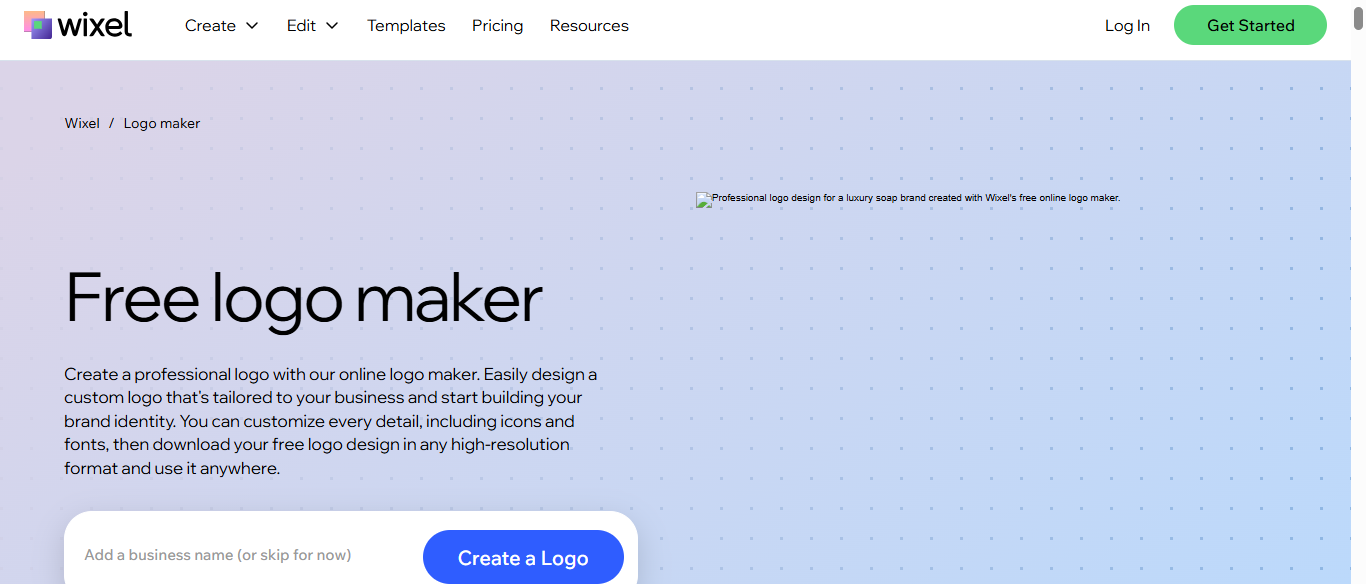
Wix Logo Maker is the right pick for a solo founder or small business owner who wants a usable, commercially licensed logo without spending anything, provided they stay within the free AI credit allowance. The credit system caps how many AI-driven iterations you can run before hitting a wall, and Canva's design tools go considerably deeper for anyone who needs more than a logo. If you need a full brand identity system or advanced vector editing, this tool will feel thin.
What is Wix Logo Maker?
Wix Logo Maker is a browser-based AI logo creation tool, now part of the Wixel design platform from Wix. Users enter a business name, answer brand-style questions, and receive AI-generated logo options they can customize by adjusting colors, fonts, icons, and layout in an online editor. The free plan covers both design and download, with high-resolution PNG and SVG files, including transparent backgrounds, available at no cost.
The tool is aimed at entrepreneurs, freelancers, and small business owners who need a commercially licensed logo without hiring a designer. AI-driven generations draw from a credit allowance included in the free plan, while manual edits carry no credit cost. Wixel also offers additional AI design tools, such as an image generator, background remover, and video maker, making the logo maker one part of a wider content creation platform.
How we scored Wix Logo Maker
Ease of use scores high because the onboarding is genuinely low-friction: enter a name, answer questions, get logos, download for free with no watermark. Value scores well because a free, commercially licensed SVG download is rare in this category and the credit system, while limiting, does not block basic use. Capability is held back by a shallow editor with no pen tool or node editing, no EPS or AI source file export, and a narrower feature set than Canva, which is the most direct directory competitor. Delivery scores in the low teens because the free credit allowance is not quantified anywhere on the page, so a buyer cannot tell how many AI generations the free plan covers before trying it, and the paid plans that add credits are not priced on the logo maker page either.
Pros and cons
What we liked
- Free plan downloads production-ready PNG and SVG files with transparent backgrounds and commercial use rights, no watermark and no payment required.
- Manual editing of colors, fonts, icons, and layout is fully free and unlimited, so you can refine a design without burning AI credits.
- Runs on Wixel, which also includes an image generator, background remover, and other tools, giving logo work a broader content creation context without switching platforms.
Where it falls short
- AI generation is credit-gated on the free plan and the allowance is not published; heavy iterators will hit the cap and face a hard stop on AI-driven changes.
- The logo editor is purpose-built and shallow compared to full vector tools: no pen tool, no node editing, and no way to export editable source files in a format like AI or EPS.
- The tool sits inside the Wixel platform, which requires a Wix account to use, and the broader Wixel interface can create confusion about which features belong to the logo maker versus other Wixel products.
Key features
Wix Logo Maker pricing
Free plan includes AI logo generation (allowance not published), manual editing at no cost, and free high-resolution PNG and SVG downloads with transparent background. The page does not list one-time packages or logo subscription tiers; paid plans add more AI credits. Wix website plans are separate from the logo tool.
| Plan | Price | Who it is for |
|---|---|---|
| Free | Free | AI logo generation using the free plan credit allowance (amount not published), unlimited manual editing of colors, fonts, icons, and layout, and free download of high-resolution PNG and SVG files with transparent background and commercial use rights. Requires a Wixel account. |
Pricing reflects what we saw at time of review (2026-11). Always confirm current pricing on the tool's own site.
Who should use Wix Logo Maker?
A solo founder launching a side project, a freelancer who needs a quick brand mark for a portfolio site, or a small retail business that wants a professional logo without a design budget will get real value here. The free SVG download means you can hand the file to a printer or drop it into a website builder the same day you make it, with no watermark and no payment required.
Anyone running a design agency, building a brand for a funded startup, or needing to produce multiple logo variants and a full identity system should look elsewhere. Canva, already in this directory, gives you a far wider design toolkit and better collaboration features for teams. If your need is specifically AI-generated imagery rather than a logo, Recraft AI, also in this directory, offers more control over generative output and style consistency.
Skip it if: Brand designers or teams needing deep vector control or a full identity system
Frequently asked questions
Can I actually download my logo for free, or is there a catch?+
The current Wixel-powered page states you can download your logo in high-resolution PNG and SVG, including with a transparent background, at no cost. No watermark is mentioned on the free plan. You do need a free Wixel account to proceed past the design step.
What are AI credits and how many do I get?+
Each AI-driven logo generation uses credits from the free plan allowance. The page does not state the amount. Manual edits to an existing design do not use credits.
Do I need a Wix website to use the logo maker?+
No. The logo maker runs on Wixel and only requires a free Wixel account. You do not need to purchase or build a Wix website to create and download a logo.
Are the icons and fonts licensed for commercial use?+
Yes. The Wix page states that the icons and fonts in its library are licensed for commercial use.
Can I edit my logo after downloading it?+
You can reopen the logo in the Wixel editor and make further manual edits at any time. Additional AI-driven regenerations will draw from your credit allowance. The tool does not export editable source files in formats like AI or EPS.
How does this compare to paying a designer?+
For a simple wordmark or icon-plus-text logo, the free output is production-ready and commercially licensed, which covers most small business needs. A professional designer adds strategic brand thinking, custom illustration, and file formats this tool cannot produce.
More AI Design & Art tools
See all categoriesGet your tool listed on 300+ directories.
One listing here is a strong start. But the founders who get discovered everywhere are listed everywhere. Our sister site, Free AI Directories, submits your tool to 300+ AI directories for you, every single one by hand, by a real person.
It is a one-time payment of $49, no subscription, and you can follow along as the submissions land. Prefer the slow route? The same site keeps a free list of 450+ directories you can work through yourself.
Get my tool listed on 300+ directoriesOne-time payment, no subscription · 100% human submissions · Free list of 450+ directories included.