BlockSkinLab
Free browser toolkit that converts photos, generates random AI skins, and edits Minecraft skin PNGs without an account or server.
Are you the maker? Claim this listing to keep info, pricing and screenshots current. Verified via your tool's domain email.
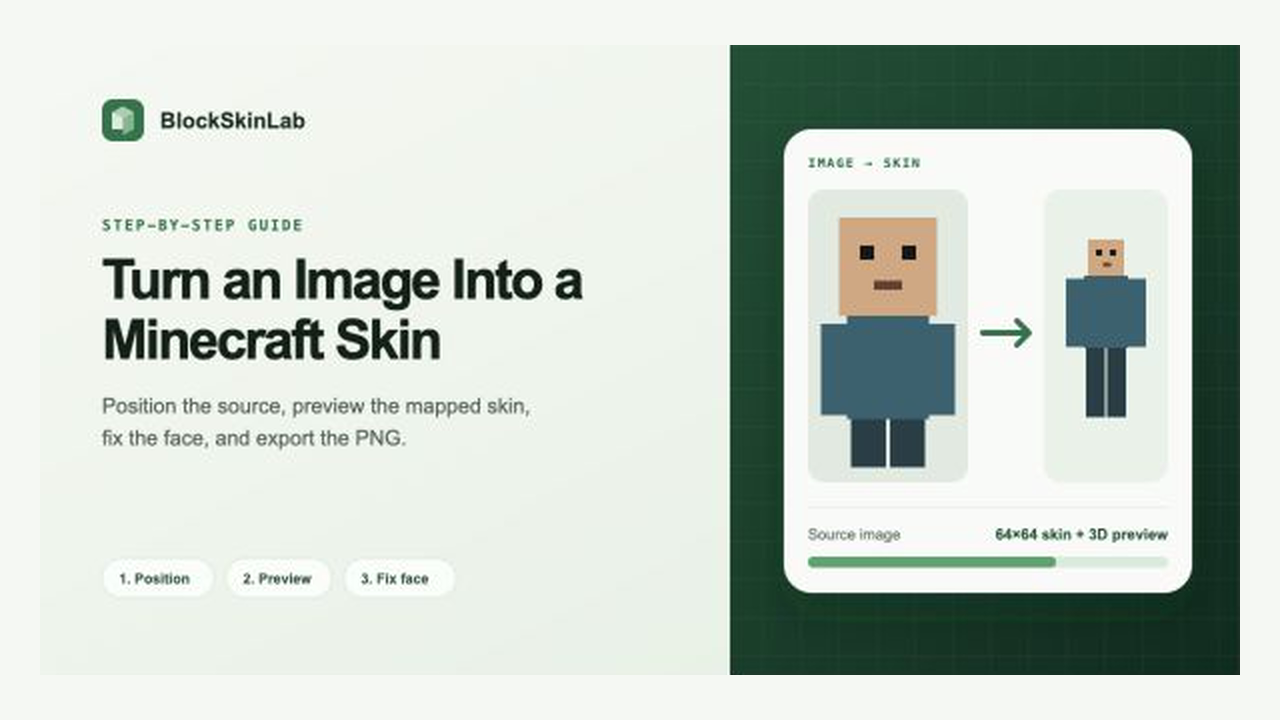
BlockSkinLab is the right pick for a Minecraft player who wants to turn a photo or selfie into a wearable skin in under a minute, with no account and no cost. The AI generator produces random skins only, accepting neither text nor image prompts, which puts it well behind prompt-driven competitors for anyone who wants a specific character. Players who need mirror mode, autosave, project layers, or 128×128 editing in the 3D editor should look elsewhere.
What is BlockSkinLab?
BlockSkinLab is an independent collection of free, browser-based Minecraft skin tools. Convert an image into a 64x64 or 128x128 skin, generate a random 64x64 AI skin, or edit a standard 64x64 PNG on a 3D character. Preview the result and download the PNG without creating an account. Core image processing runs locally in your browser. The image converter maps your picture onto a skin layout rather than redrawing it with AI, and the random AI generator currently accepts neither text nor image prompts. Not affiliated with Mojang or Microsoft.
How we scored BlockSkinLab
Ease of use scores high because the three-step converter, local processing, and zero-account flow genuinely reduce friction to near zero. Value scores high because the tool is entirely free with no credit system or paywall. Capability scores in the low teens because the AI generator accepts no prompts at all, the 3D editor is locked to 64×64 and missing mirror mode, autosave, and 2D atlas view, and the site's own blog content confirms these gaps against free competitors. Delivery scores very low: no confirmed social presence, no user review data found, two conflicting country-of-origin listings across directory entries, and the tool is a 2026 project with no track record, making it impossible to assess whether it consistently delivers on its claims.
Pros and cons
What we liked
- Fully free with no account required: all three tools download a PNG at $0 with no sign-up gate anywhere in the flow.
- Local processing for the image converter and AI generator means source photos and generated skins never leave the user's device, a real privacy advantage over cloud-based tools.
- Supports both 64×64 and 128×128 output resolutions with Classic and Slim arm model options in the image converter, covering the main Minecraft Java and Bedrock skin formats.
Where it falls short
- The AI skin generator is random-only and accepts no text or image prompt, so you cannot target a specific character, style, or color scheme. This is a fundamental capability gap versus prompt-driven tools.
- The 3D editor is locked to 64×64 skins and is missing autosave, mirror mode, a 2D atlas view, project layers, and username lookup, features that free competitors like MCWorldTools already include.
- No community gallery, skin sharing, or account system means you cannot save work between sessions or browse others' skins for inspiration; every session starts from scratch.
Key features
BlockSkinLab pricing
Entirely free. All three tools (image converter, AI skin generator, 3D editor) are free with no account required and no paid tiers listed on the site.
| Plan | Price | Who it is for |
|---|---|---|
| Free | $0 | All three tools (image converter, AI skin generator, 3D editor), 64×64 and 128×128 PNG export, no account required, unlimited use. |
Pricing reflects what we saw at time of review (2026-11). Always confirm current pricing on the tool's own site.
Who should use BlockSkinLab?
BlockSkinLab fits Minecraft players who want to turn a selfie, fan art, or character screenshot into a wearable skin quickly. The three-step converter (upload, position, download) is genuinely fast, and the local processing makes it a reasonable choice for anyone cautious about uploading personal photos to a cloud service. Parents setting up skins for younger players will appreciate the no-account, no-payment flow.
Anyone who wants to describe a character in plain language and get a matching skin should skip BlockSkinLab entirely. Canva covers broader design needs if you want a full creative suite. For prompt-driven Minecraft skin generation specifically, BlockSkin (blockskin.net) accepts text descriptions and produces Java and Bedrock-compatible skins, making it the better fit when you have a specific character in mind rather than a source image to map.
Skip it if: Anyone needing prompt-driven AI skin generation or advanced 3D editing features
BlockSkinLab alternatives
Frequently asked questions
Is BlockSkinLab actually free, or is there a paid tier?+
It is entirely free. All three tools output downloadable PNGs at no cost, and the site lists no paid plans or credit system.
Does the image converter use AI to redraw my photo as a Minecraft character?+
No. It uses UV mapping to wrap your photo onto the standard Minecraft skin layout. The result reflects your actual image positioned over a body guide, not an AI-generated interpretation of it.
Can I describe a character and have the AI generator create a matching skin?+
Not currently. The AI generator produces random 64×64 skins with one click and accepts neither text prompts nor image references.
Does my photo get uploaded to a server?+
No. Image positioning, skin mapping, AI inference, and PNG export all run locally in your browser using browser APIs and WebAssembly.
What resolutions does the image converter support?+
It outputs either a standard 64×64 or an HD 128×128 PNG. Note that 128×128 compatibility depends on your Minecraft edition and device.
Does the 3D editor support 128×128 skins?+
No. The 3D editor is limited to standard 64×64 skins. The 128×128 option is available only in the image converter.
More AI Design & Art tools
See all categoriesGet your tool listed on 300+ directories.
One listing here is a strong start. But the founders who get discovered everywhere are listed everywhere. Our sister site, Free AI Directories, submits your tool to 300+ AI directories for you, every single one by hand, by a real person.
It is a one-time payment of $49, no subscription, and you can follow along as the submissions land. Prefer the slow route? The same site keeps a free list of 450+ directories you can work through yourself.
Get my tool listed on 300+ directoriesOne-time payment, no subscription · 100% human submissions · Free list of 450+ directories included.